Case Communications 6401 Rugged ADSL Router Manual – Rev 1.5
SECTION 5 – ADVANCED CONFIGURATION Page 5.23
5.4 LAN CONFIGURATION
5.4.1 LAN SETUP
ADVANCED SETUP >LAN
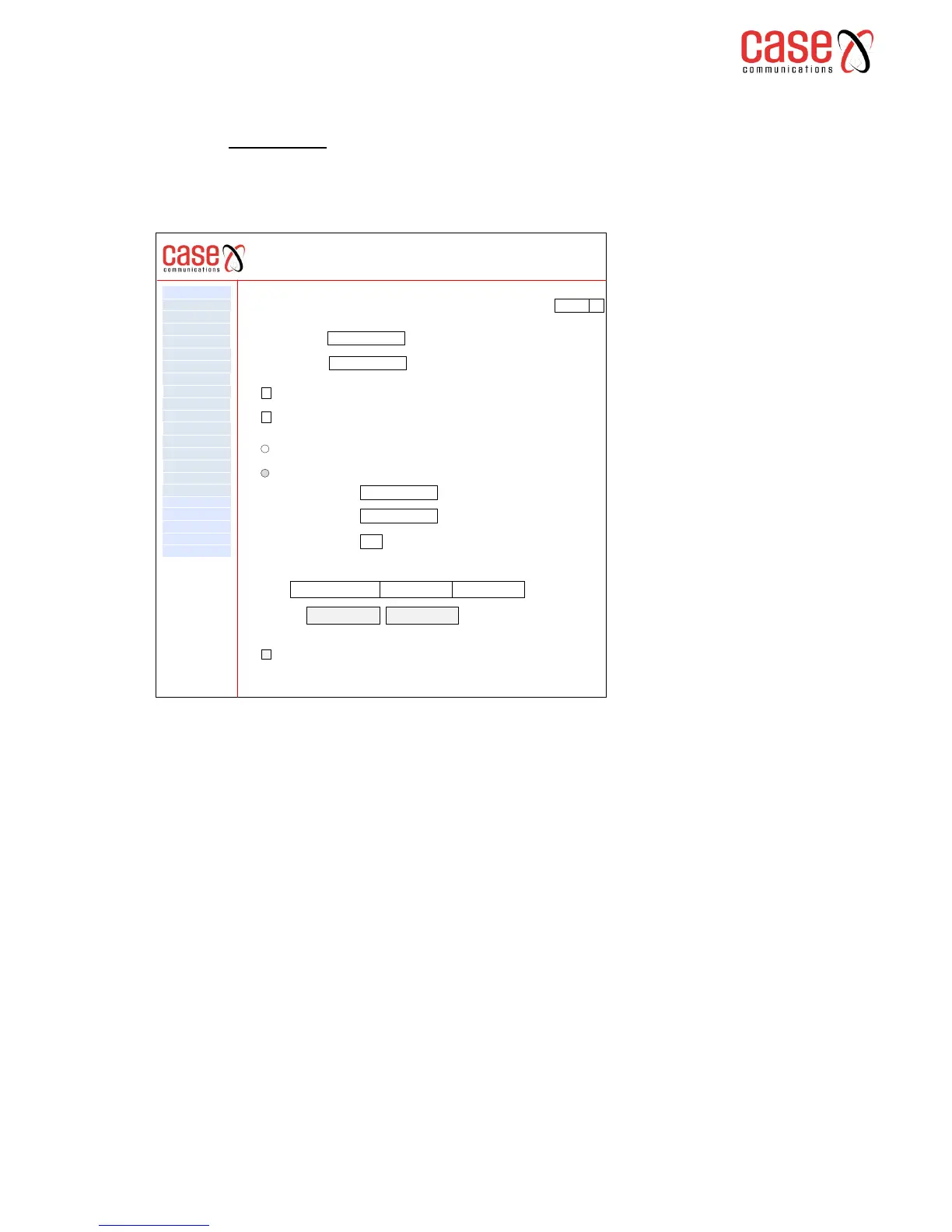
This part of the menu allows the network manager to configure the LAN interfaces on the router. On
entering this option we are presented with the following page.
Configure the Broadband Router IP Address and Subnet Mask for LAN interface. (Default )
(Ethernet 1)
IP Address: Configure an IP address for this routers MMI e.g. 192.168.1.1
(The default IP Address is 192.168.1.1)
Subnet Mask: Configure the sub network mask for the port e.g. 255.255.255.0
(The default sub network mask is 255.255.255.0)
Enable IGMP Snooping: Enable or disable IGMP Snooping. If you enable IGMP its necessary to
select one of the follow modes
Standard Mode – In standard mode the multicast traffic, will flood to all bridge ports when no client
subscribes to a multicast group – even if IGMP snooping is enabled.
Blocking Mode – In blocking mode multi-cast data traffic will be blocked and not flood to all bridge
ports when there are no client subscriptions to any multicast groups.
Enable LAN side firewall; enable the routers firewall on the LAN ports.
6401 Rugged Router
IP Sec
WAN Service
VPN
LAN
NAT
Security
Parental Control
Quality of Service
Routing
DNS
DSL
UPnp
DNS Proxy
Print Server
Layer 2 Interface
Advanced Setp
Interface Grouping
Certificate
Multicast
Diagnostics
Management
Device Info
Local Area Network (LAN) Setup
Configure the Broadband Router IP Address and Subnet Mask for LAN Interface. Group Name
Default q
IP Address
Subnet Mask
192.168.1.1
255.255.255.0
Enable IGMP Snooping
Enable LAN Side Firewall
Disable DHCP Server
Enable DHCP Server
Start IP Address 192.168.1.2
End IP Address
192.168.1.204
Lease Time (hour) 2
Static IP LeaseList: A maximum of 32 entries can be configured
MAC Address IP Address Remove
Add Entries Remove Entries
Configure the second IP Address and subnet mask for LAN Interface



 To Next Page