Case Communications 6401 Rugged ADSL Router Manual – Rev 1.5
SECTION 5 – ADVANCED CONFIGURATION Page 5.4
5.1.4 CONFIGURING AN ETHERNET INTERFACE
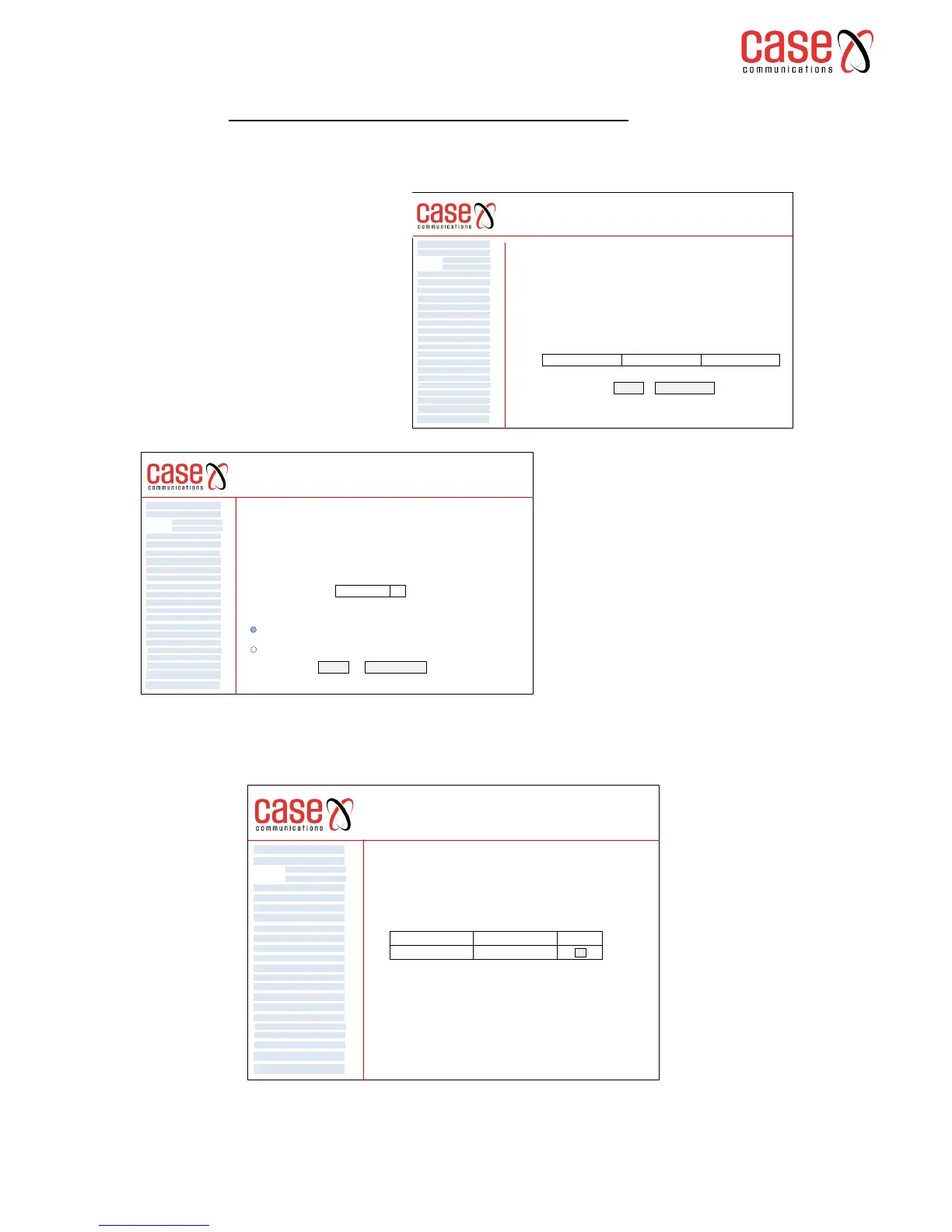
ADVANCED SETUP >LAYER2 INTERFACE>ETH INTERFACE
Its possible to configure one of the Ethernet ports on the router to work as a WAN port
Having selected ‘Apply / Save’ a page showing the configuration is displayed as shown below
6401 Rugged Router
ETH WAN Interface Configuration
Choose Add, or Remove to configure ETH WAN interfaces.
Allow one ETH as layer 2 wan interface.
Interface (Name) Connection Mode
Remove
Add Remove
WAN Service
VPN
LAN
NAT
Security
Parental Control
Quality of Service
Routing
DNS
DSL
UPnp
DNS Proxy
Print Server
Layer 2 Interface
Advanced Setp
Interface Grouping
IP Sec
Certificate
Multicast
Diagnostics
Management
ATM Interface
Eth Interface
6401 Rugged Router
Back Apply / Save
WAN Service
VPN
LAN
NAT
Security
Parental Control
Quality of Service
Routing
DNS
DSL
UPnp
DNS Proxy
Print Server
Layer 2 Interface
Advanced Setp
Interface Grouping
IP Sec
Certificate
Multicast
Diagnostics
Management
ATM Interface
Eth Interface
ETH WAN Configuration
This screen allows you to configure a ETH port .
Select a ETH port:
eth3 / eth3 q
Select Connection Mode
Default Mode - Single service over one connection
VLAN MUX Mode - Multiple Vlan service over one connection
6401 Rugged Router
WAN Service
VPN
LAN
NAT
Security
Parental Control
Quality of Service
Routing
DNS
DSL
UPnp
DNS Proxy
Print Server
Layer 2 Interface
Advanced Setp
Interface Grouping
IP Sec
Certificate
Multicast
Diagnostics
Management
ATM Interface
Eth Interface
Interface Name
ETH WAN Interface Configuration
Choose Add, or Remove to configure ETH WAN interfaces.
Allow one ETH as layer 2 wan interface.
Connection Mode Remove
eth0 / eth0 Default Mode
Select Ethernet Interface’ to enter the
Ethernet WAN port configuration.
Existing Ethernet ports that have been
configured as WAN ports are
displayed.
Select ‘Add’ to configure a WAN
interface via an Ethernet port.
Select an Ethernet port from the drop
down menu
Then Select Connection Mode
Default Mode – Single Service over one
connection
VLAN MUX Mode – Multiple VLAN
Service over one connection



 To Next Page