Case Communications 6401 Rugged ADSL Router Manual – Rev 1.5
SECTION 5 – ADVANCED CONFIGURATION Page 5.60
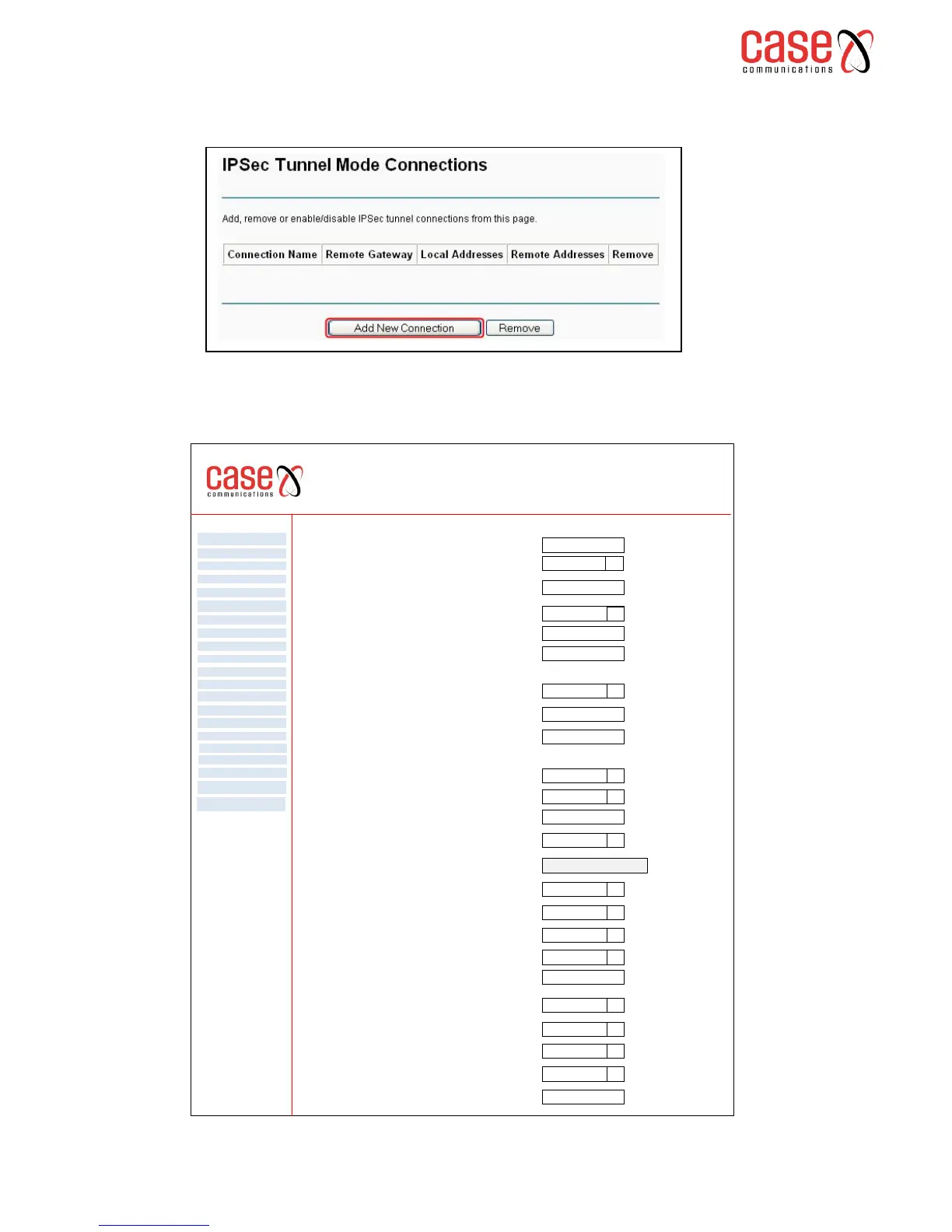
To create a new IP Sec Tunnel please click Add New Connection on the IP Sec page as shown below
On selecting ‘add new connection’ the following IPSec configuration page appears.
NB. This page shows the Advanced IKE settings
6401 Rugged Router
IP Sec Settings
WAN Service
VPN
LAN
NAT
Security
Parental Control
Quality of Service
Routing
DNS
DSL
UPnp
DNS Proxy
Print Server
Layer 2 Interface
Advanced Setp
Interface Grouping
IP Sec
Certificate
Multicast
Diagnostics
Management
Tunnel From Local IP address
Remote IP Sec Gateway Address (IPv4 address in dotted decimal)
0.0.0.0
IP Sec Connection Name New Connection
q
qTunnel Mode ESP
Subnet
q
IP Address for VPN 0.0.0.0
IP Subnet Mask 255.255.255.0
Tunnel Access from remote IP Addresses Subnet
IP Address for VPN 0.0.0.0
IP Subnet Mask 255.255.255.0
Perfect Forward Secrecy Disable q
Pre-Shared Key Key
Authentication Method Pre-Shared Key q
Key Exchange Method (Auto) IKE
q
Advanced Settings
Advanced IKE Settings
Main q
AES 256 q
SHA1 q
Select Diffie-Hellman Group for Key Exchange
1024 bit q
Phase 1 Mode
Encryption Algorithm
Integrity Algorithm
Main q
AES 256 q
SHA1 q
Select Diffie-Hellman Group for Key Exchange
1024 bit q
Phase 2 Mode
Encryption Algorithm
Integrity Algorithm
Key Life Time
3600
Seconds
3600
Seconds
Key Life Time



 To Next Page