Programmable DC Power Supply (with Solar Array Simulation) 62000H Series
Operating & Programming Manual
“ ” to save it. If there is no need to save it, press “
” to return to the Calibration
screen.
[ S A V E A R G U M E N T
]
S A V E
=
N O
Figure 3-147
11. Press “
” to return to the MAIN PAGE.
3.3.8 REMOTE SETUP
3.3.8.1 GPIB ADDRESS
The DC Power Supply supports remote operation through the GPIB interface. The GPIB
address must be set prior to remote operation.
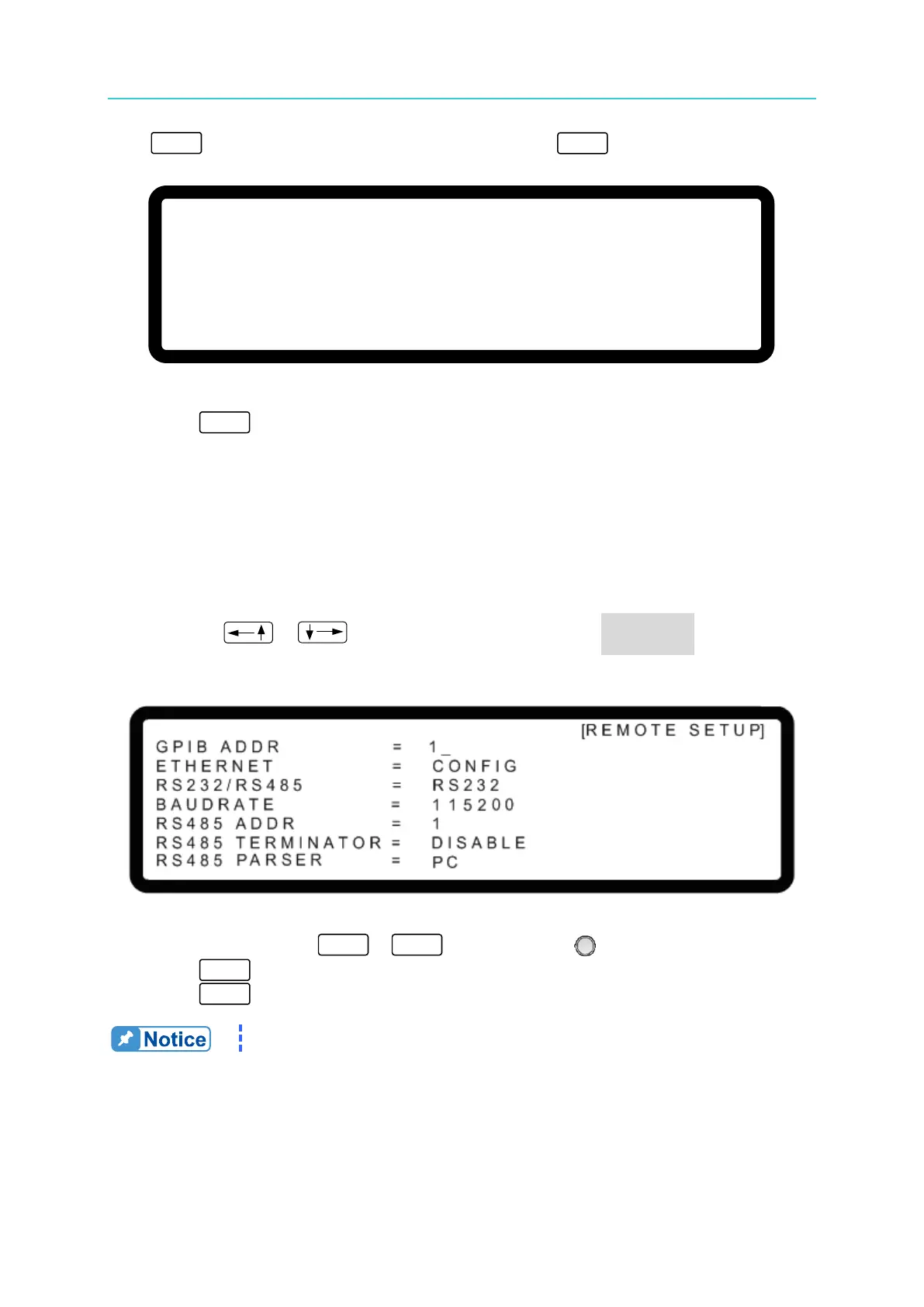
1. Use the “ ”, “ ” keys to move the cursor to the GPIB ADDR column as
shown in Figure 3-148.
Figure 3-148
2. Use the numeric keys
-
or the “Rotary” ( ) knob to set the address.
3. Press “ ” to confirm.
4. Press “ ” to return to the MAIN PAGE.
The valid address range is 1-30.
3.3.8.2 ETHERNET
The DC Power Supply supports remote operation through the ETHERNET interface. The
ETHERNET IP address must be set prior to remote operation.


 To Next Page
 Loading...

