Manual Operation
5. Press “
” to display the confirmation window as shown in Figure 3-167.
Figure 3-167
6. Press “
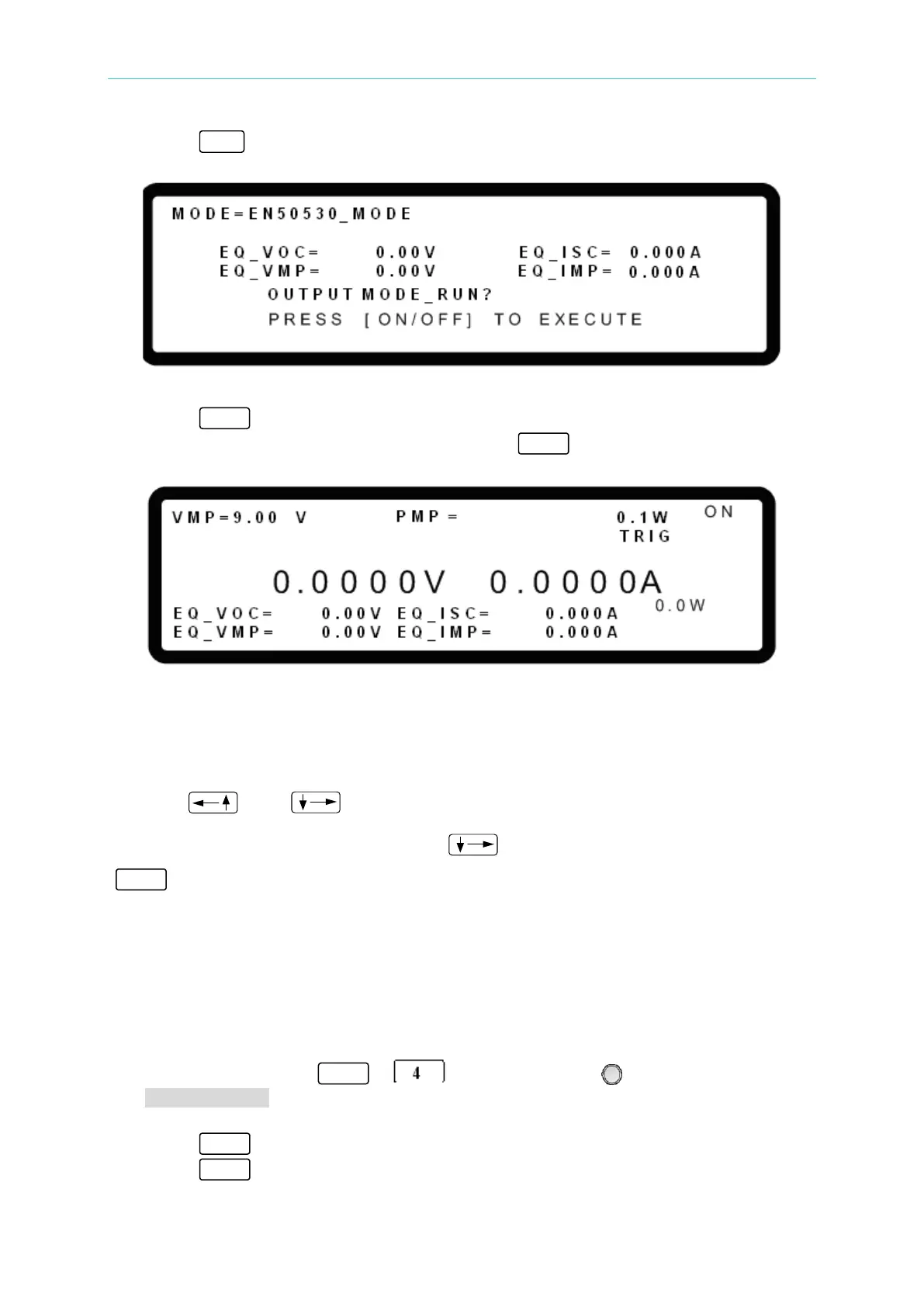
” again to start program execution. The EN50530 MODE main screen will
display as shown in Figure 3-168. To quit, press “ ” to return to the MAIN PAGE.
Figure 3-168
Figure 3-168 shows the screen during EN50530_MODE output. The EQ_VOC, EQ_VMP,
EQ_ISC and EQ_IMP are the actual operating points that are calculated based on the
settings of VMP and PMP using the built-in formula.
Use the “
” and “ ” keys to change the VMP and PMP parameters. When the
VMP or PMP parameters are changed, use “
” to move the cursor to TRIG and press
“ ” to confirm the change. The IV curve and EQ_VOC, EQ_VMP, EQ_ISC and EQ_IMP
parameters will be immediately updated.
3.3.9.5 SANDIA MODE
The Chroma 62000H Series Programmable DC Power Supply with Solar Array Simulation
has SANDIA_MODE built-in to provide a solar cell curve simulation function.
1. Use the numeric keys - or the rotary knob (
) to select
SANDIA_MODE as shown in Figure 3-169.
2. Press “ ” to confirm.
3. Press “ ” to return to the MAIN PAGE.


 To Next Page
 Loading...

