Programmable DC Power Supply (with Solar Array Simulation) 62000H Series
Operating & Programming Manual
3.3.2.2 CURRENT LIMIT SETTING
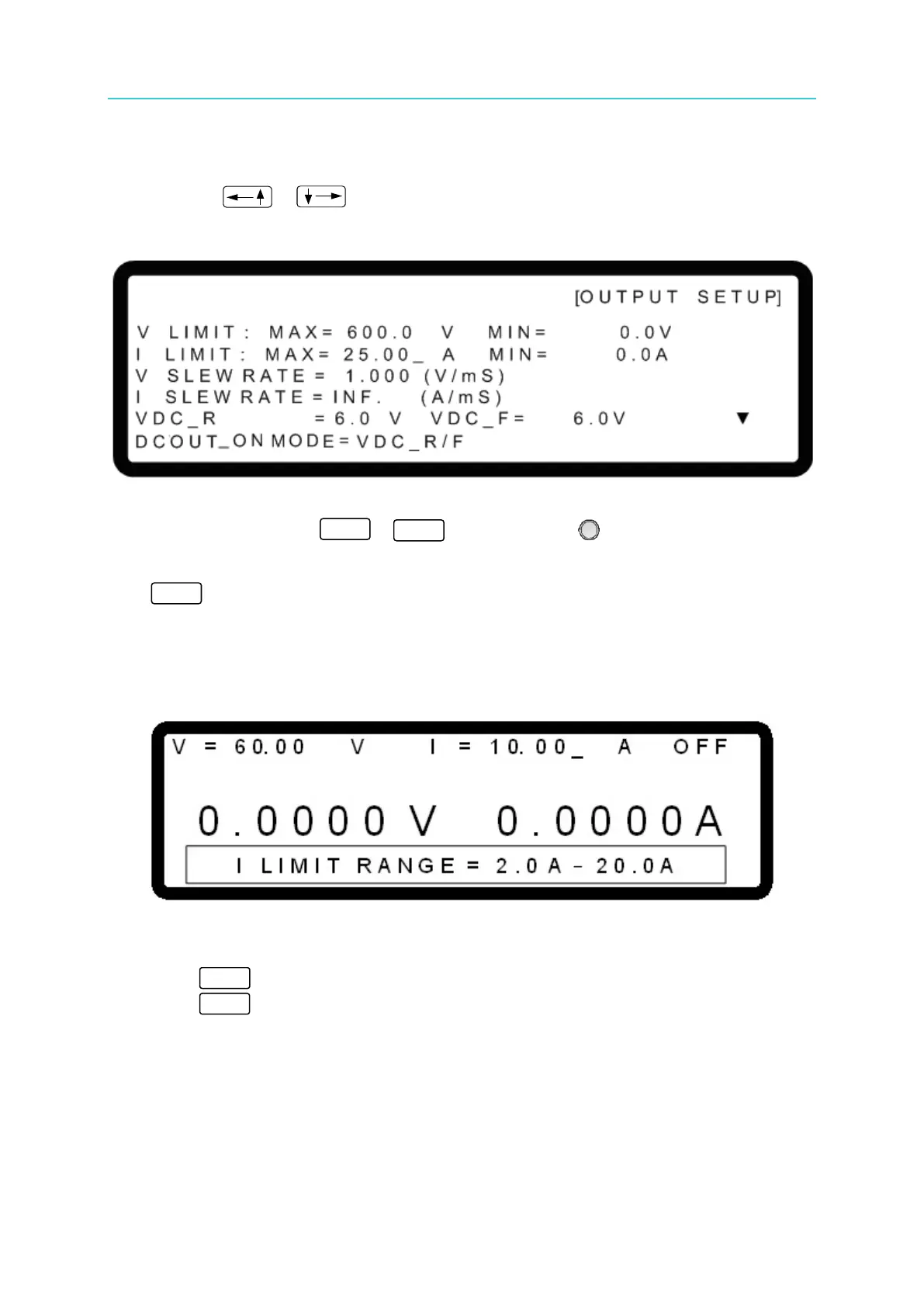
1. Use the “ ”, “ ” keys to move the cursor to the column to be set as shown in
Figure 3-18.
Figure 3-18
2. Use the numeric keys (
- ) or the “Rotary” ( ) knob to set the value.
Use this option to narrow down the range by setting the MIN and MAX values. When
“
” is pressed to set the output current, the DC Power Supply sets the current within
the range of [MIN value ≤ user-defined value ≤ MAX value]. For example, if the I LIMIT is
set to MAX=20A, MIN=2A and the setting exceeds the output current set by the user (e.g.,
21A), the BUZZER will beep one time (if BUZZER is set to ON) and the main screen will
automatically prompt a warning message as shown in Figure 3-19 below.
Figure 3-19
3. Press “ ” to confirm.
4. Press “
” to return to the MAIN PAGE.


 To Next Page
 Loading...

