Programmable DC Power Supply (with Solar Array Simulation) 62000H Series
Operating & Programming Manual
4. Pin 22 is a TTL Level input pin. The initial state can be set to PULL=HIGH or
PULL=LOW.
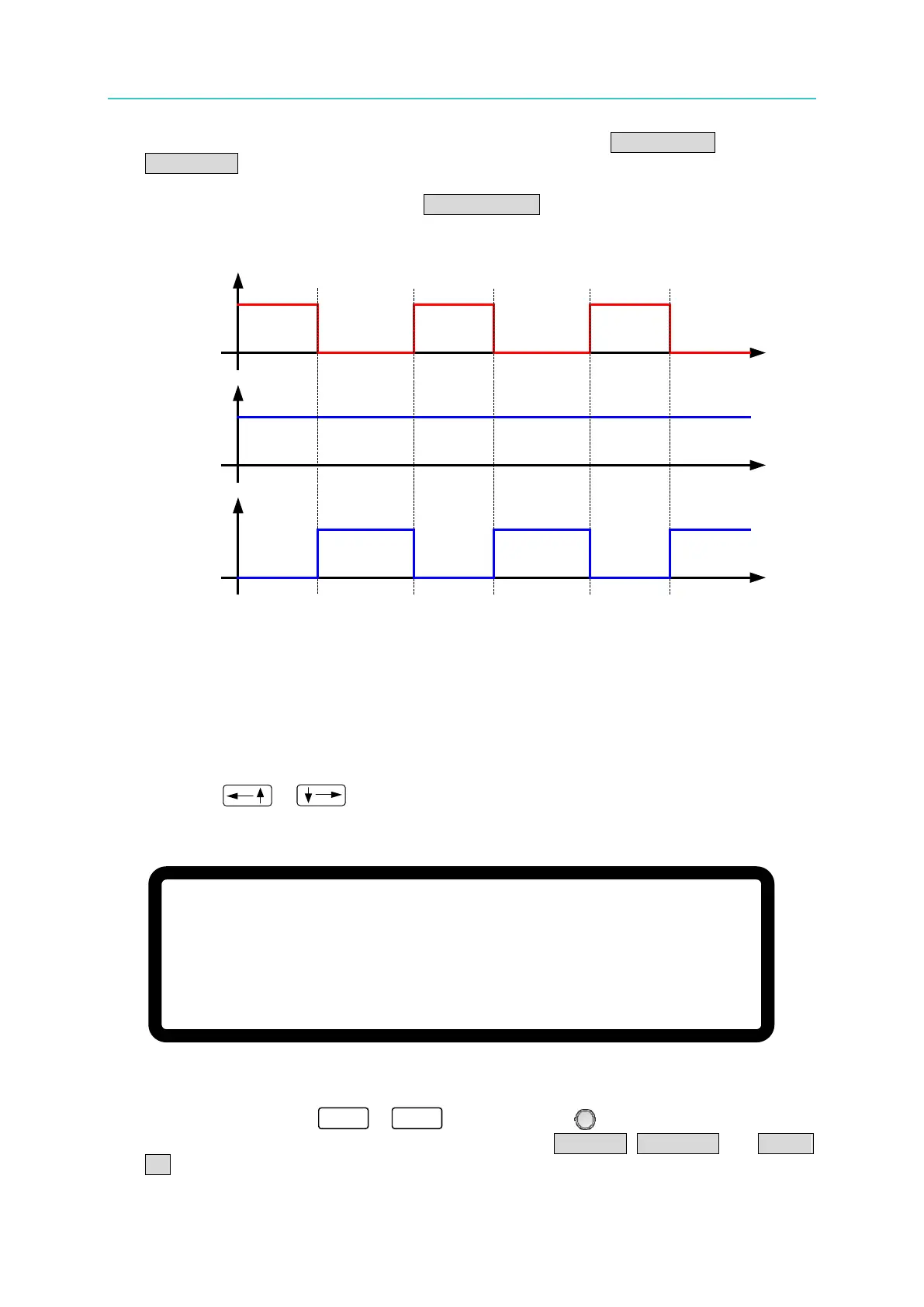
5. When the DC Power Supply is set to OUTPUT = ON, the EXTERNAL ON/OFF signal will
control the output as shown in Figure 3-83.
_EXT ON
SIGNAL
EXT ON
=DISABLE
EXT ON
=ENABLE
Output
Output
Figure 3-83
3.3.5.7 FOLDBACK
This function turns off the output when the output mode is changed (CV TO CC or CC TO CV)
to protect the unit under test.
1. Use the “
”, “ ” keys to move the cursor to the column to be set as shown in
Figure 3-84.
[ P R O T E C T I O N ]
F O L D B A C K
= D I S A B L E
▲
Figure 3-84
2. Use the numeric keys (
-
) or the “Rotary” ( ) knob to set the FOLDBACK
mode. There are three options available for selection: DISABLE, CV TO CC and CC TO
CV.


 To Next Page
 Loading...

