Manual Operation
3.3.4.3 READING AVERAGE TIMES
The READING AVERAGE TIMES sets the number of samples to be averaged and displayed
on the MAIN PAGE screen. The default is 2. When changing the READING AVERAGE
TIMES default, the average method can also be changed.
Figure 3-65
Follow the steps below to change the average times and method:
1. Use the numeric keys “
”, “ ” to move the cursor to the column to be set.
2. Use the numeric keys
-
or the “Rotary” ( ) knob to select the number
of samples to be averaged. READING AVERAGE TIME can be set to 1, 2, 4 and 8.
3. Move the cursor to AVERAGE METHOD and use the numeric keys (
-
) or
the “Rotary” ( ) knob to select the desired average method. AVERAGE METHOD has
two options: FIXED and MOVING.
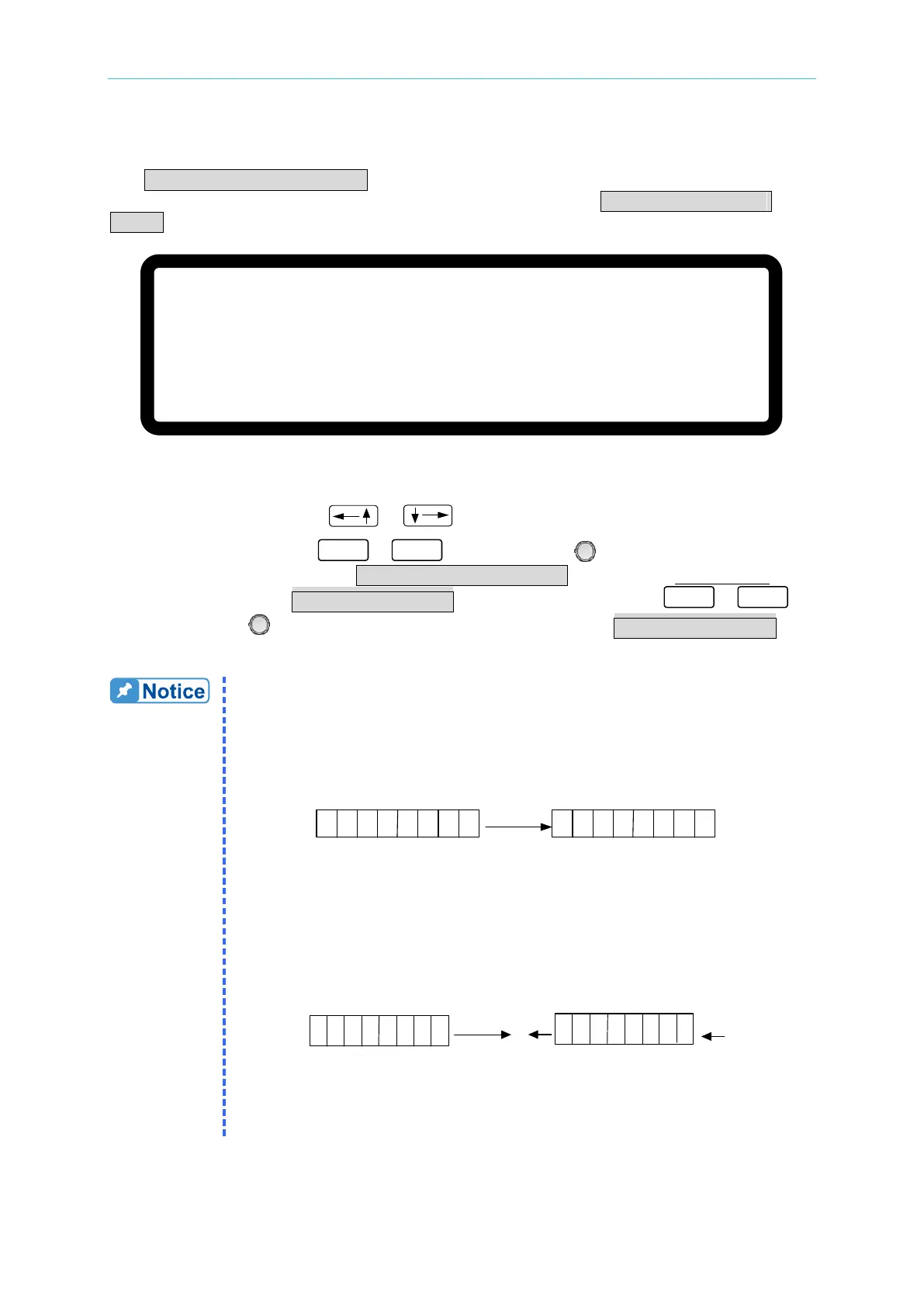
1. As an example, setting the READING AVERAGE TIME = 8 and
AVERAGE METHOD = FIXED, the next sampling clears all of the old
samples (A1 - A8) in the buffer and saves the new samples (B1 - B8),
then averages them as shown in
Figure 3-66.
A1A2 A3A4
A5
A6
A7
A8
B
1B2 B3 B4
B5
B
6 B
7
B8
All New vaules
buffer buffer
Next time
Figure 3-66
2. Setting the READING AVERAGE TIME = 8 and AVERAGE
METHOD:MOVING, the next sampling removes the oldest sample in
the buffer and saves the new sample, then averages them as shown in
Figure 3-67.
A1A2 A3
A4
A5
A6 A
7
A8
buffer
buffer
Next time
A1
A2 A3
A4
A5
A6
A7
A8
A9
A10
Figure 3-67
3. The panel reading is refreshed every 200mS.
[ D I S P L A Y S E T U P ]
B R I G H T N E S S = H I G H
D I S P L A Y S E L E C T I O N = N O N E
R E A D I N G A V E R A G E T I M E S = 2 _
A V E R A G E M E T H O D = F I X E D


 To Next Page
 Loading...

