Programmable DC Power Supply (with Solar Array Simulation) 62000H Series
Operating & Programming Manual
Delta V=50 to 20V
(25ms @ No Load)
(1.5ms @ 200W )
3.3.9.4 EN50530 MODE
The Chroma 62000H Series Programmable DC Power Supply with Solar Array Simulation
has EN50530 built-in to provide a solar cell curve simulation function.
1. Use the numeric keys - or the rotary knob (
) to select
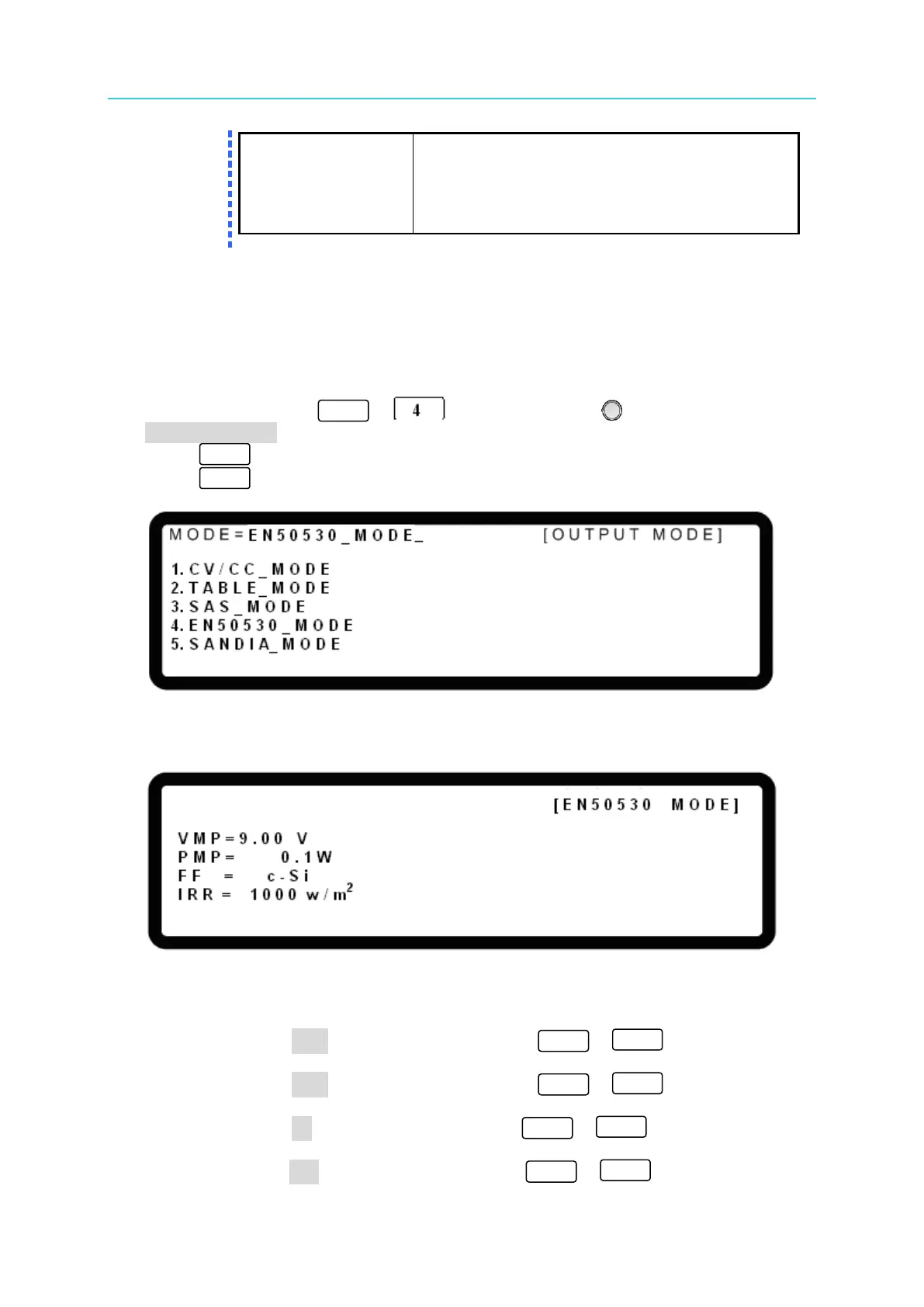
EN50530_MODE as shown in Figure 3-165.
2. Press “ ” to confirm.
3. Press “ ” to return to the MAIN PAGE.
Figure 3-165
In EN50530 _MODE the display shows:
Figure 3-166
Procedure for setting the EN50530 MODE parameters:
1. Move the cursor to VMP and use the numeric keys ( -
) to set the
maximum power voltage.
2. Move the cursor to PMP and use the numeric keys ( -
) to set the
maximum power.
3. Move the cursor to FF and use the numeric keys ( -
) to set the PV Fill
Factor.
4. Move the cursor to IRR and use the numeric keys ( -
) to set the irradiation.


 To Next Page
 Loading...

