Manual Operation
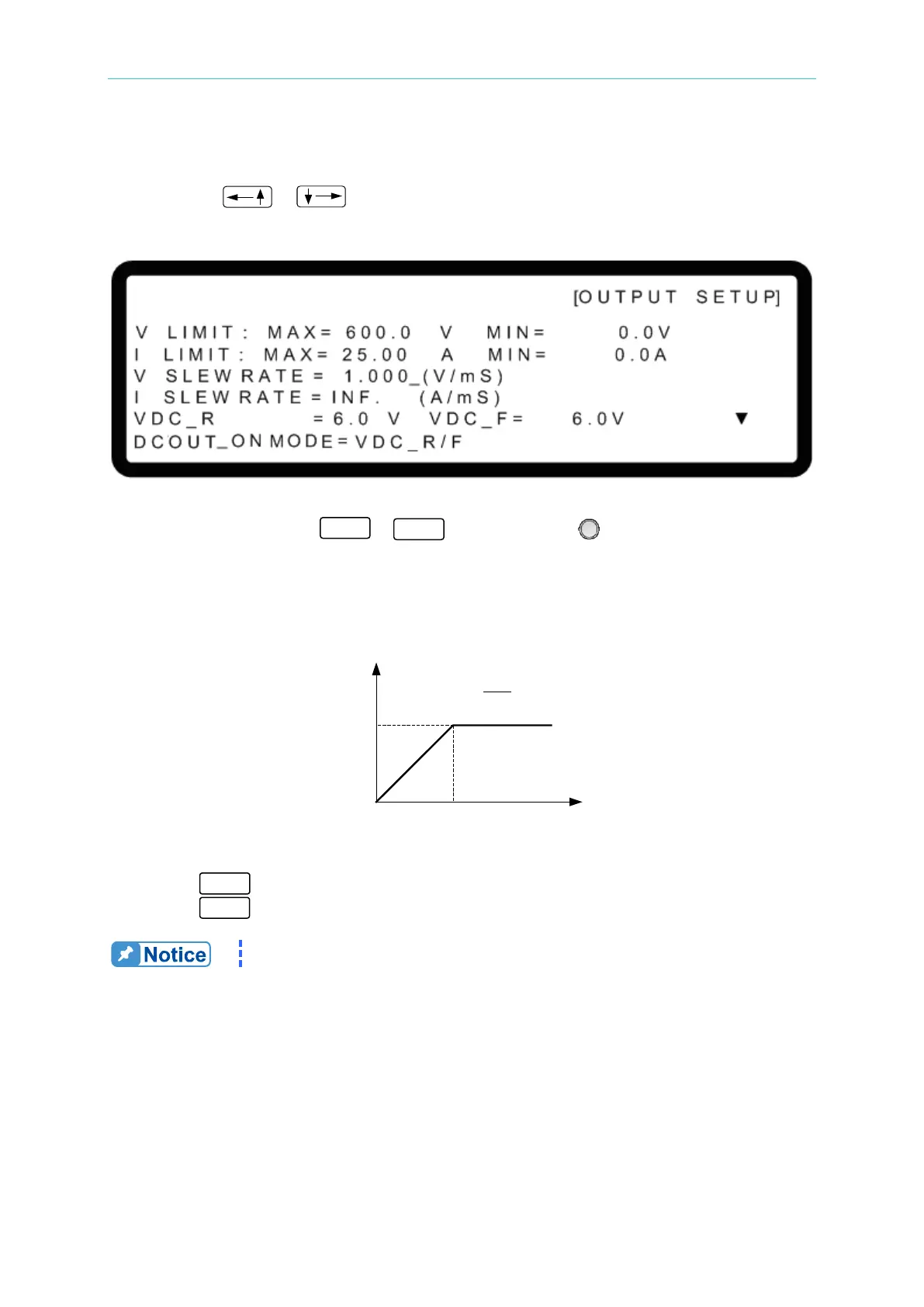
3.3.2.3 VOLTAGE SLEW RATE
1. Use the “ ”, “ ” keys to move the cursor to the column to be set as shown in
Figure 3-20.
Figure 3-20
2. Use the numeric keys (
- ) or the “Rotary” ( ) knob to set the value.
The output voltage slew rate of the DC Power Supply is set as shown in Figure 3-21. The
maximum input Slew Rate is 20V/mS and the minimum is 0.001V/mS. The output of the
DC Power Supply will follow the rising slew rate to the set output voltage while the falling
slew rate is limited by the load.
Figure 3-21
3. Press “ ” to confirm.
4. Press “
” to return to the MAIN PAGE.
The minimum transient time is (
Δ


 To Next Page
 Loading...

