Programmable DC Power Supply (with Solar Array Simulation) 62000H Series
Operating & Programming Manual
7.1.3 Soft Panel
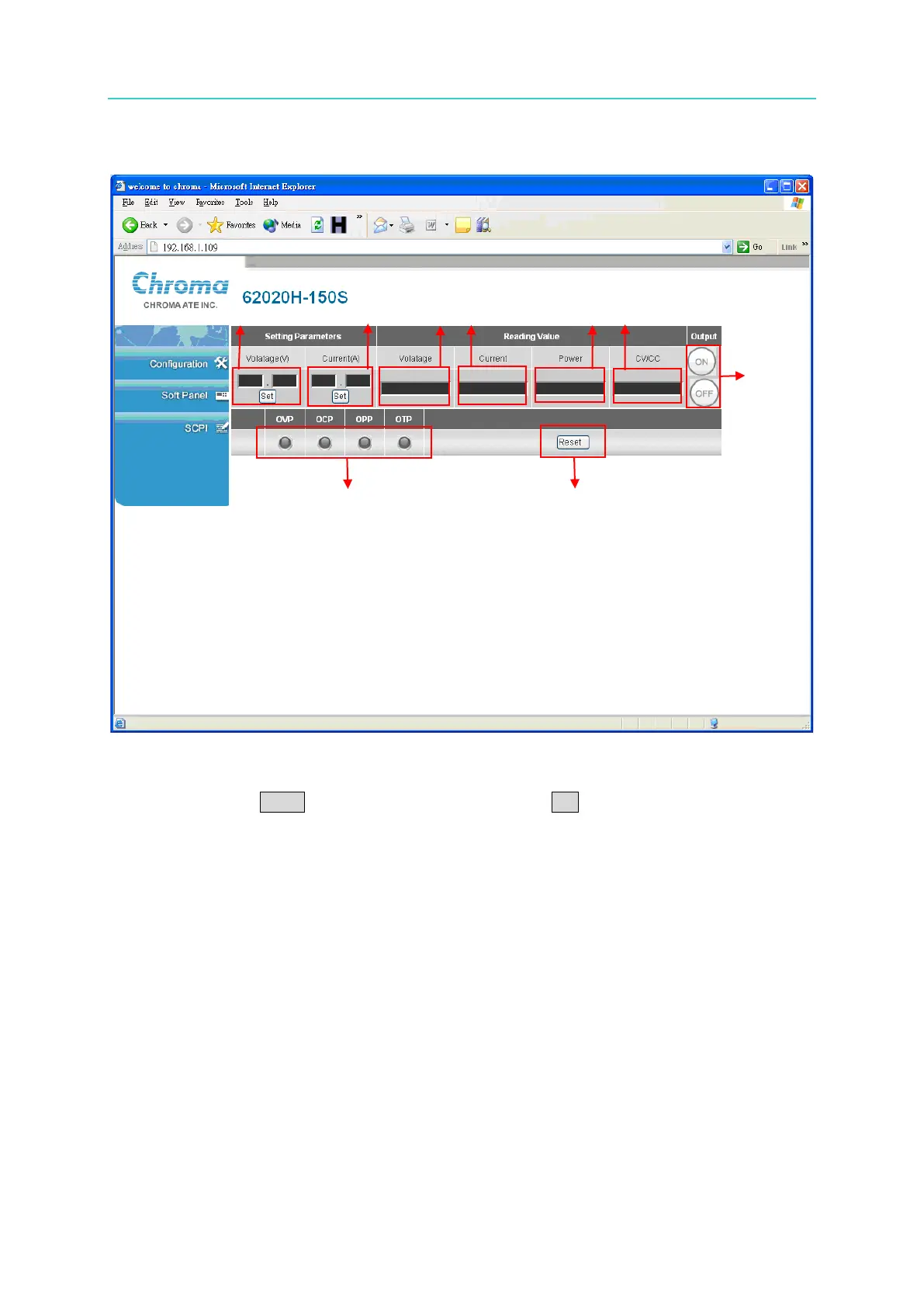
The Soft Panel simulates the actual device panel functions. 7 options may be set. If there is a
system password, a window will display requesting the password be entered. Input the
password and click Enter. If the password is correct, click OK to start executing the
command.
Setting Parameters:
(1) Voltage: sets the device voltage.
(2) Current: sets the device current.
(3) Output Mode: enables or disables the device output.
Each time the Soft Panel page is entered, items (1) & (2) will automatically read the active
device settings.
Reading Value:
(4) Voltage: reads the device output voltage.
(5) Current: reads the device output current.
(6) Power: reads the device output power.
(7) CV/CC: reads the device status.
Items (4), (5) & (6) will automatically update the device output every second.
(8) Warning light: When an error occurs, the associated warning light will turn on.
(9) Reset: clears the warning light.


 To Next Page
 Loading...

