◆ On the FM Control Station, set the MODE
SELECT to “SETUP” position and the OPERA-
TOR STATION to RIGHT. The FOOTSWITCH
must be in “OFF” position.
◆ In SETUP mode, run the ram down using the
palmbuttons or up using the RAM UP button.
◆
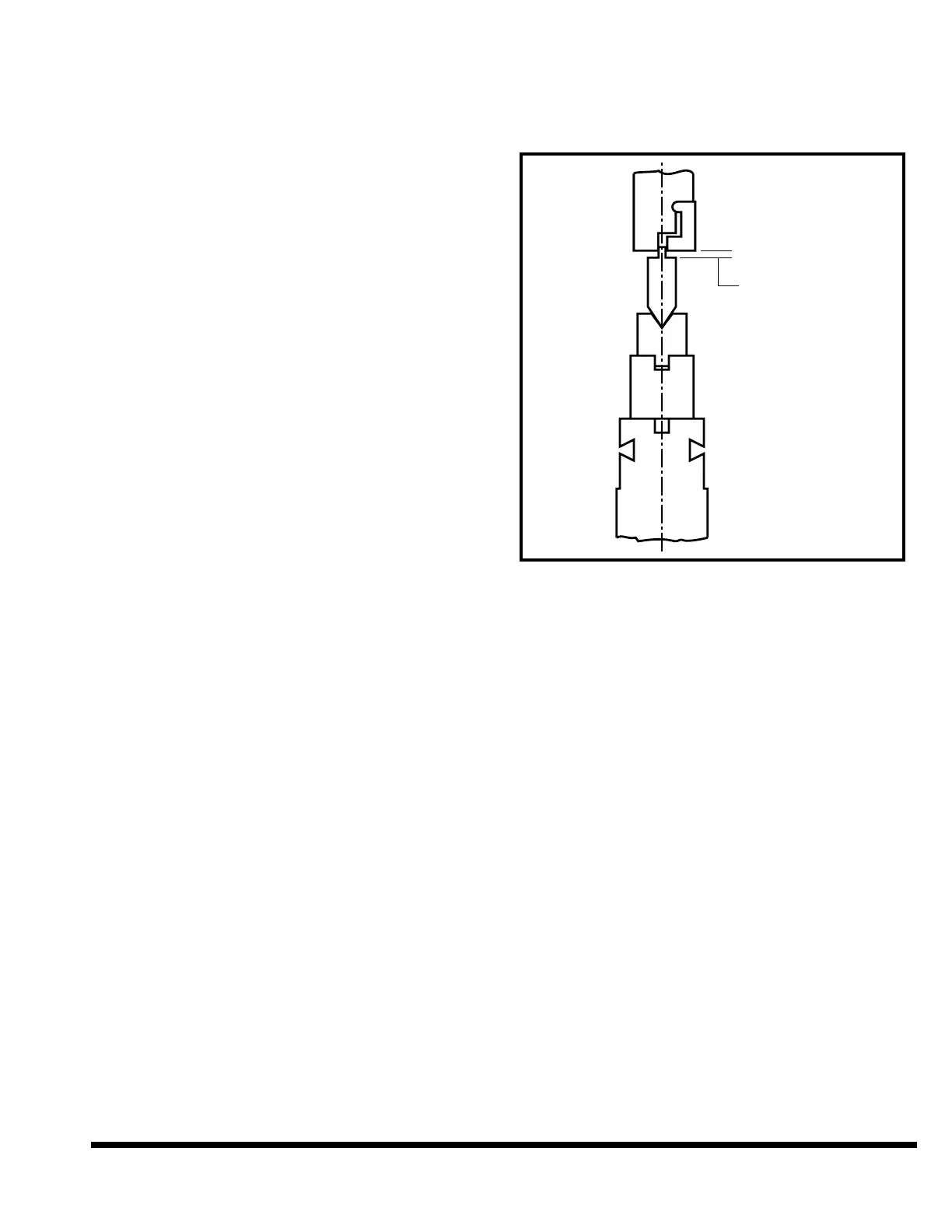
Run the ram to a position where there is .06” to
.12” (1.6mm to 3.2mm) clearance between the
bottom of the ram nose and top of the upper die.
See Figure 5-19.
◆ Turn the OPERATOR CONTROLS key to “OFF”
and remove the key to prevent powered ram
movement.
◆ Loosen the ram die clamp nuts to release the
upper die. Loosen the filler block set screws to
release the lower die.
IMPORTANT: When loosening the clamps for
upper die, be sure upper die will remain
trapped between the lower die and the slot
in ram nose. See Figure 5-19.
◆ The dies can now be removed from the end of
the machine. They may be removed either
together or individually.
◆ Now either go back to “TOOL INSTALLATION”
and install a different set of dies or re-insert
OPERATOR CONTROLS key and turn to “ON”.
Carefully run the ram down to the machine’s
closed position. Press the MAIN DRIVE STOP
button. Turn the OPERATOR CONTROLS key
back to “OFF” and remove key.
FIGURE 5-19 – Removing tooling
❦



 To Next Page