Note: Only one set of tool dimensions may be
used for a program. When ANGLE MODE
is ON, the DESIRED ANGLE, ACTUAL
ANGLE and REVERSAL values in the
PROGRAM DATA screen will be blanked
until the user enters a value.
MAT THICK (Material Thickness): This value
is entered once per program. If Angle Mode
reversal is not being used, this value is not
required.
Valid Range: 0.001” to 9.999” (0.03mm -
254.00mm)
Entry Format: X.XXX English or XXX.XX Metric
Default Value: 0.000”
If a value outside this Valid Range is entered the
field will display ????. If the operator advances to
the next field before entering a valid value, the
original value of the field is retained.
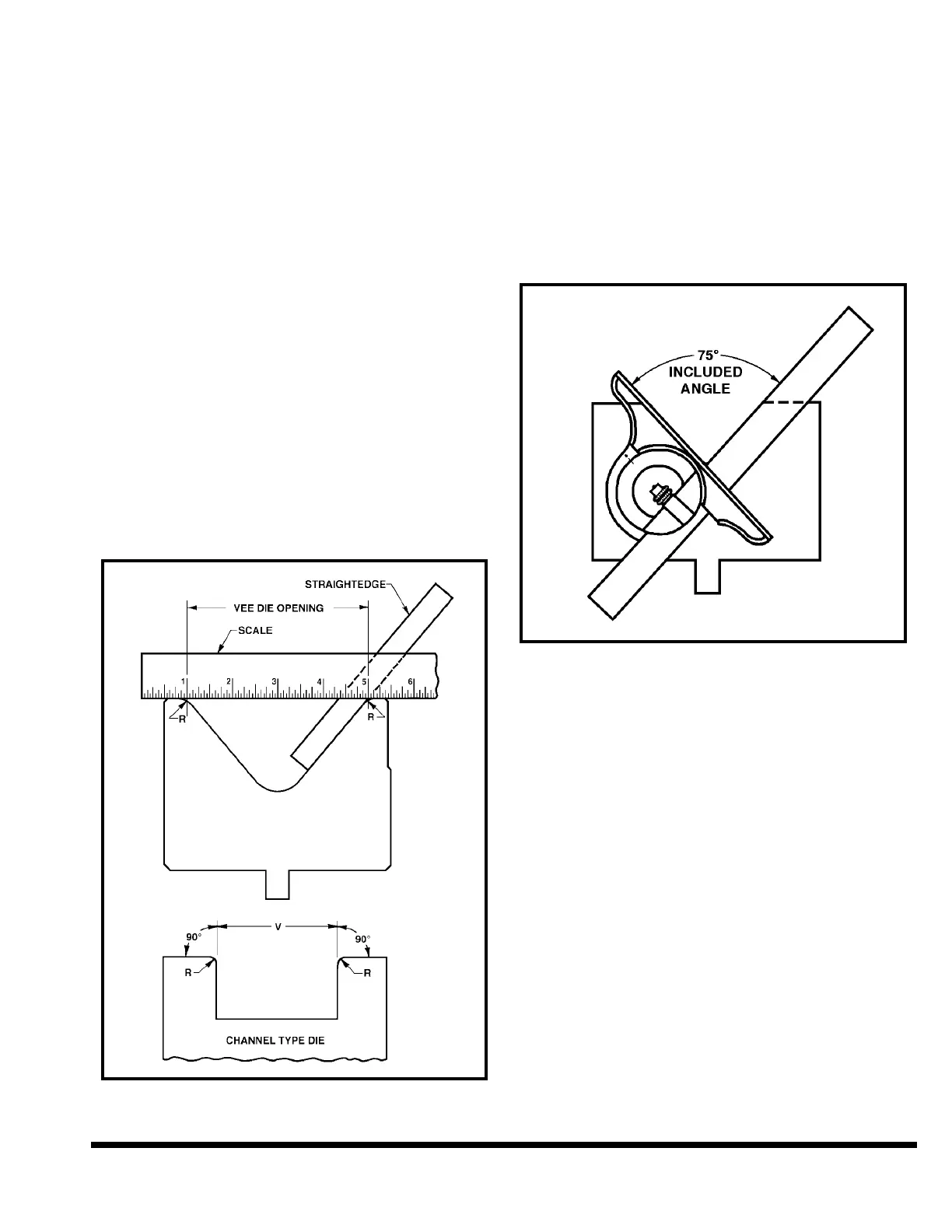
VEE OPENING: This value is entered once per
program. It represents the actual width of the vee
opening. If Angle Mode reversal is not being used,
this value is not required. Enter the dimension of
the Lower Tool Vee Opening. See Figure 7-1.
FIGURE 7-1 – Measuring the Vee Opening
Valid Range: 0.001” to 39.360” (0.03mm -
999.99mm)
Entry Format: XX.XXX English or XXX.XX
Metric
Default Value: 0.000
LOWER DIE ANGLE: This value is entered
once per program. If Angle Mode reversal is not
being used, this value is not required. Enter
the dimension of Lower Tool Vee Die Angle. See
Figure 7-2.
FIGURE 7-2 – Measuring the Vee Angle
Valid Range: 0° - 180°
Entry Format: XXX
Default Value: 0°
TOP OF MATERIAL: This value is entered once
per program. It represents the ram position
where the nose of the upper die just touches an
unbent piece of the material placed on the lower
die. If Angle Mode reversal is not being used, this
value is not required. Enter the ram position for
the location of the top of material. This can be
entered manually or by jogging the ram down
until it touches the material and using the TRN
key to copy the current ram position. (Use
SETUP mode to jog ram to correct location and
transfer value). See Figure 7-3.
7-3



 To Next Page