5-15
Cisco 1240 Connected Grid Router Hardware Installation Guide
OL-26223-04
Chapter 5 Mounting the Router
Mounting Instructions
• Mount the router according to the instructions in the “Router Orientation” section on page 5-7.
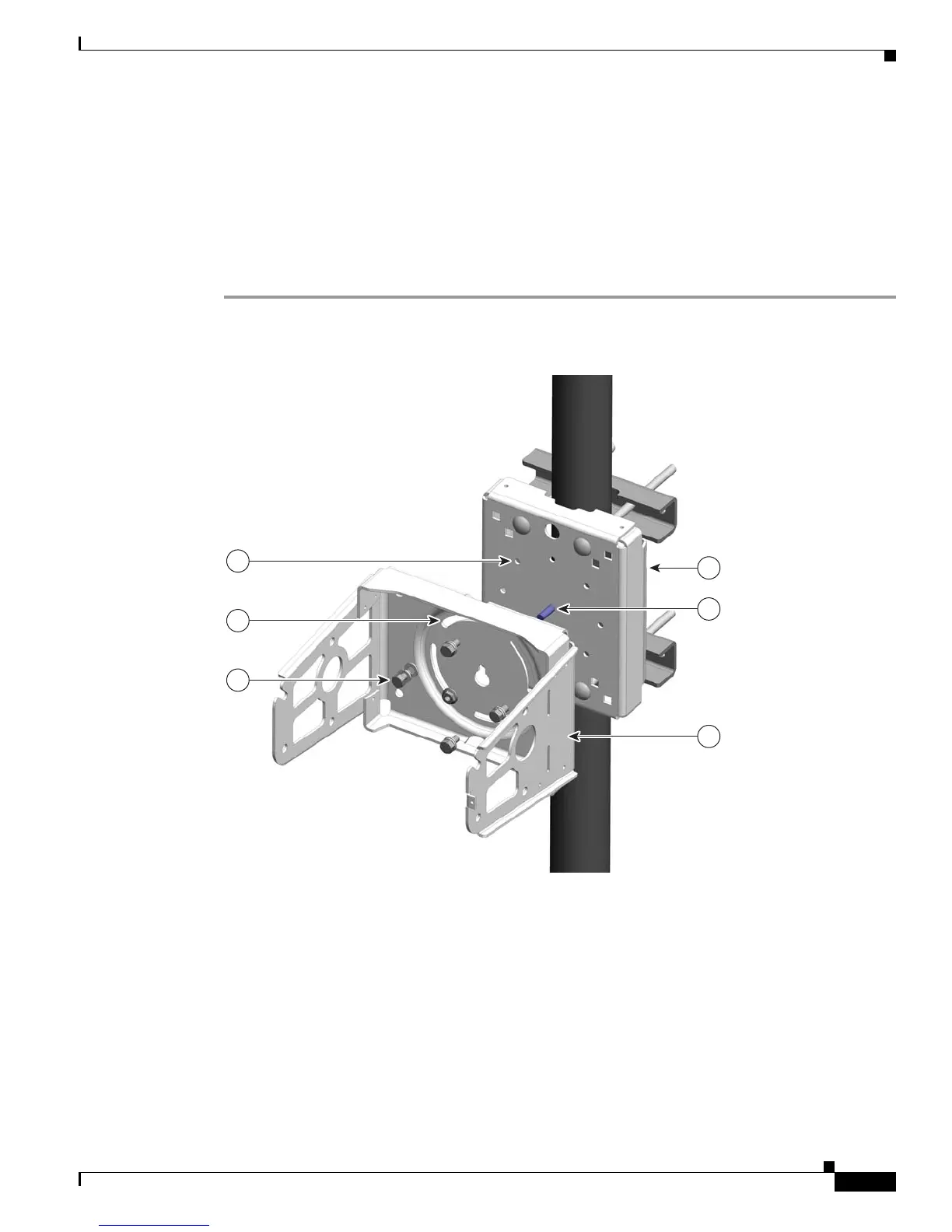
Step 5 Insert one bolt assembly (3) through one of the pivot grooves (2) on the bracket and then through the
corresponding bracket mount hole on the mounting plate.
Step 6 Repeat Step 5 for the remaining bolt assemblies.
Step 7 Position the mounting bracket onto the mounting plate as needed before further tightening the bolts.
Step 8 Use a socket wrench to evenly tighten all four bolts and the serrated nut to finish installing the bracket
on the plate. Use a torque of 6-7 foot-pounds when tightening the bolts and nut.
Figure 5-12 Mounting Bracket Attached to Mounting Plate











 To Next Page