5-17
Cisco 1240 Connected Grid Router Hardware Installation Guide
OL-26223-04
Chapter 5 Mounting the Router
Mounting Instructions
Do not tighten the hardware until Step 6. There must be enough space between the washer and the router
to slide the router onto the bracket.
Step 3 Repeat Step 2 on the other side of the router.
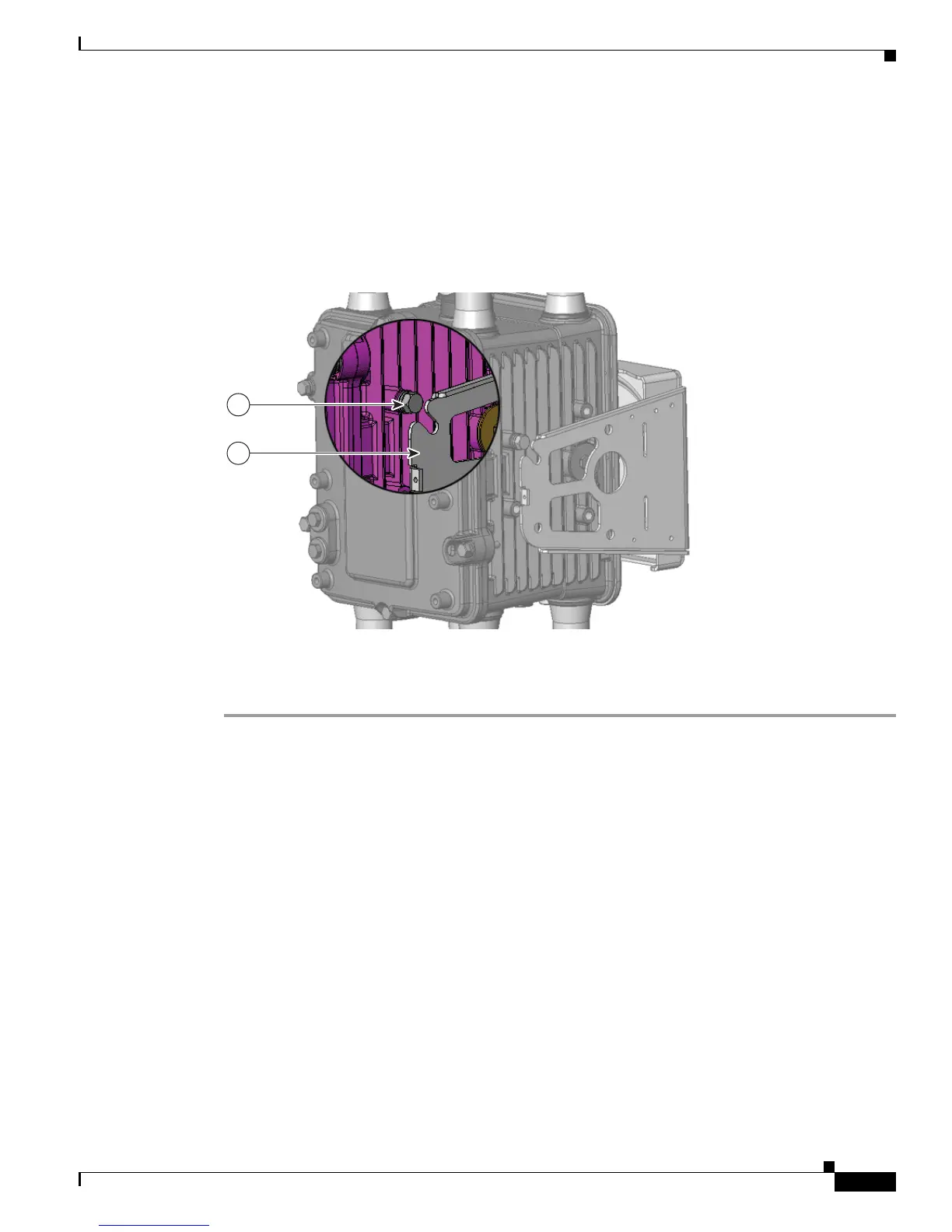
Step 4 Slide the router onto the bracket by inserting the hinge bolts you attached in Step 2 into the bracket quick
hang slots (
2).
Figure 5-14 Attach One Hinge Bolt to Each Side of the Router
Step 5
Attach the six remaining sets of hardware to each side of the bracket and router (3 sets on each side), as
shown in Figure 5-15.
Step 6 Use a socket wrench to evenly tighten all four bolts, using 6-7 foot-pounds of torque.











 To Next Page