5-20
Cisco 1240 Connected Grid Router Hardware Installation Guide
OL-26223-04
Chapter 5 Mounting the Router
Mounting Instructions
To install and secure the security panel to the bracket and router, follow these steps:
Step 1 Loosen the captive bolt that is located inside router door lock post. For lock post location, see Figure 4-6
in the “Opening the Router Chassis” chapter.
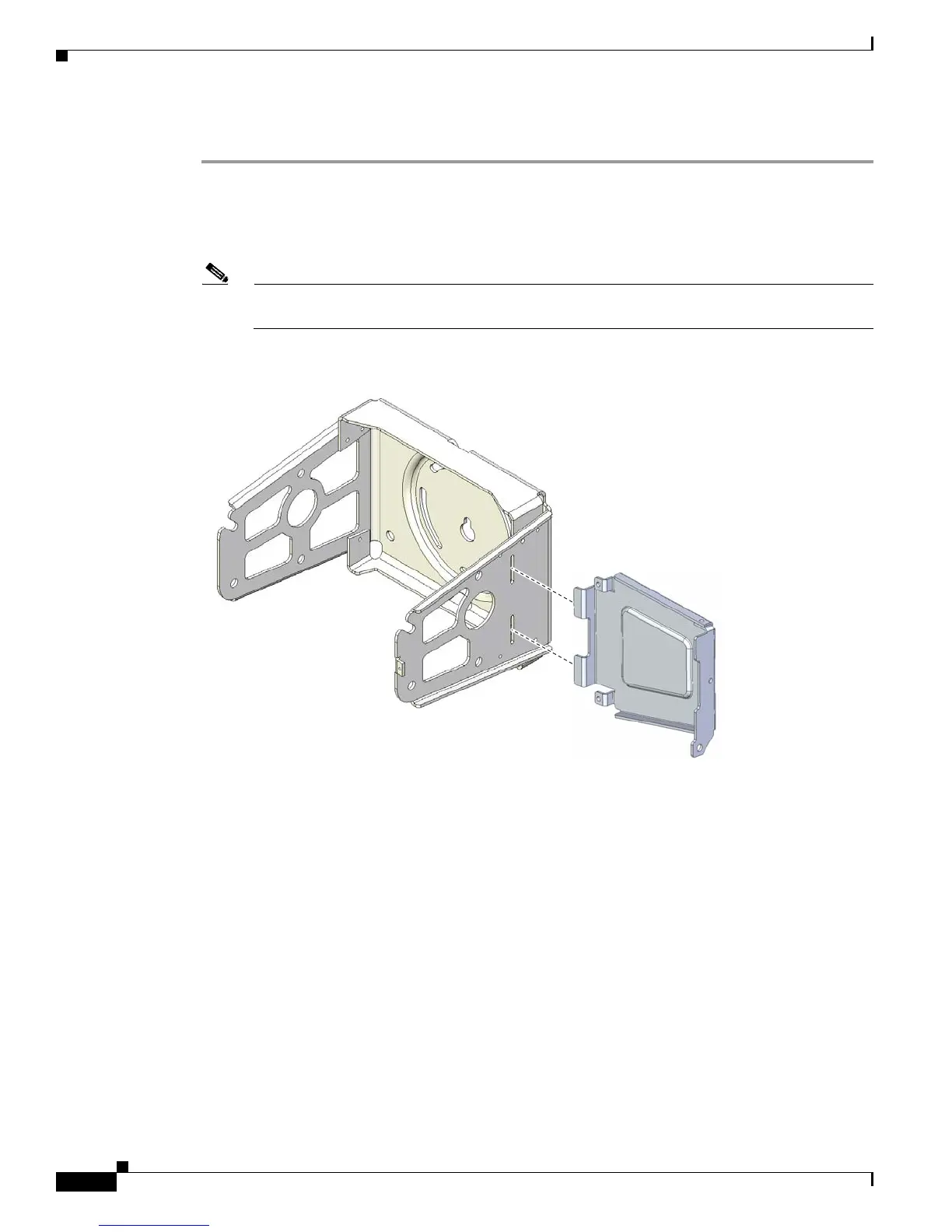
Step 2 Install the security panel on the bracket by inserting the security panel tabs into the corresponding slots
on the bracket as shown in Figure 5-17.
Note For clarity, the router is not shown here. During this procedure, the router will be mounted in the
bracket.
Figure 5-17 Assemble Bracket and Security Panel
Step 3
Swing the panel shut over the bracket, aligning the three screw holes on the panel with the corresponding
holes on the bracket.











 To Next Page