Configuring the PVC2300 and WVC2300 Cameras
Applications > RS-485
Cisco PVC2300 and WVC2300 Internet Video Cameras with Audio Administration Guide 101
8
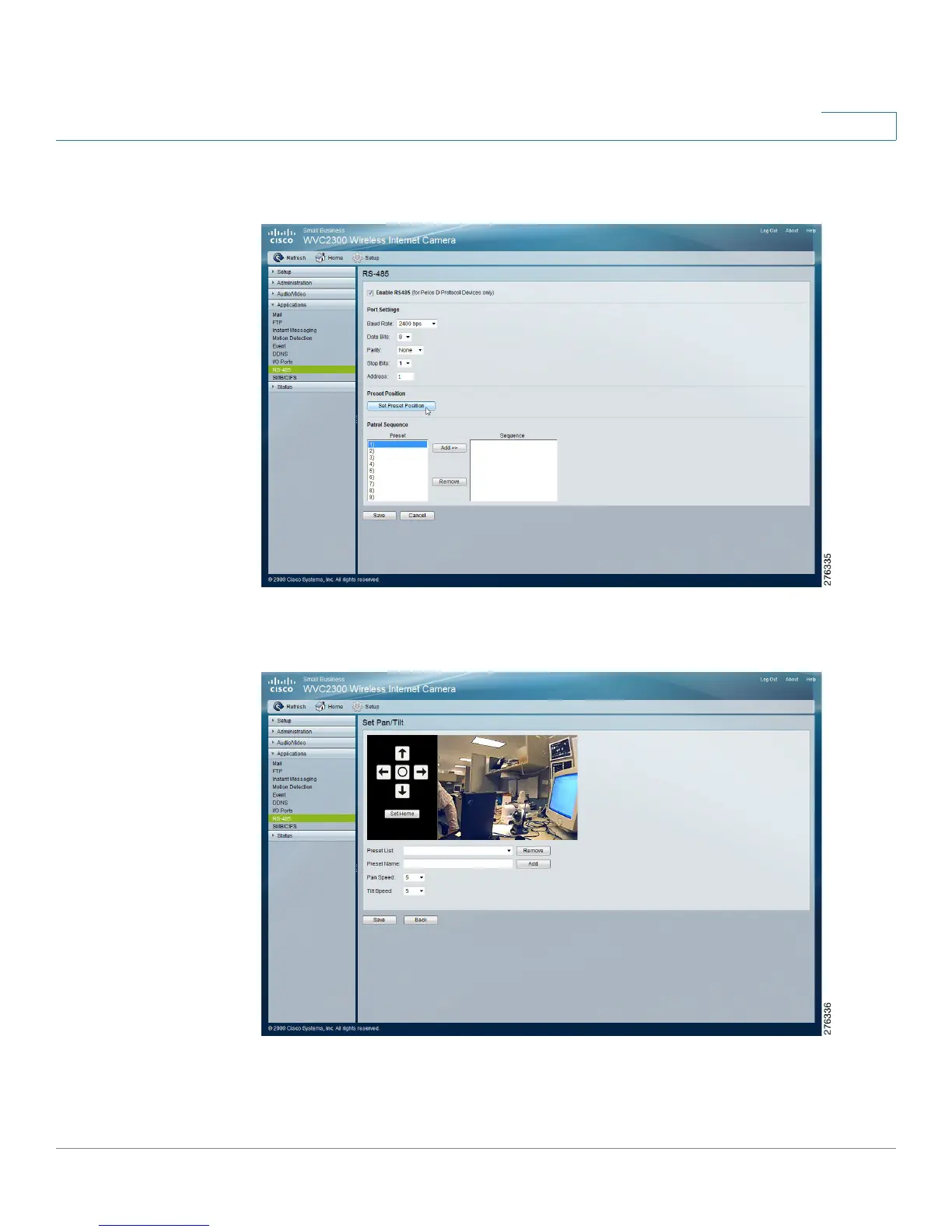
STEP 2 Click Preset Position.
The Set Pan/Tilt window displays.
STEP 3 From the Set Pan/Tilt window, configure the following options:
• Preset Name—Enter a suitable name for the current desired position.



 To Next Page