Sample Configurations
Configuring Port Forwarding
Cisco PVC2300 and WVC2300 Internet Video Cameras with Audio Administration Guide 118
9
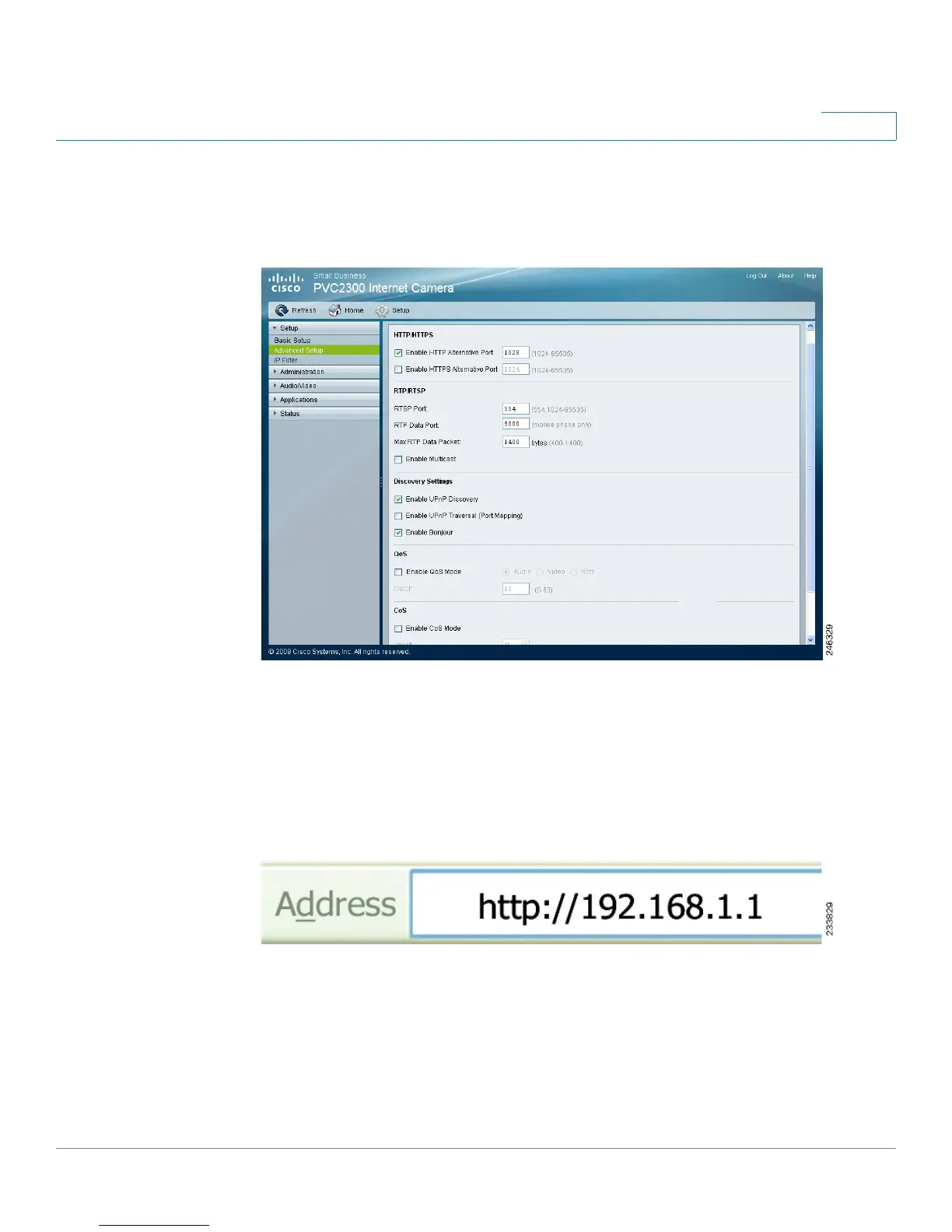
STEP 2 Check the Enable HTTP Alternative Port check box and enter a port number in
the HTTP Port field. In the example, port 1028 has been configured. Valid port
settings are 1024-65535.
When you open the URL to the camera, you now must specify the port number. For
example: http://192.168.1.99:1028
STEP 3 Click Save and close the window.
STEP 4 Enter the IP address of your router in your web browser’s Address field and press
Enter. In this example, the default IP address of the router is used (192.168.1.1.).



 To Next Page