Connecting the Camera
Camera Hardware Installation
Cisco PVC2300 and WVC2300 Internet Video Cameras with Audio Administration Guide 19
4
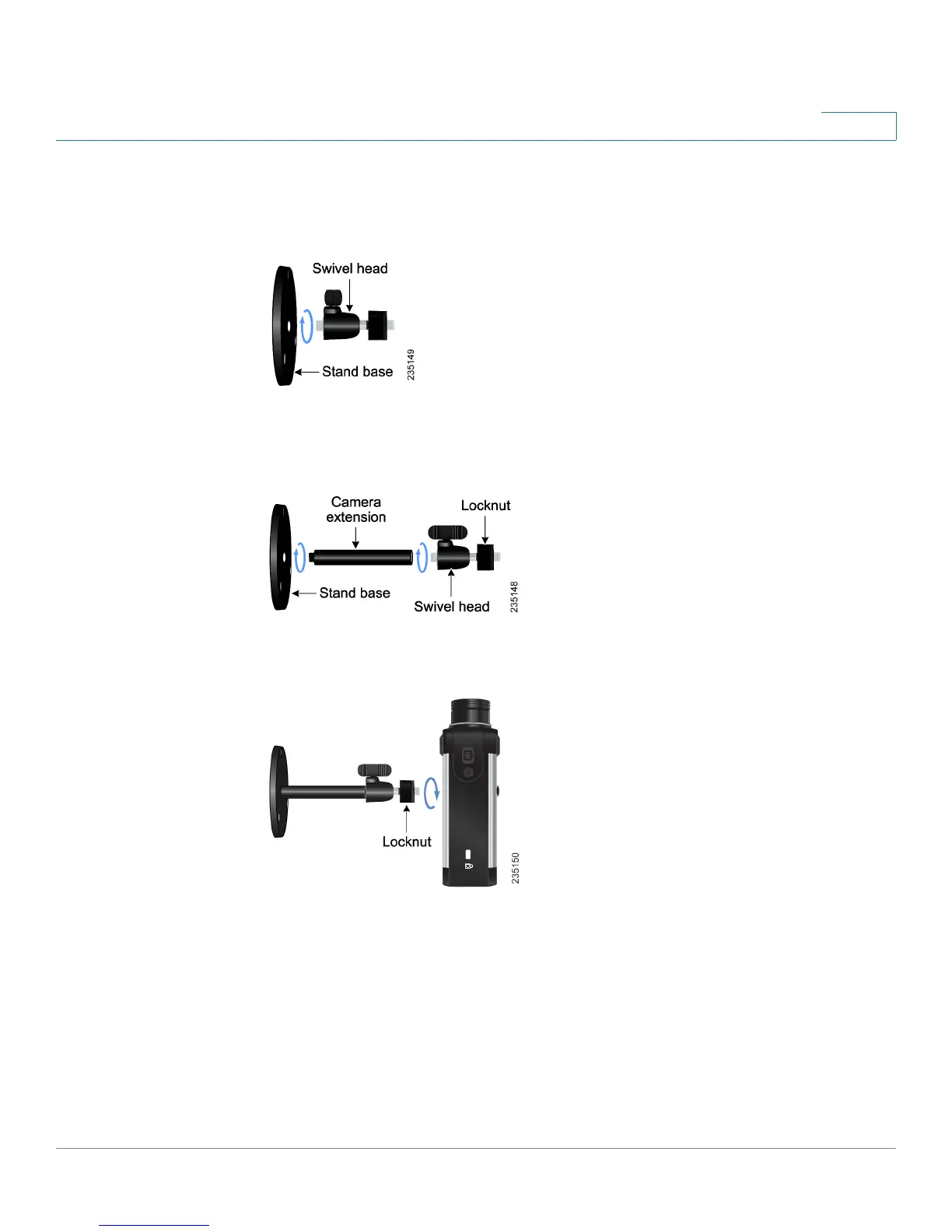
STEP 2 Assemble the camera stand in one of the following ways:
• Attach the swivel head directly to the stand base.
• If an extension is necessary, attach the camera extension to the stand base
and then attach the swivel head to the extension.
STEP 3 Connect the camera stand to the bottom of the camera.
STEP 4 Adjust the camera to the appropriate viewing position and secure the camera in
place by tightening the locknut.



 To Next Page