PC with an Ethernet or
serial communications
port
EHX must be installed and configured.
Ethernet or serial cable
for the PC-to-matrix
connection
H8 application code, DSP
and FPGA code files
The appropriate application code, DSP code and
FPGA code files (*.fwc format) are available
from the Eclipse HX v9.1 upgrade media:
• Drivers USB > ECLIPSE DRIVERS >
Omega-Median-Delta > E-MADI Application
• Drivers USB > ECLIPSE DRIVERS >
Omega-Median-Delta > E-MADI DSP
• Drivers USB > ECLIPSE DRIVERS >
Omega-Median-Delta > E-MADI FPGA.
Table 11-3: Required equipment
2. Start EHX on the PC.
3. Connect the PC to the matrix using either Ethernet or a serial communications
port.
4. Open the EHX configuration map within EHX.
5. Select System > Layout.
6. Right click the matrix and then select Firmware> Update Firmware.
The Update Firmware wizard dialog is displayed. Click Next.
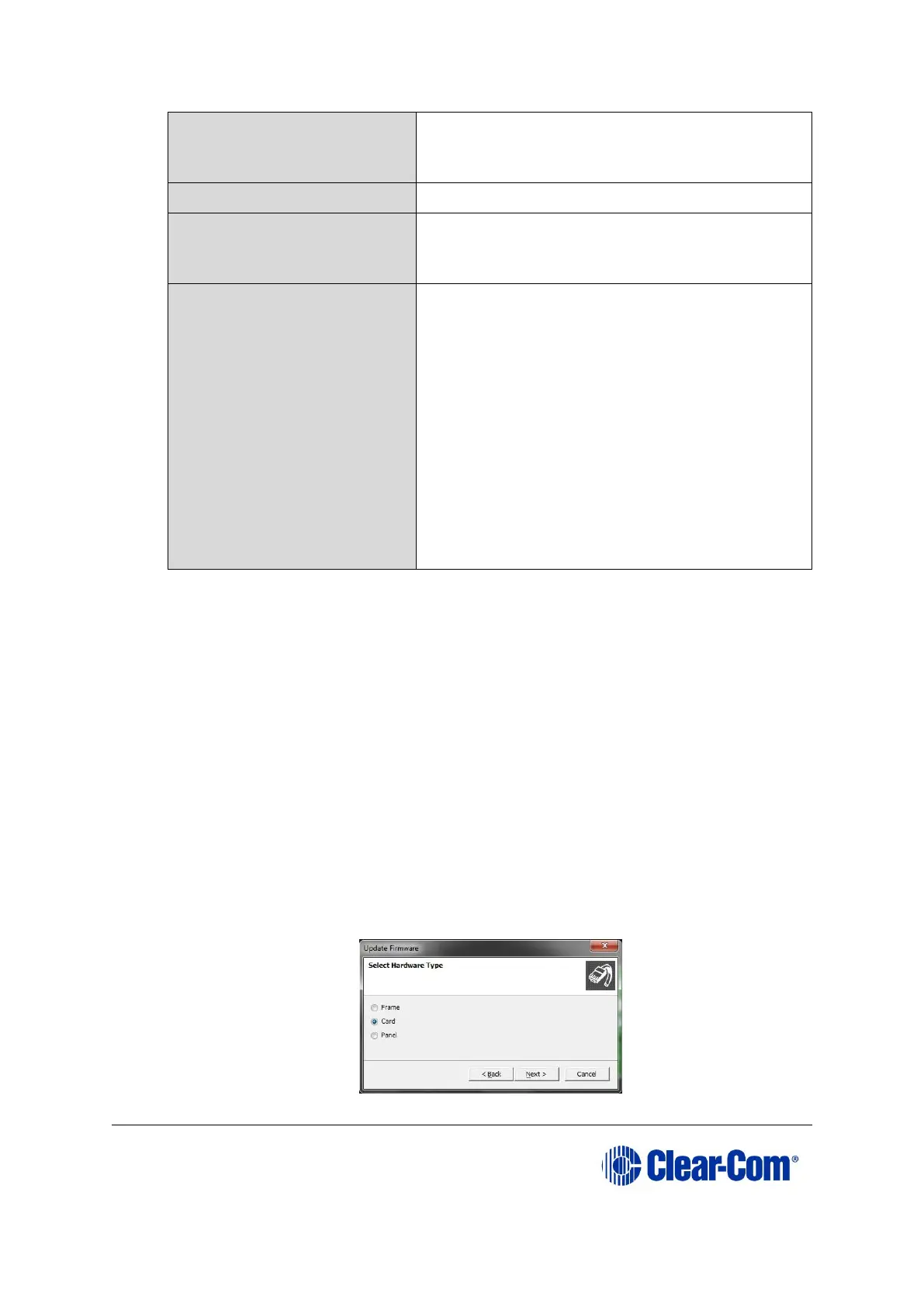
In the Select Hardware Type screen, ensure that the Card radio button is
selected.
Figure 11-4: Select Hardware Type



 To Next Page