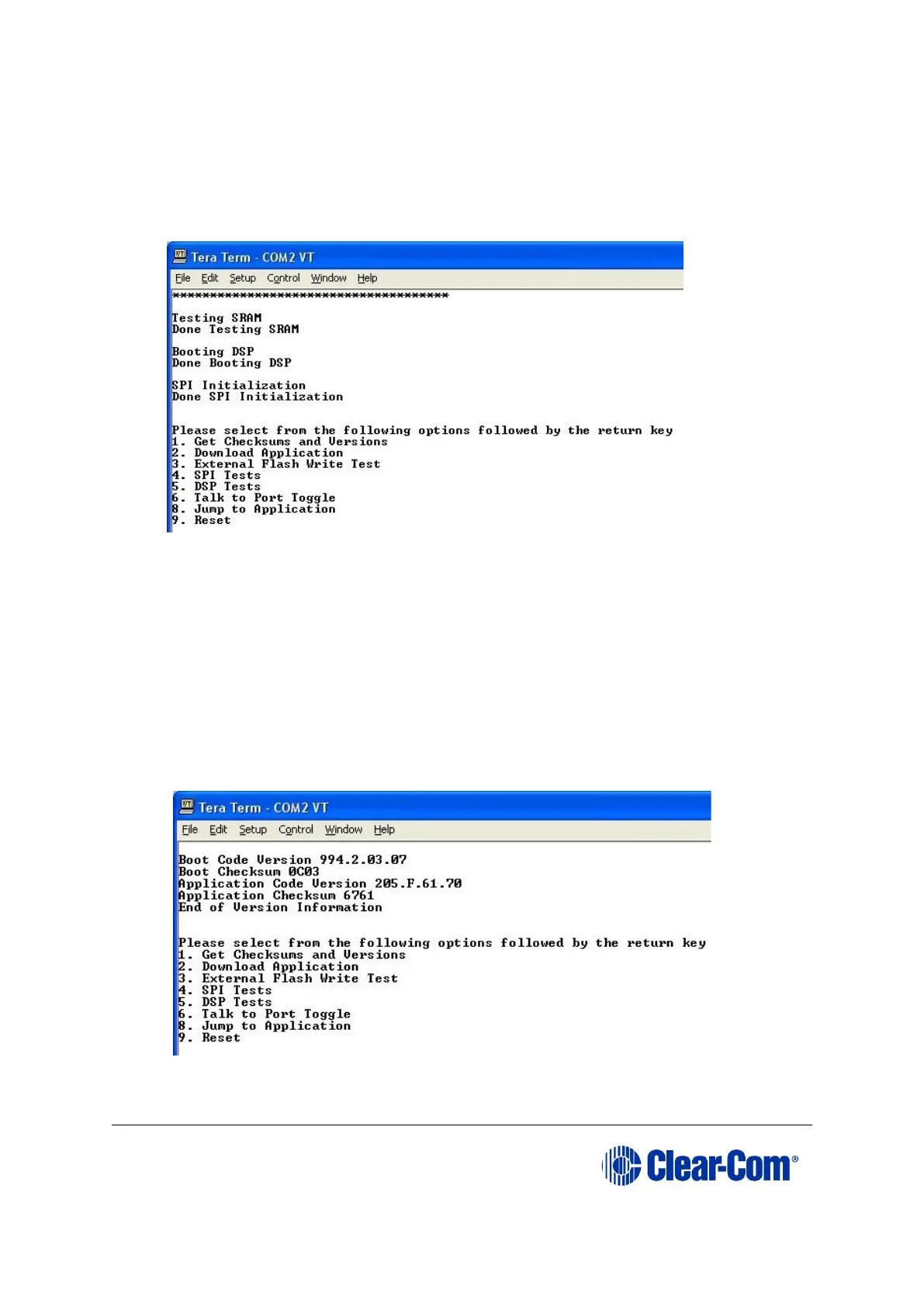
6. The following Tera-Term boot up message is displayed.
Note:
Do not proceed until you see the boot up message. If you do not see the boot up
message, check your wiring connections and software settings. Repeat steps 1 –
6
Figure 14-7: Boot up message
7. Press the 1 key on the PC keyboard. Press Enter to access the Checksums and
Versions information on the i-Station panel.
The boot code version and application code versions are displayed on the Tera-
Term screen.
Note:
Do not proceed until the version information is displayed, as shown below.
Figure 14-8: Version and application code (firmware) versions



 To Next Page