Note:
For correct connector orientation, the wires must exit the plug on the top side as
shown.
3. Power up the TEL-14.
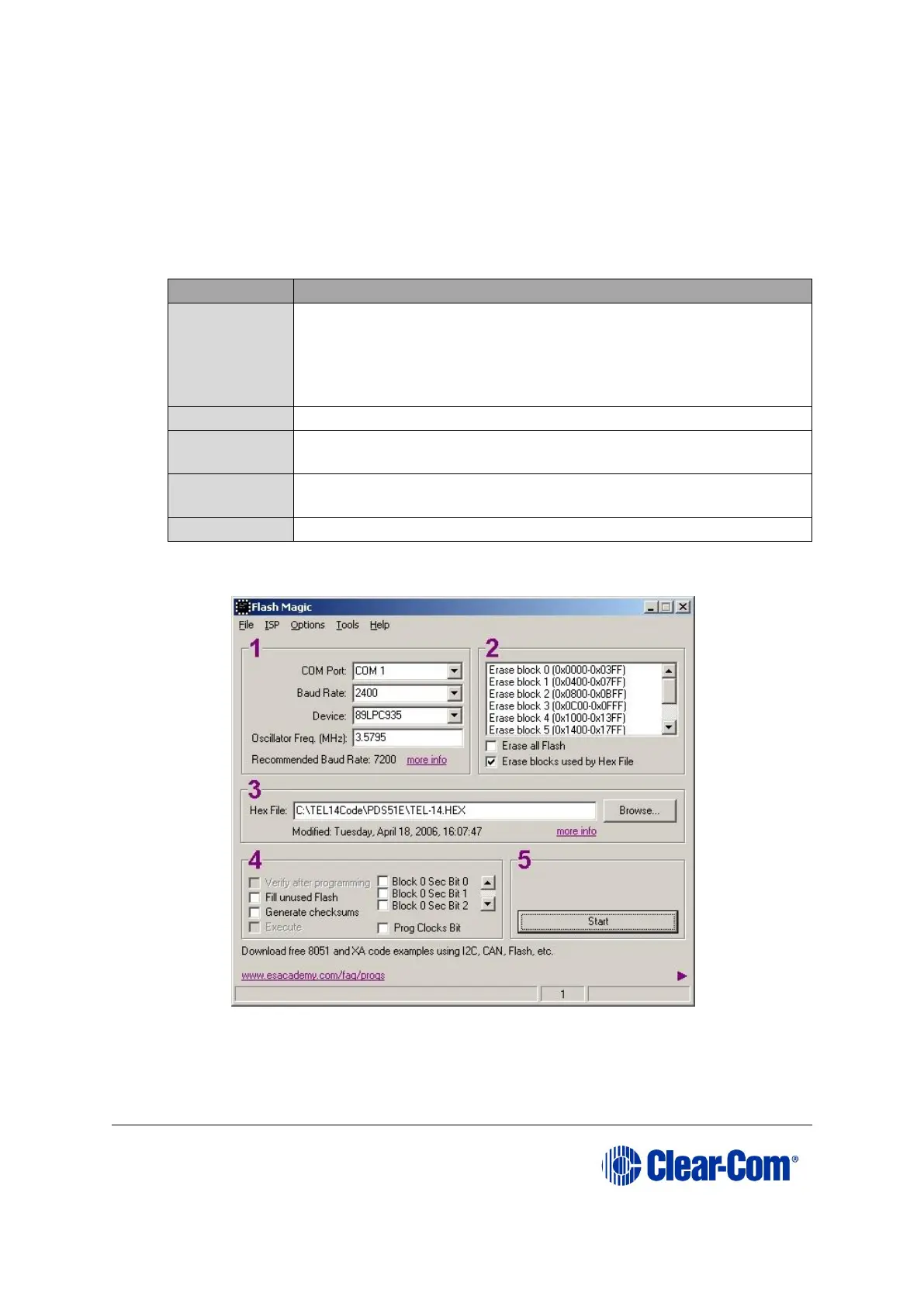
4. Start Flash Magic. Configure the following settings for the 5 purple numbered
boxes in the Flash Magic dialog:
The COM port to which you are connected.
Baud Rate: 2400
Device: 89LPC935
Oscillator Frequency: 3.5795 MHz
Select Erase blocks used by Hex File
Enter the name of the file (710756Z .hex) to be loaded, or
use Browse to locate the file.
Ensure all boxes are clear
Table 15-2: FlashMagic settings
Figure 15-4: FlashMagic configuration dialog
5. In the menu options along the top of the Flash Magic dialog, select ISP (second
option from the left).



 To Next Page