Standard RS232 serial
cable (9-pin D-Type to 9-
pin D-Type)
Tera Term must be configured and
operational. You can find the Tera Term
application on both of the Eclipse HX 9.0
upgrade media:
Software USB > SOFTWARE - EHX.xxx >
SOFTWARE - EHX.xxx >
3rd_Party_Software > Teraterm
Drivers USB > ECLIPSE DRIVERS >
3rd_Party_Software > Teraterm
An EHX configuration file
(*.hxn or *.ccn format)
The configuration file must have the
appropriate IP addresses set.
The appropriate *.fwr data
file for the CPU card
application
You can find the *.fwr data file on the
software USB:
Software USB > SOFTWARE - EHX.xxx >
SOFTWARE - EHX.xxx > Eclipse HX-
Omega-Median-Delta > xxxxxx – Config
Card Application
(where xxxxxx represents the part number).
Table 5-3: Required equipment
2) Install the Tera Term application. Accept all default settings.
Tip: To find out how to install Tera Term, see Appendix G:Tera Term.
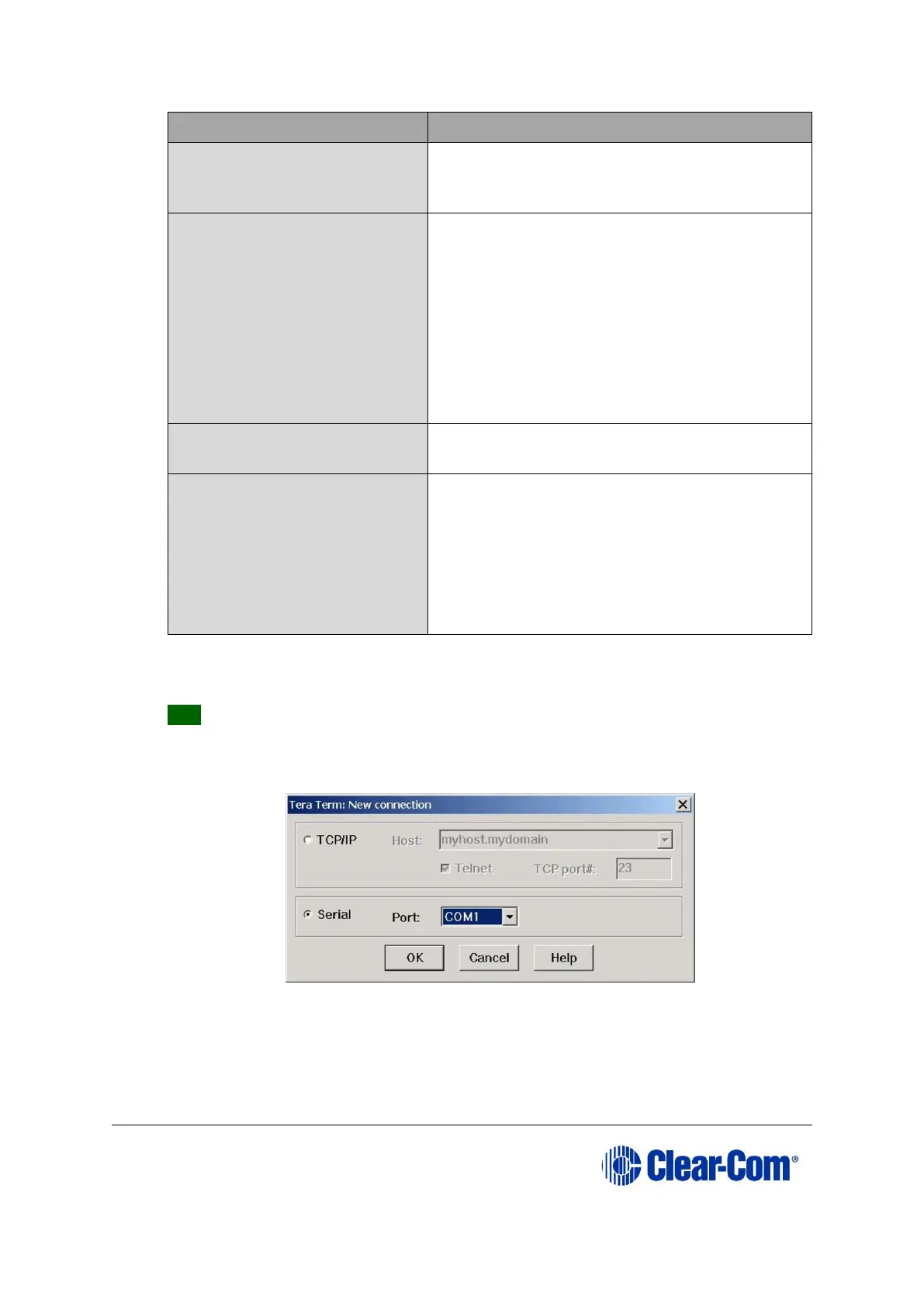
3) Start Tera Term. In the New Connection dialog, select Serial (connection) and
the COM port to use. Click OK.
Figure 5-5: Tera Term: selecting serial connection



 To Next Page