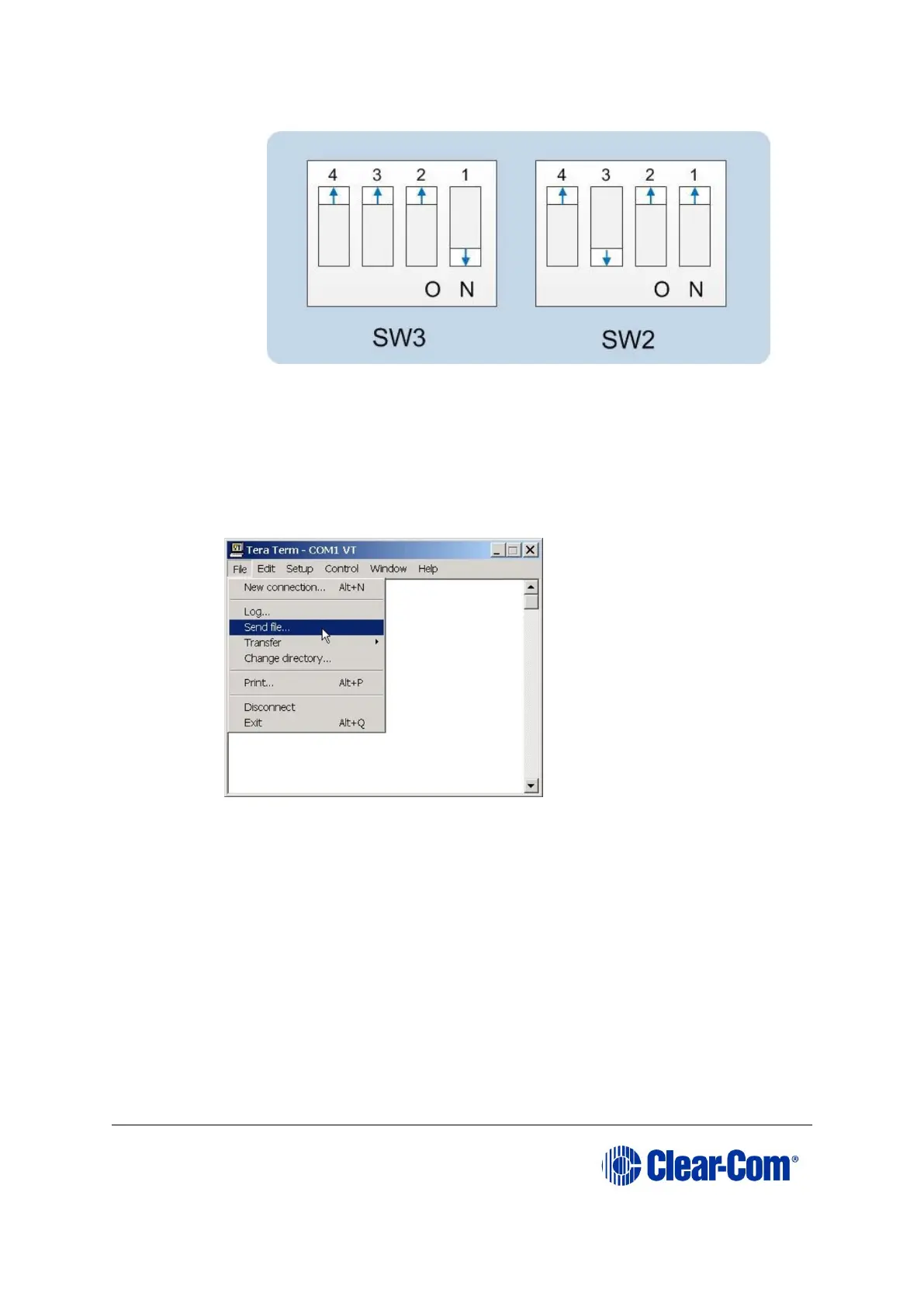
Figure 5-9: Tera Term: DIP switches, serial download mode
b. Insert the CPU card into the Eclipse HX-Median / Eclipse HX-Omega /
Eclipse HX-Delta matrix. The LED on the front of the matrix should flash
LD AP.
c. In Tera Term, open File and select Send file… Ensure that the BINARY
option box is selected.
Figure 5-10: Tera Term: Send file…
d. In the Send file dialog > Select the file to download, navigate to the
CPU card application code (firmware) *.fwr file:
i. Go to Software USB > SOFTWARE - EHX.xxx > SOFTWARE -
EHX.xxx > Eclipse HX-Omega-Median-Delta > xxxxxx –
Config Card Application (where xxxxxx represents the product
number).
The folder contains the *.fwr file and a Read Me file (*.txt) with
version information.
ii.Select the*.fwr file and click OK / Open. Ensure that the correct file
name is displayed in the dialog.



 To Next Page