You can find the *.fwr data file on the
software USB at:
Software USB > SOFTWARE - EHX.xxx >
Eclipse HX-PiCo > xxxxxx – Application
Code (where xxxxxx represents the part
number).
Table 6-4: Required equipment
2) Install the Tera Term application. Accept all default settings.
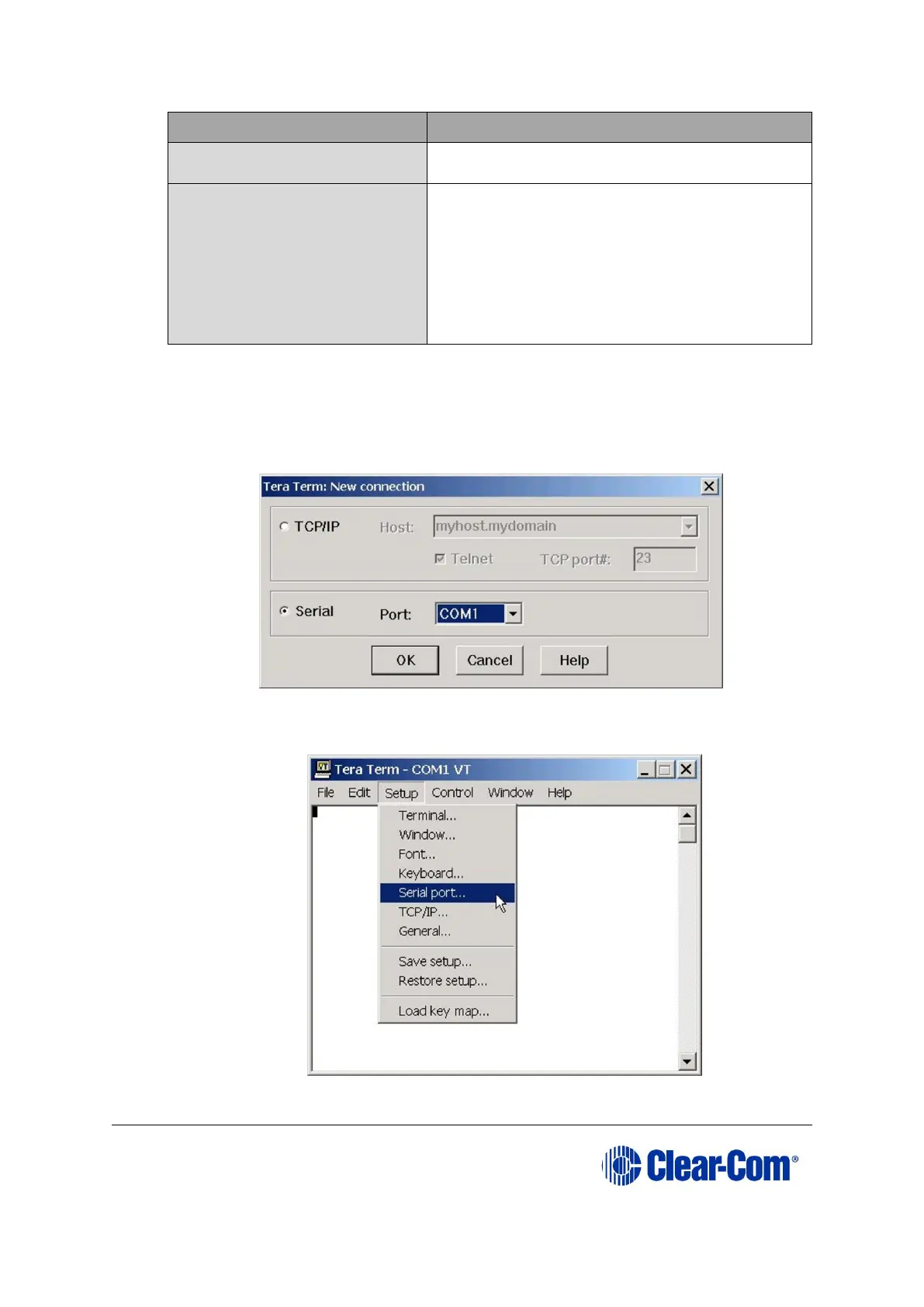
3) Start Tera Term. In the New Connection dialog, select Serial (connection) and
the COM port to use. Click OK.
Figure 6-6: Tera Term: selecting serial connection
4) From the Setup menu, select the Serial port… entry.
Figure 6-7: Tera Term: selecting Serial port…



 To Next Page