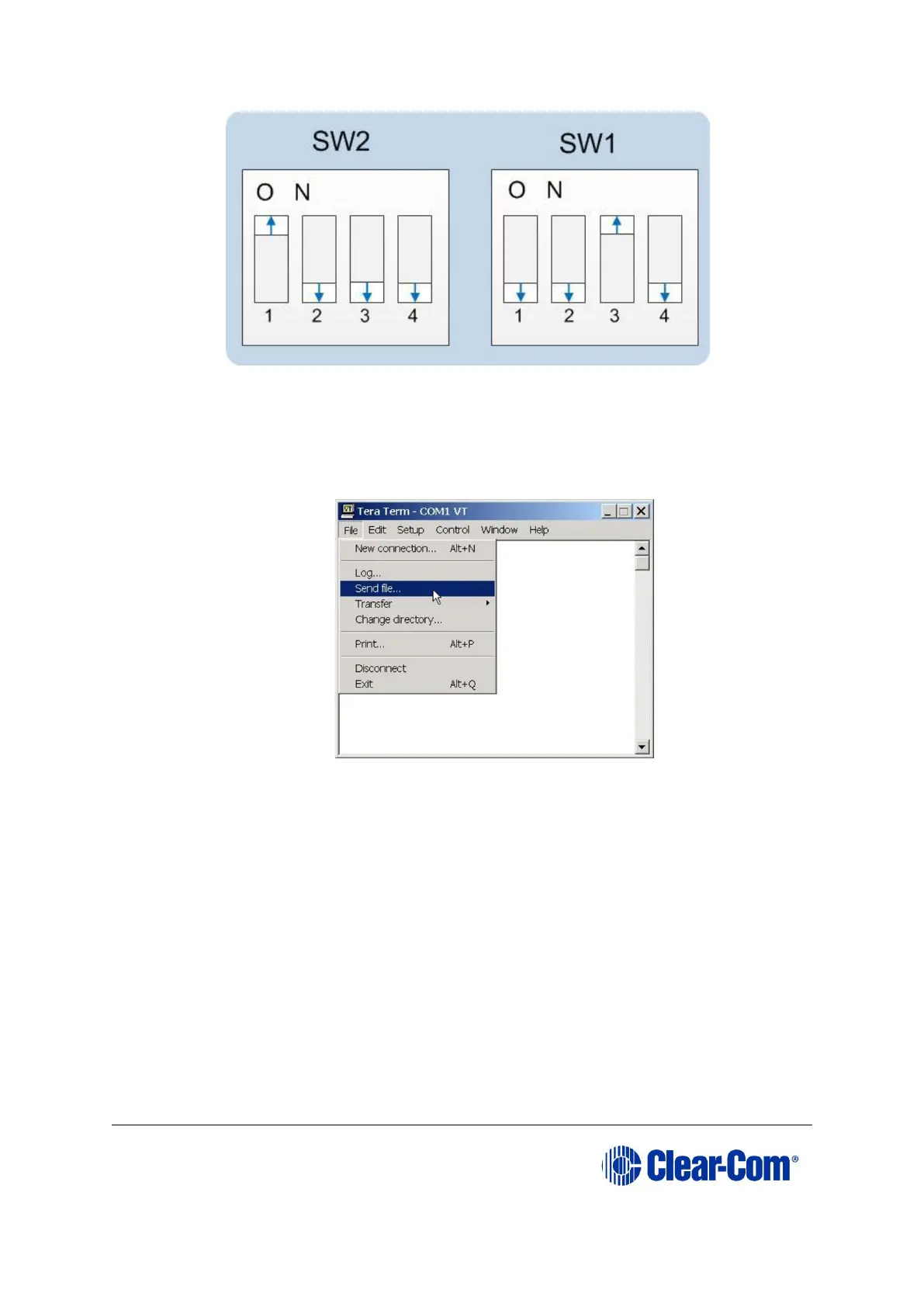
Figure 6-10: Tera Term: DIP switches, serial download mode
b. Power cycle or reset the Eclipse HX-PiCo to bring the DIP switch changes
into effect.
c. In Tera Term, open File and select Send file… Ensure that the BINARY
option box is selected.
Figure 6-11: Tera Term: Send file…
d. In the Select file dialog, select the file to download, navigate to the CPU
application code (firmware) *.fwr file:
i. Go to Software USB > SOFTWARE - EHX.xxx > Eclipse HX-
PiCo > xxxxxx – Application Code (where xxxxxx represents
the part number).
The folder contains the *.fwr file and a Read Me file (*.txt) with
version information.
ii. Select the*.fwr file and click OK / Open. Ensure that the correct
file name is displayed in the dialog.
Note: Confirm that the matrix resets and restarts correctly.
Note: It may take up to 1 minute for the matrix to write the new
application code in Flash before it reboots and the OK LED starts
to double flash



 To Next Page