22 Commonwealth Bank Albert User Guide
4.1 Learn how to use the solution.
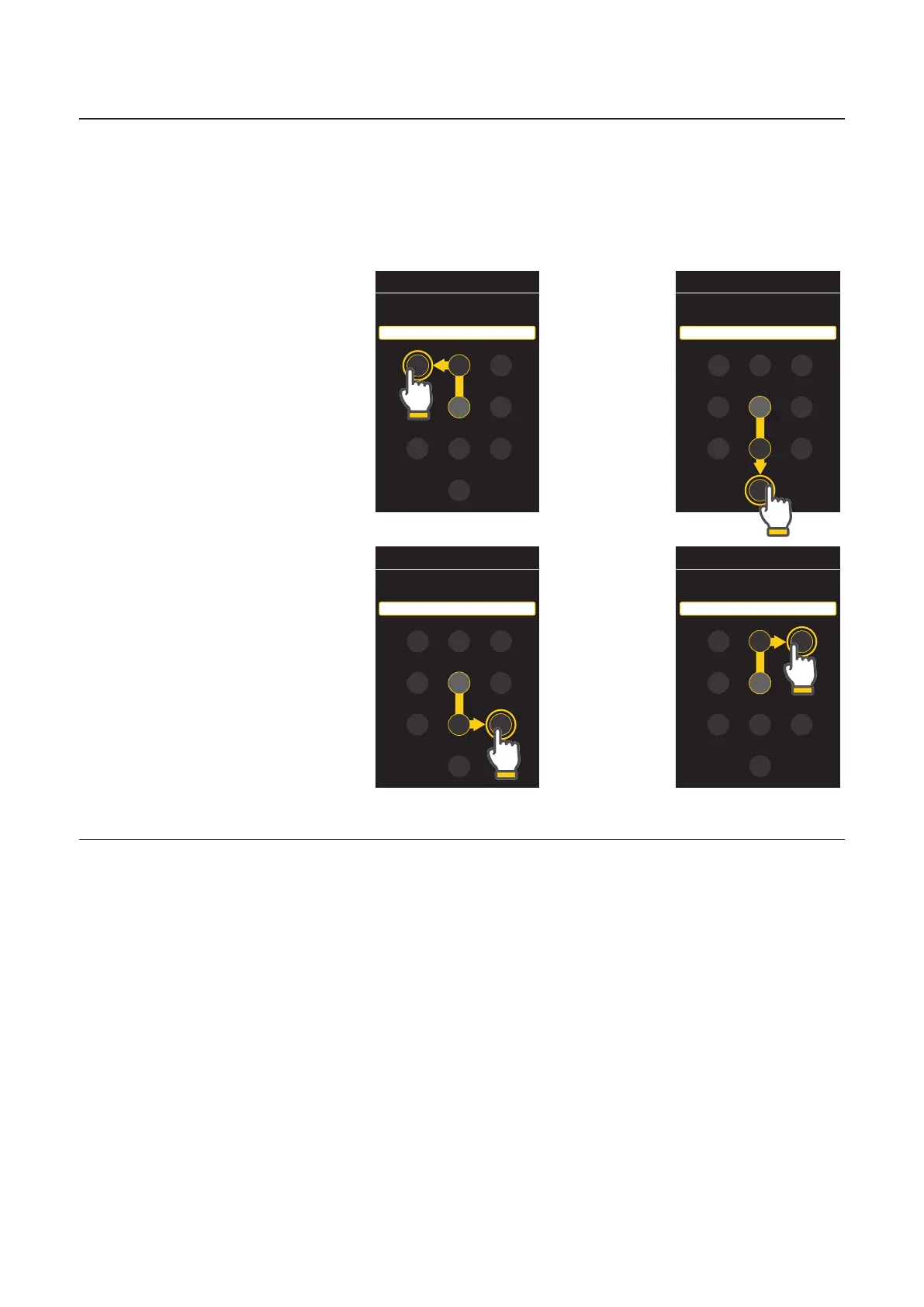
Entering a PIN
The virtual cursor sits at the middle of the keypad, at number 5.
Each number requires a specific gesture, followed by a double tap with a
single finger.
The below demonstrates the insertion of a 4 digit PIN using the numbers
1,0,9 and 3.
Note: Diagonal swipes are not supported or allowed.
Accessible Pin entry
The total is $3.00. Enter PIN number using gestures.
Long press with three fingers to CANCEL purchase
3
4 6
7 8
0
9
1 2
5
The total is $3.00. Enter PIN number using gestures.
Long press with three fingers to CANCEL purchase
3
4 6
7
0
9
1 2
8
5
Accessible Pin entry
The total is $3.00. Enter PIN number using gestures.
Long press with three fingers to CANCEL purchase
3
4 6
7
0
9
1 2
5
8
The total is $3.00. Enter PIN number using gestures.
Long press with three fingers to CANCEL purchase
3
4 6
7
0
9
1
8
5
2
Step 1.
Starting at
number 5,
swipe up
and then
swipe le.
Double
tap with
a single
finger.
Step 3.
Starting at
number 5,
swipe down
and then
swipe right.
Double
tap with
a single
finger.
Step 2.
Starting
at number
5, Swipe
down
twice.
Double
tap with
a single
finger.
Step 4.
Swipe up
and then
swipe
right.
Double tap
with
a single
finger.



 To Next Page