Introduction Getting Ready
Taking Pictures
Playback Set Up
EN-142
NEXTBACK
Contents Glossary Index Nomenclature Menus and Settings Troubleshooting
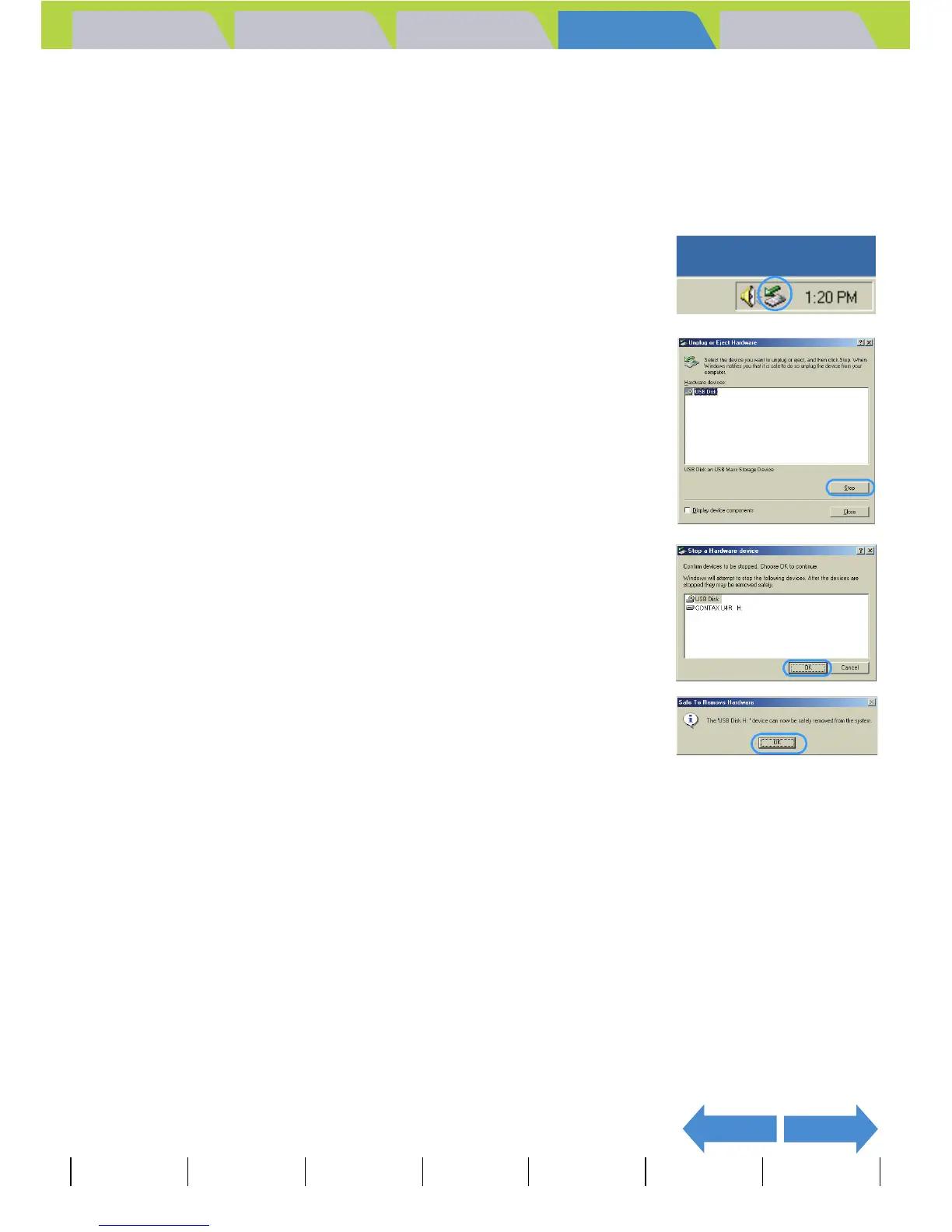
Disconnecting the USB cable from a Windows PC
Use the procedure below when disconnecting the USB cable from a
Windows PC.
z For Windows Me users
1 Double-click the [Unplug or Eject
Hardware] icon in the task bar in the
lower-right corner of the desktop.
2 Select [USB Disk] and then click [Stop].
3 Select [USB Disk] and then click [OK].
4 When the message saying [The 'USB Disk'
device can now be safely removed from
the system] appears, click [OK].
5 Disconnect the USB cable from the PC and the USB cradle.



 To Next Page