Introduction Getting Ready
Taking Pictures
Playback Set Up
EN-84
BACK
Contents Glossary Index Nomenclature Menus and Settings Troubleshooting
[SHARPNESS] Enhancing the Image Outlines
«Applicable mode: C»
This setting enables you to take pictures in which the subject's outline is
sharpened or softened.
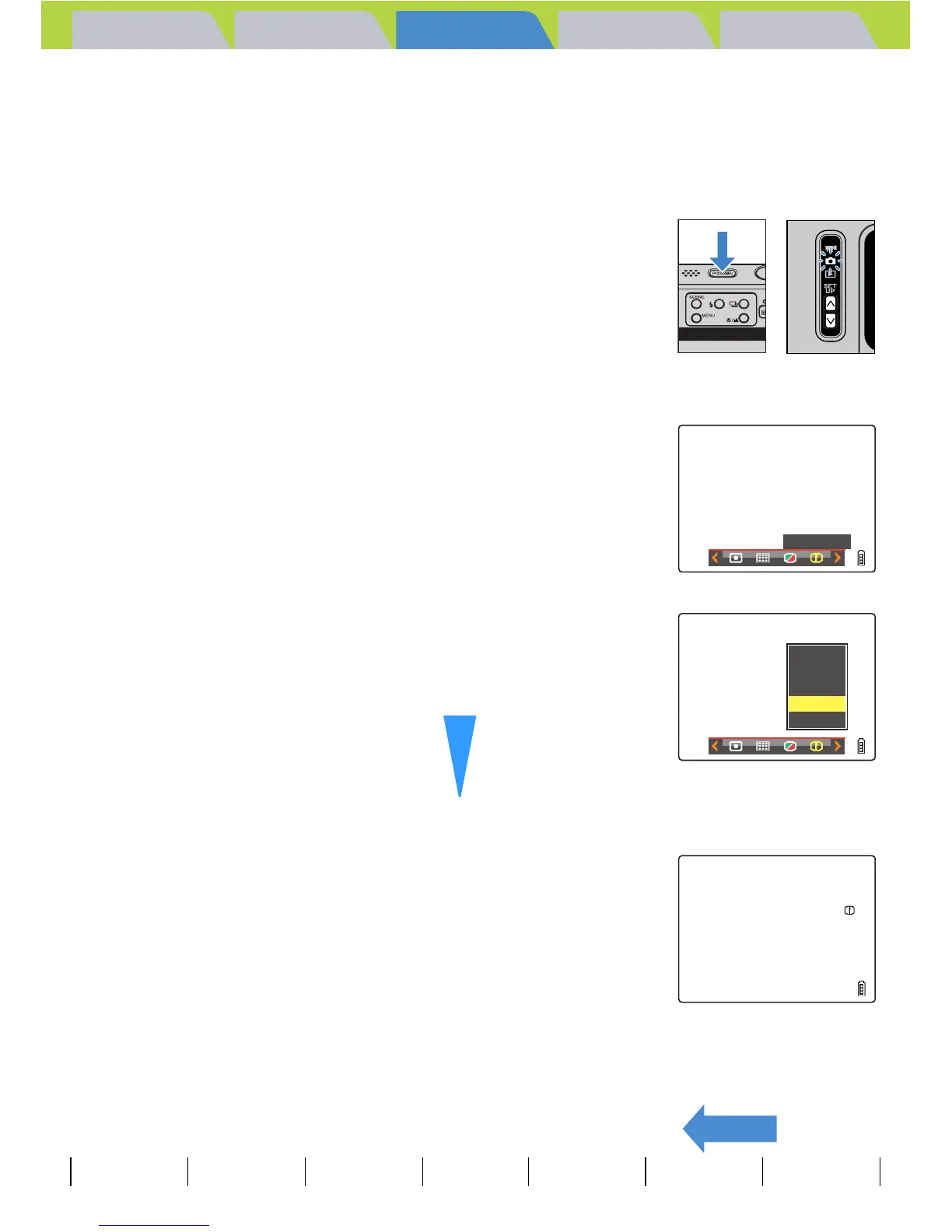
1 Turn the camera on and press the mode
buttons UD until "C" lights up on the
mode select LED.
2 Press the MENU button K to display the menu icons.
3 Move the selector lever left l or right r
to select SHARPNESS [n] and press E.
4 Move the selector lever up u or down d
to select the desired setting and press E.
The sharpness setting is updated.
[n+3] : +3
[n+2] : +2
[n+1] : +1
(No icon) : STANDARD (Default)
[n-1] : -1
5 Press the MENU button K.
The icon for the selected sharpness appears on the LCD monitor.
A Important
This setting is retained when you turn the camera off.
SHARPNESS
–1
STANDARD
+1
+2
+3
Softer outlines
Sharper outlines
+1



 To Next Page