Introduction Getting Ready
Taking Pictures
Playback Set Up
EN-32
NEXTBACK
Contents Glossary Index Nomenclature Menus and Settings Troubleshooting
Removing the Memory Card
1
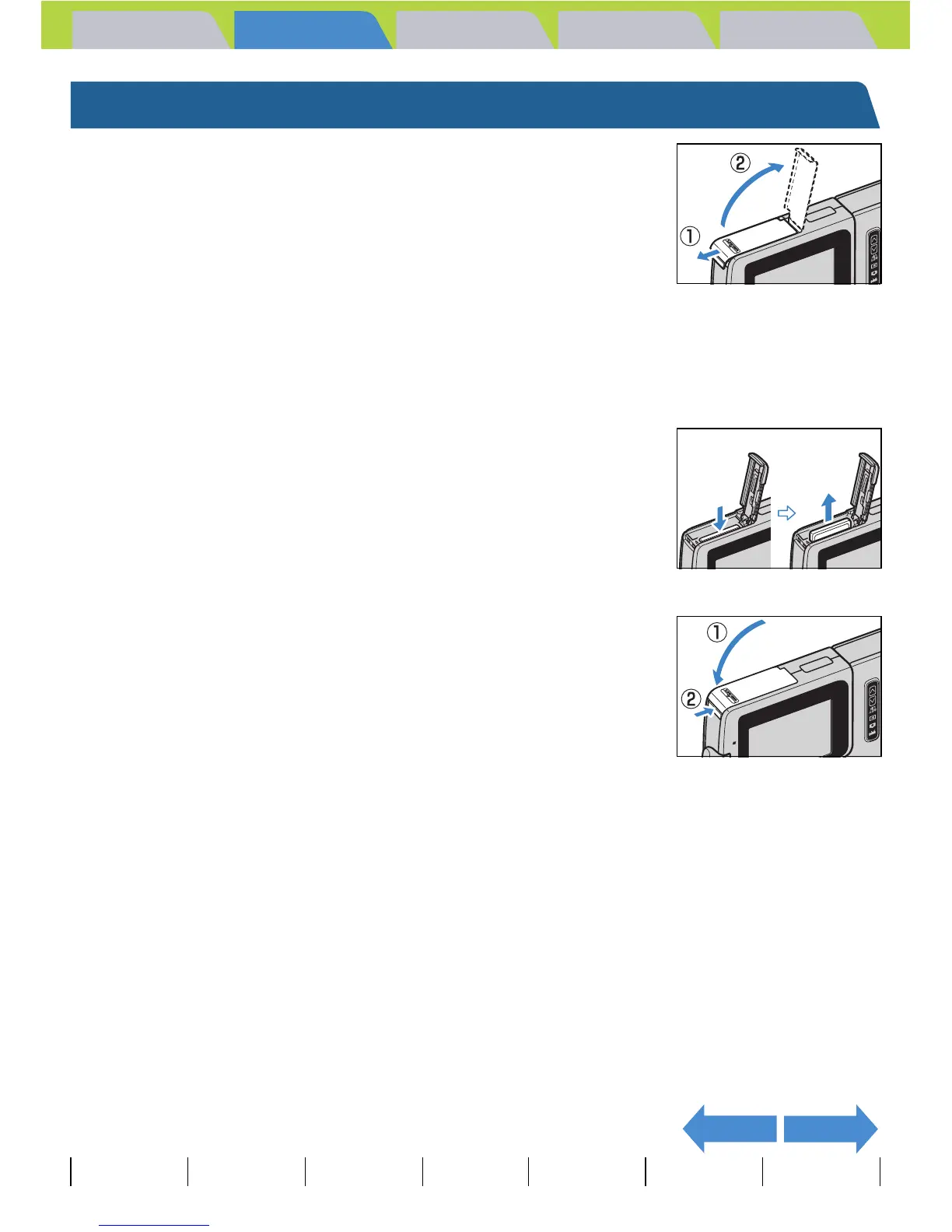
Check that the camera is turned off and
then open the card/battery cover.
Slide the card/battery cover in the direction of the arrow E to open it.
2 Push the memory card in gently with your
fingertip.
When the memory card is pushed in slightly, it pops back out and you
can then remove it.
3 Close the card/battery cover.
Close the cover and slide it opposite to the direction of the arrow E to
lock it.
A Important
When the card access LED is blinking, images are being recorded onto the memory
card. Do not open the card/battery cover or remove the memory card while the LED is
flashing as this could cause data corruption or, in some cases, camera damage.



 To Next Page