Introduction Getting Ready
Taking Pictures
Playback Set Up
EN-156
NEXTBACK
Contents Glossary Index Nomenclature Menus and Settings Troubleshooting
[o] Viewing Images Automatically as a Slideshow
(Auto Play)
«Applicable images: Still images / movies»
Images are displayed at fixed intervals in the order that they were shot. You
can configure the effect used for the transition between images.
[AUTO PLAY] settings
You can specify the following settings for an [AUTO PLAY] slideshow:
• [INTERVAL] : The delay between images
• [START FRAME] : The first image in the slideshow
• [EFFECT] : The effect used in the transition between images
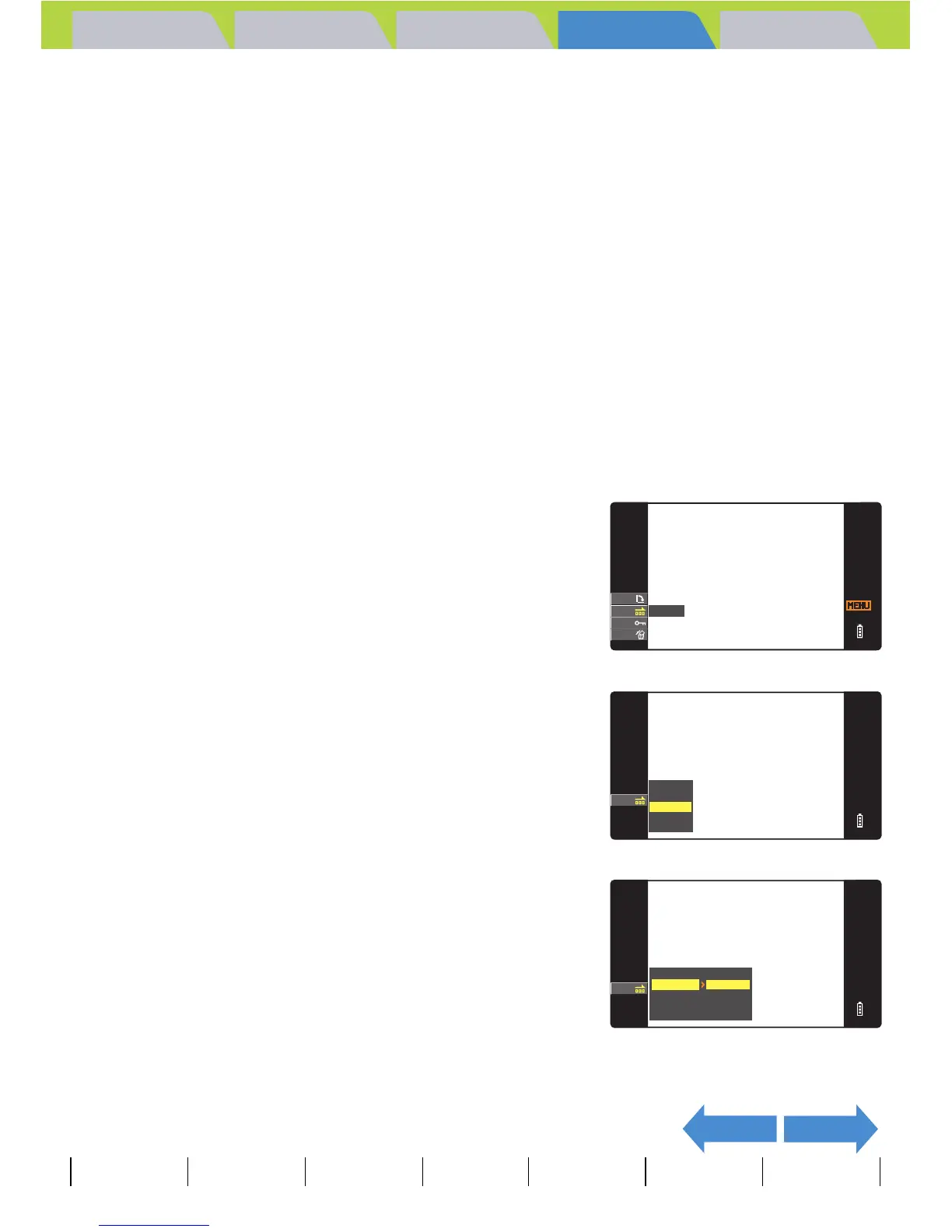
1 Press the MENU button K during playback to display the
menu icons.
2 Move the selector lever up u or down
d to select AUTO PLAY [o] and press
E.
3 Move the selector lever up u or down
d to select [SETTINGS] and press E.
4 Move the selector lever up u to select
[INTERVAL], then move the lever right
r.
RETURN
AUTO PLAY
EXECUTE
SETTINGS
RETURN
SETTING AUTO PLAY
RETURN
THIS FRAME
START FRAME
OFF
EFFECT
INTERVAL
2SEC



 To Next Page