Introduction Getting Ready
Taking Pictures
Playback Set Up
EN-176
BACK
Contents Glossary Index Nomenclature Menus and Settings Troubleshooting
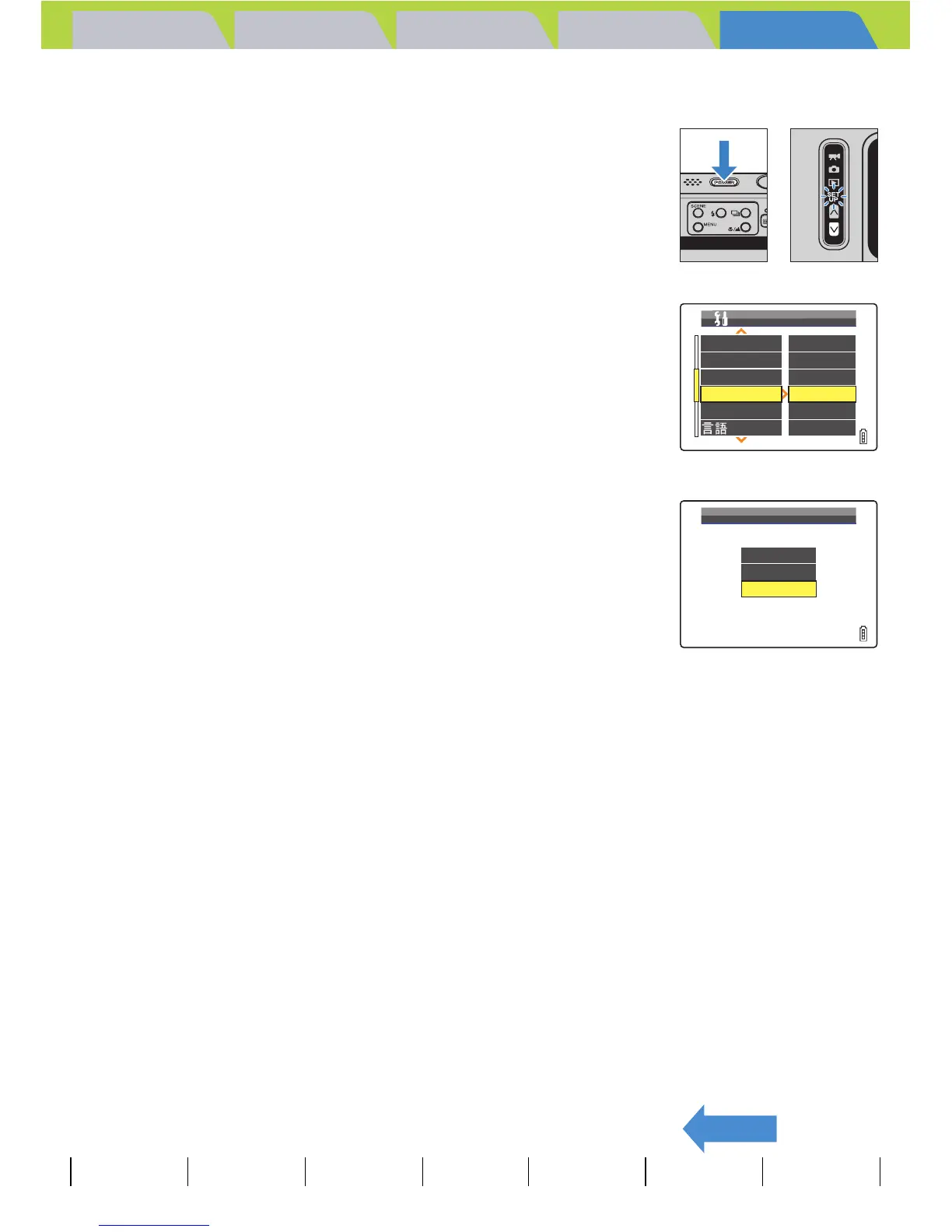
Turning the startup screen off
1 Turn the camera on and press the mode
button D until "G" lights up on the mode
select LED.
2 Move the selector lever up u or down d
to select [START SCREEN], then move the
lever right r.
3 Move the selector lever down d to select
[OFF], then press E.
The startup screen is set to [OFF] and the SET UP menu screen
reappears.
BNote
This setting is retained when you turn the camera off.
BEEP
SHUTTER VOL
DIGITAL ZOOM
START SCREEN
REC REVIEW
+
2
+
2
ON
SET
2SEC
ENGLISH
SET UP(2/3)
LANGUAGE
MULTI
SINGLE
OFF
SELECT START SCREEN



 To Next Page