Introduction Getting Ready
Taking Pictures
Playback Set Up
EN-178
Contents Glossary Index Nomenclature Menus and Settings Troubleshooting
[
Z
LANGUAGE] Selecting the Menu Language
You can choose one of the following as the language displayed on the
camera's screens:
• Japanese (Default)
• English
• French
• German
• Spanish
• Chinese (Simplified)
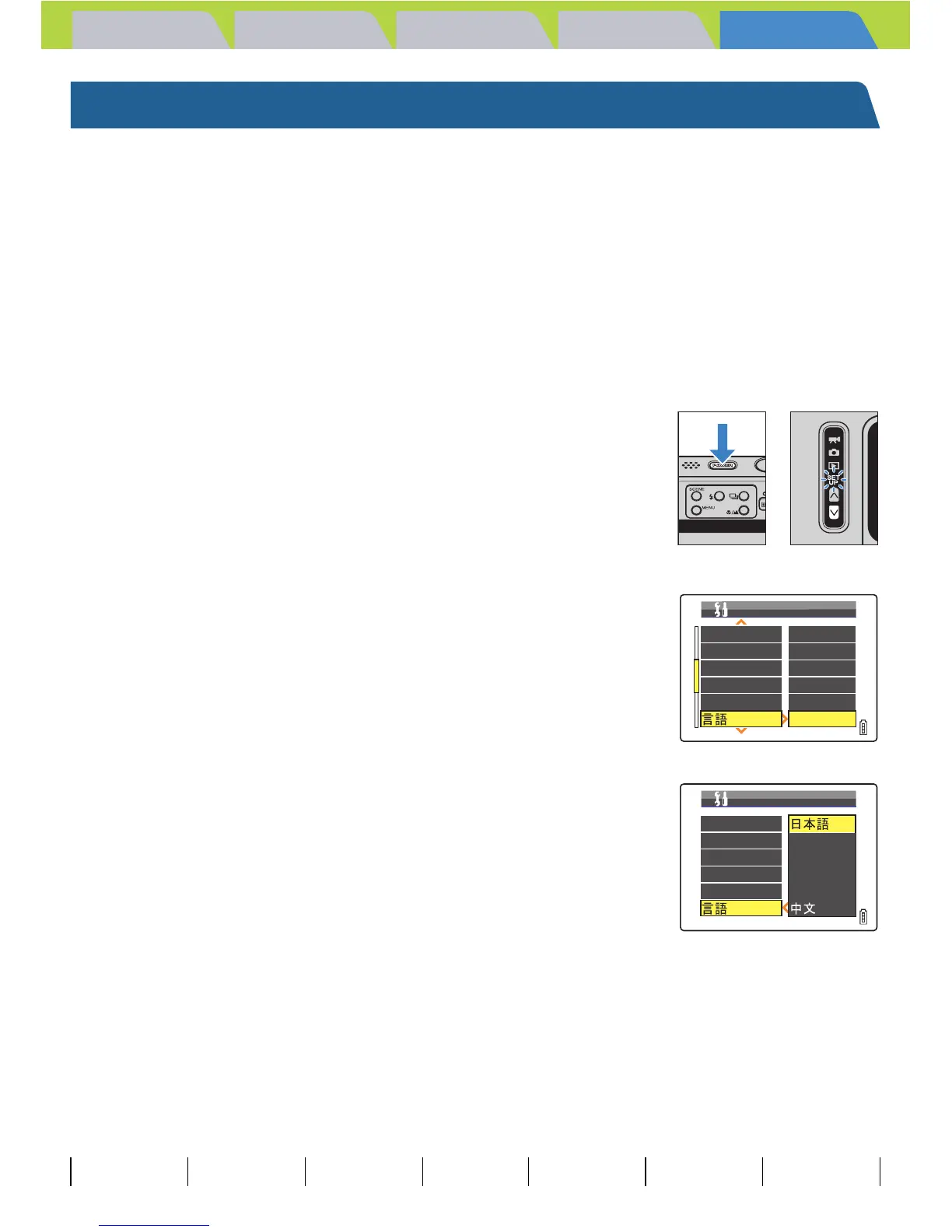
1 Turn the camera on and press the mode
button D until "G" lights up on the mode
select LED.
2 Move the selector lever up u or down d
to select [ZLANGUAGE], then move the
lever right r.
3 Move the selector lever up u or down d
to select the language, then press E.
The selected setting is applied.
BNote
This setting is retained when you turn the camera off.
BEEP
SHUTTER VOL
DIGITAL ZOOM
START SCREEN
REC REVIEW
+
2
+
2
ON
SET
2SEC
ENGLISH
SET UP(2/3)
LANGUAGE
BEEP
SHUTTER VOL
DIGITAL ZOOM
START SCREEN
REC REVIEW
SET UP(2/3)
LANGUAGE
ENGLISH
FRANÇAIS
DEUTSCH
ESPAÑOL



 To Next Page