Introduction Getting Ready
Taking Pictures
Playback Set Up
EN-27
NEXT
Contents Glossary Index Nomenclature Menus and Settings Troubleshooting
Getting Ready
Inserting the Battery Pack
1
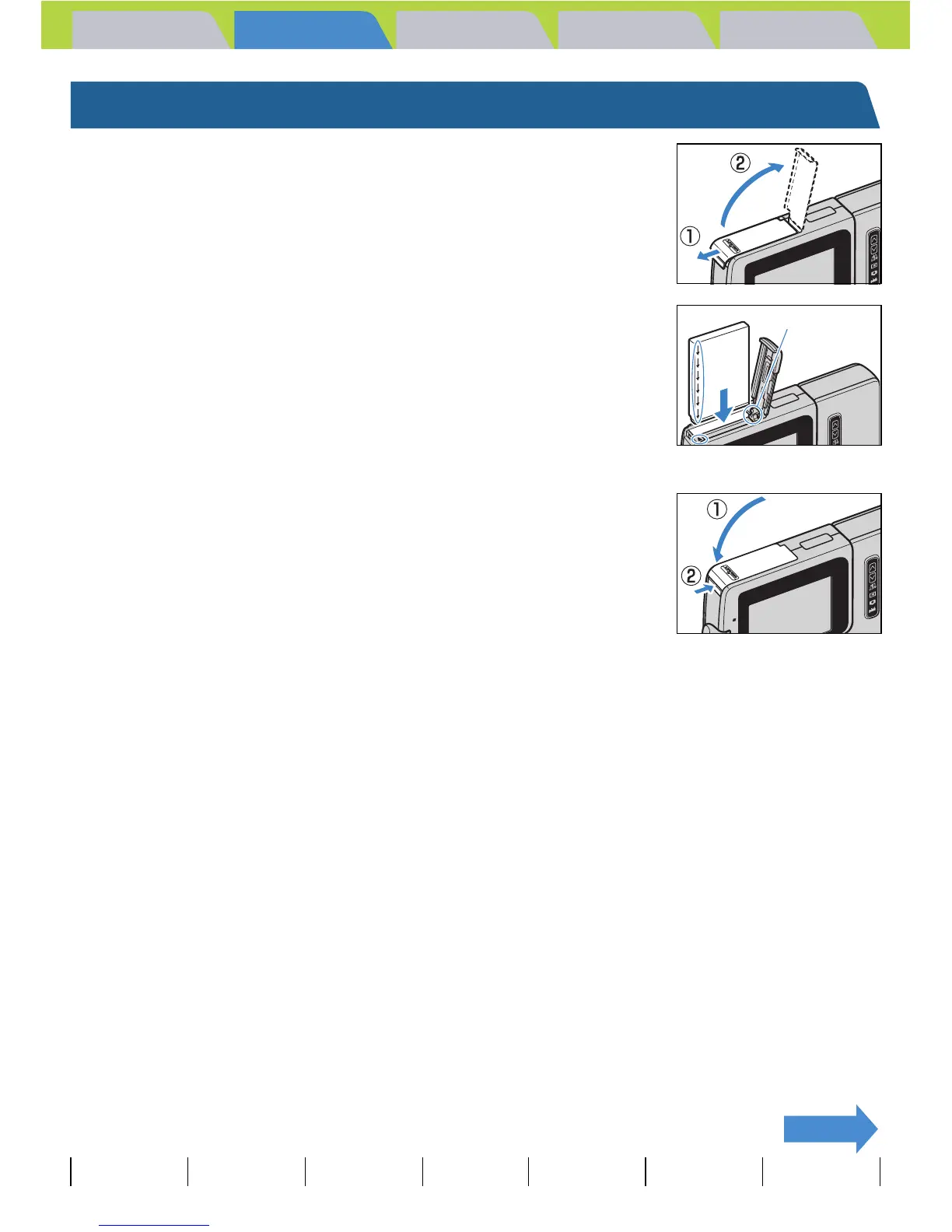
Open the card/battery cover.
Slide the card/battery cover in the direction of the arrow E to open it.
2 Insert the battery pack (BP-1100S)
supplied with the camera.
Ensure that the t on the camera matches the È on the battery pack,
as shown in the illustration, then insert the battery pack until the battery
stopper is securely locked.
3 Close the card/battery cover.
Close the cover and slide it opposite to the direction of the arrow E to
lock it.
A Important
If you insert the battery pack into the camera back to front, the camera may be damaged.
Make sure that the t on the camera and È on the battery pack match to ensure that you
insert the battery pack in the correct orientation.
Battery Stopper



 To Next Page