O
eratin
Ke
s Dis
la
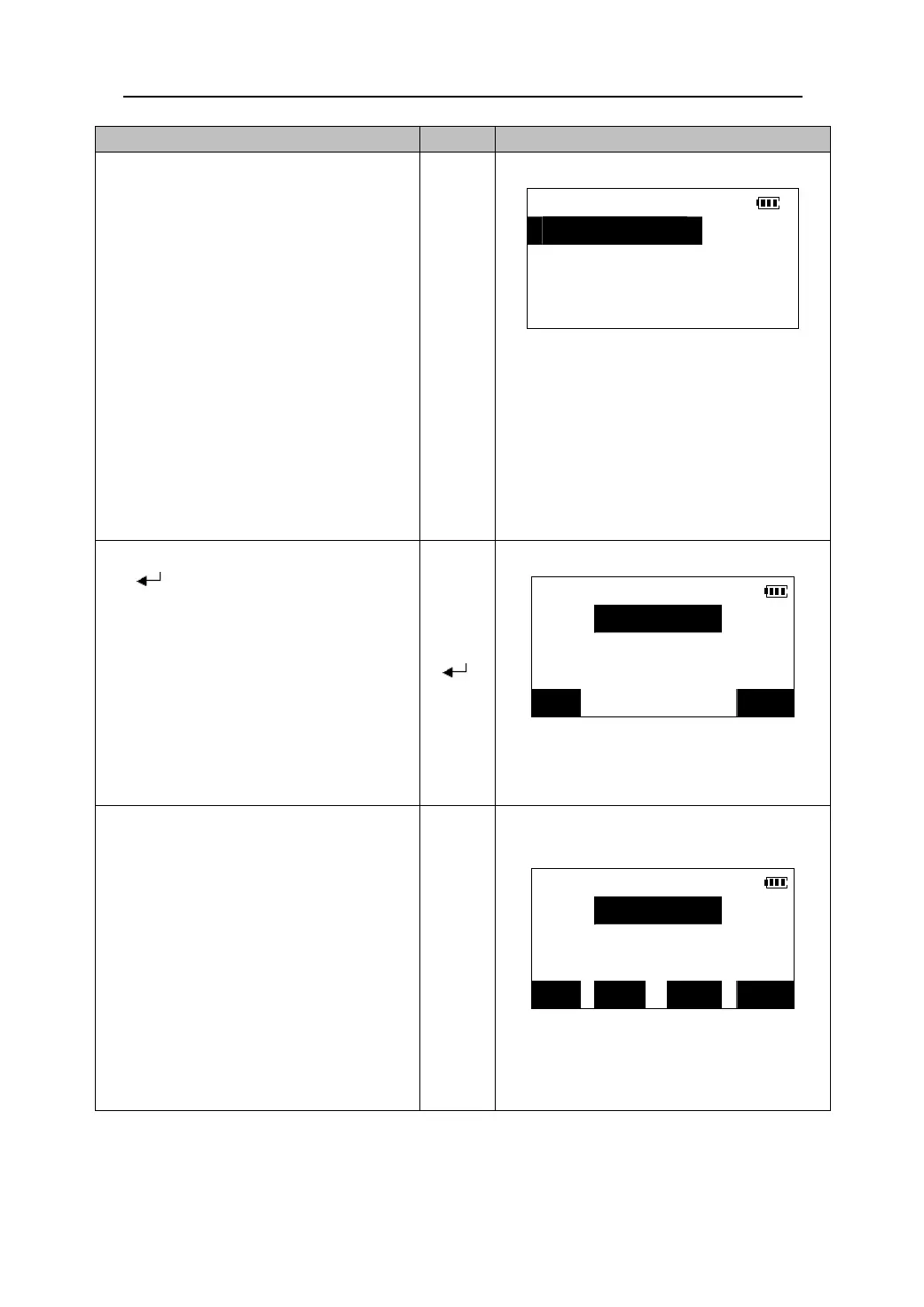
1. On the third page of the Meas Mode
Screen, press 【S-O】to enter the <S-O>
menu.
z Selecting “2. S-O” in the Menu Mode
S-O
1.S-O data
2.S-O obs.
will perform the same function.
3.Stn.data
2. Select “3. Stn.data” to input the
instrument station data. Select “4. Stn.
orient” to set the azimuth angle. Select
↓4.Stn.orient
“5. Ins.h&Tgt.h”to input the instrument
height and the prism height.(Please see
“12.1 inputting instrument station
coordinate”, “12.2 Azimuth angle setting”,
“12.3 inputting the height of instrument
and prism”),
【S-O】
3. Then select “1. S-O data” and press
【
】 to enter the setting-out data
S-O H & HA
screen.
H<m>:
【 】
HA:
CRD OK
4.Press 【CRD】.<S-O Coord.> is displayed.
Input the coordinates of the point to be set
out. (Staked out)
S-O Coord.
Np<m>:
z When 【READ】 is pressed, stored
coordinates can be recalled and used as
set-out coordinates.(Please see “12.1.2
Reading in registered coordinate data”)
Ep<m>:
Zp<m>
【CRD】
z Press 【H&HA】to enter the distance
set-out mode.
z Press 【REC】 to record the input
coordinate data.
READ REC H&HA OK
41





 To Next Page