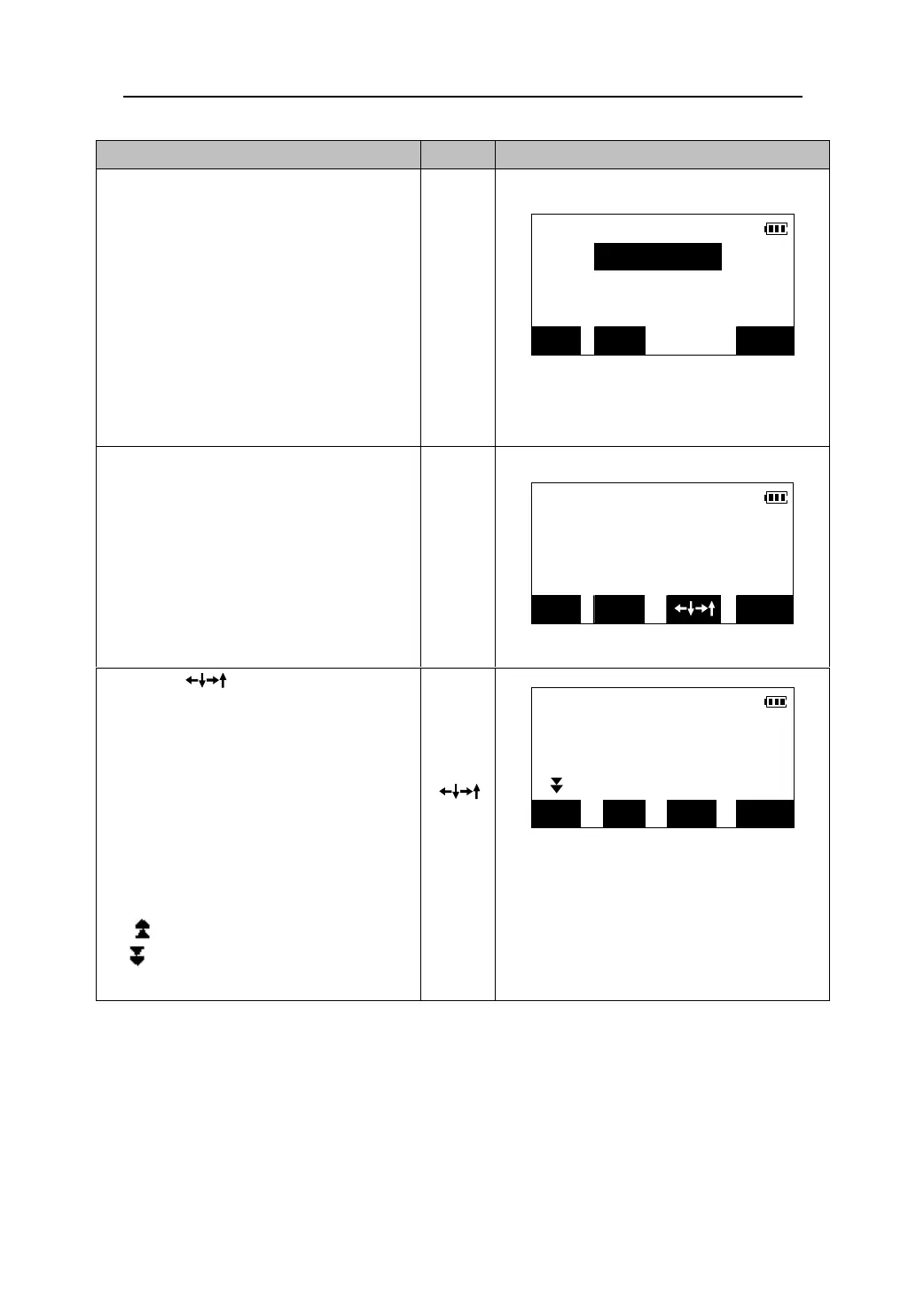
Operating Keys Display
5. After the coordinates are entered, press
[OK]. The distance and the horizontal
angle of the point to be set out are
calculated and displayed on the screen.
z If the prism height has to be changed.
Press 【HT】and re-enter the prism
height before the measurement.(Please
see “12.3 inputting the height of
instrument and prism”)
【OK】
S-O H & HA
H<m>: 226.4854
HA: 79°43′37″
OK CRD HT
6. Press 【OK】to enter the Set Out Coord
S-O Coord.
observation screen.
dN
dE
dZ
【OK】
EDM MODE
OBS
7. Press 【 】 to enter the setting-out
leading screen. Following step 7 to 10 in
“13.1 Distance setting-out measurement”,
complete the plane coordinates
setting-out. Then observe the difference
height between the target and the
required point which displayed on the
fourth line.
z The Arrows mean the following:
:move the prism up ward
:move the prism down ward
S-O Coord.
←→
0°00′00″
↑↓ 0.001m
【
】
0.143m
EDM MODE DIFF OBS
42











 To Next Page