xStack
®
DGS-3400 Series Layer 2 Gigabit Ethernet Managed Switch
80
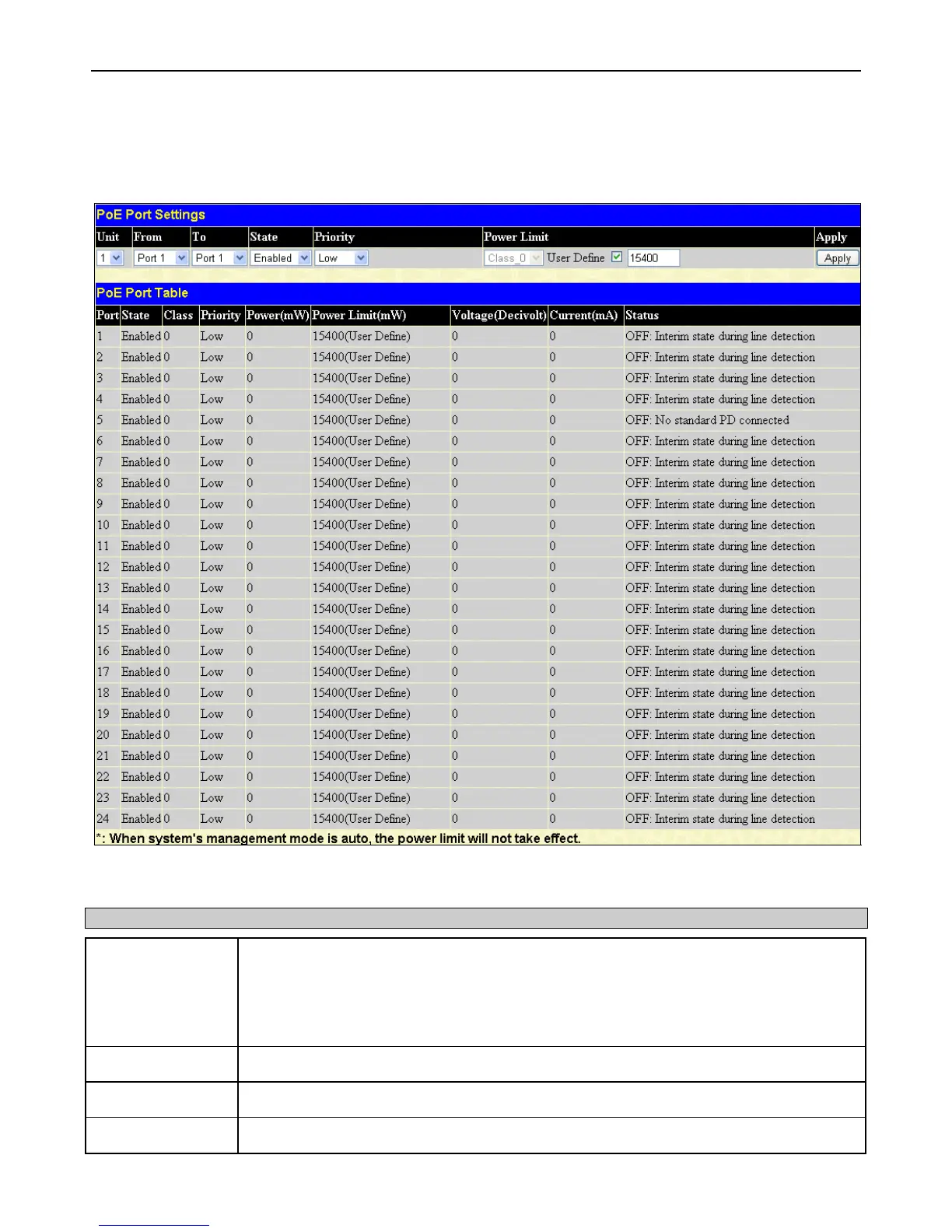
PoE Port Settings
This window is used to configure the PoE port settings on the Switch.
To view this window, click Administration > PoE > PoE Port Settings:
Figure 2 - 88 PoE Port Settings window
The following parameters can be configured:
Parameter Description
Unit
Choose the switch in the switch stack for which to configure the PoE settings.
Users should note that not all switches in the xStack
®
DGS-3400 series support PoE yet,
when they are configured in a stack, the Primary Master switch will display the PoE settings to
be configured for the stack, whether or not the Switch is a PoE supported device. However,
only PoE supported switches have the PoE capability in the switch stack.
From Port/To Port
Select a range of ports from the pull-down menus to be enabled or disabled for PoE.
State
Use the pull-down menu to enable or disable ports for PoE.
Priority
Use the pull-down menu to select the priority of the PoE ports. Port priority determines the












 To Next Page