3. Getting Started
3-28 UniSite-xpi User Manual
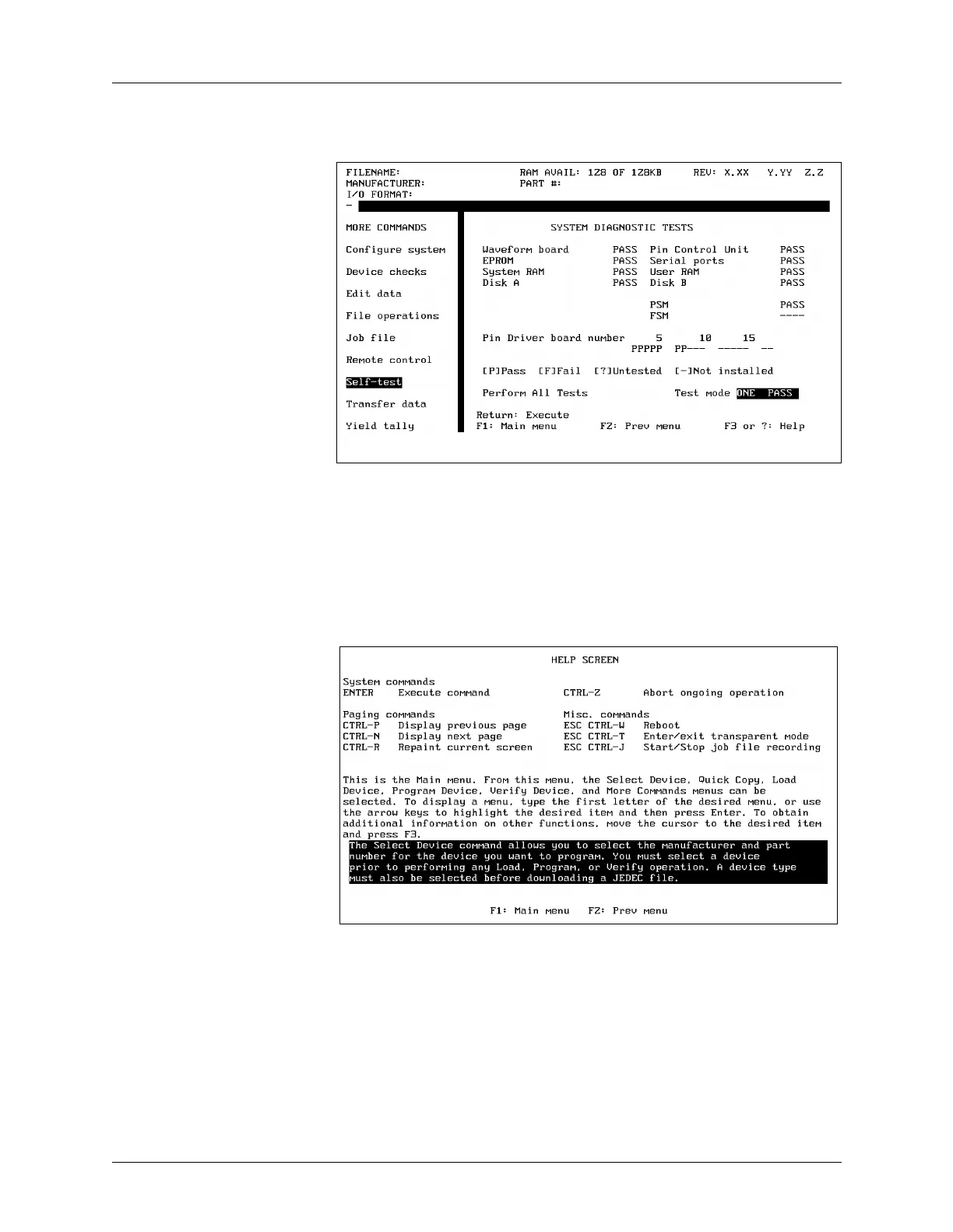
You have reached the Self-test screen, which is shown in Figure 3-40.
Select Online Help To access the context-sensitive online help for the item the cursor is
highlighting, press either F3 or ?. The entire screen clears and fills with
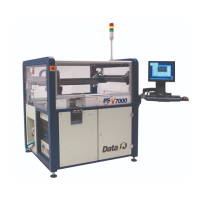
the Help screen. The top third of the Help screen is a list of commonly
used keys, the next third is general help, and the last third is the
context-sensitive help.
Context-sensitive Help Context-sensitive help means that the text displayed on the screen
changes every time you move the cursor to a different field. If the cursor
is in the Disk field, you get information on the Disk; if the cursor is in the
RAM field, you get information on the RAM.
To leave the help screen and return to the Self-test screen, press F2.
(Remember, if you forget what key to press, look at the reminder bar on
the bottom of the screen for a quick reminder.) You should now be
looking at the Self-test screen.
Figure 3-40
The Self-test Screen
Figure 3-41
Areas of the Help Screen


 To Next Page