3. Getting Started
3-14 UniSite-xpi User Manual
Tutorials for TaskLink for DOS Mode
Sessions 6-10 take you through the basic process of programming a
device using TaskLink for DOS as your user interface.
Note: TaskLink for DOS supports only serial mode operations.
Before you go any further in this chapter, make sure you have read and
completed the instructions in Chapter 2, “Setup and Installation.” You
should also have read Chapter 1, “Introduction.”
Session 6: Selecting a Device
From the TaskLink directory, type tl as and then press Enter. This opens
TaskLink in simulation mode. (To run TaskLink when you want to
actually program a device, type tl a, then press Enter.)
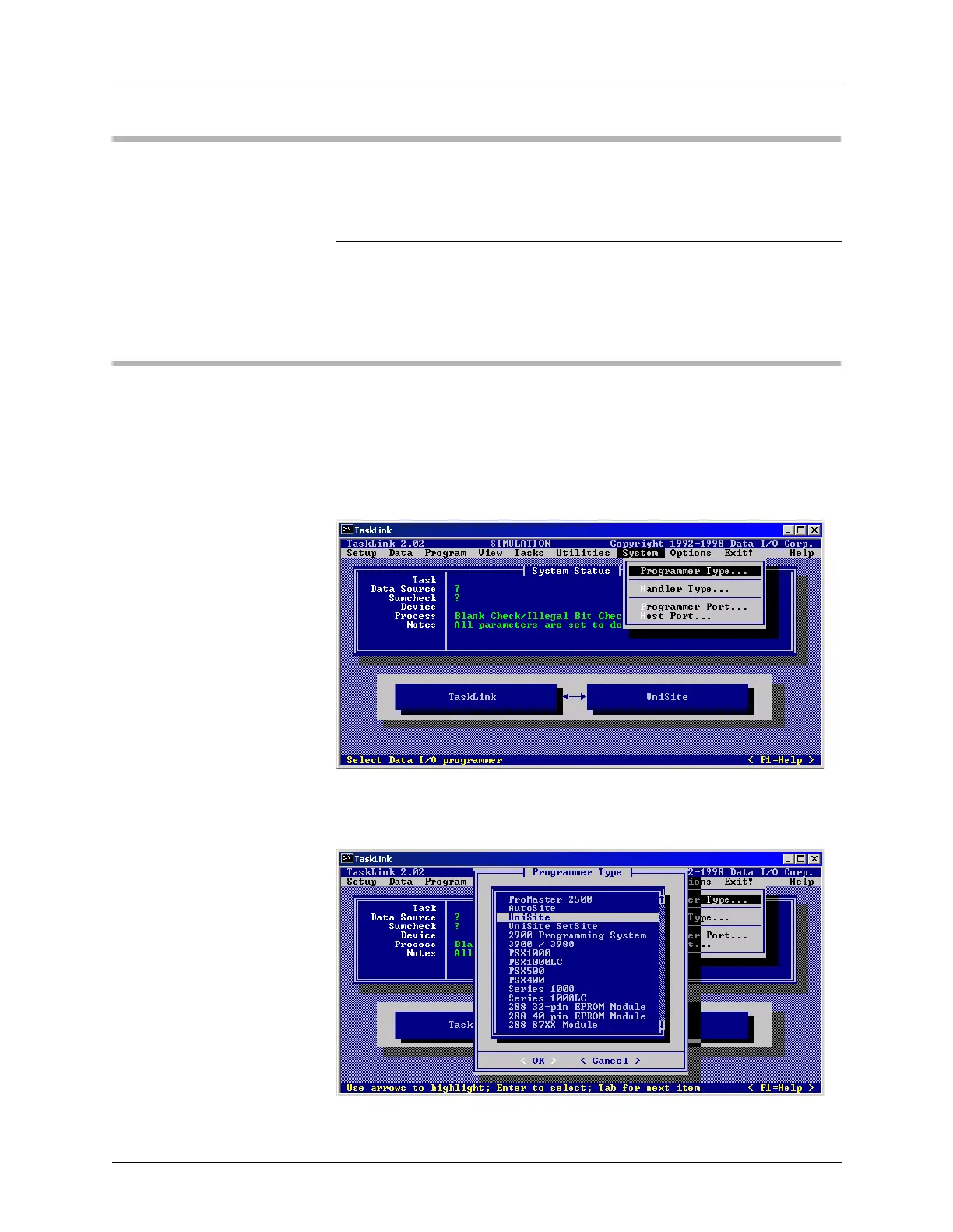
From the System menu, select Programmer Type.
On the Programmer Type screen, select UniSite and click OK.
Figure 3-21
System Menu: Programmer Type
Figure 3-22
Programmer Type



 To Next Page