3. Getting Started
UniSite-xpi User Manual 3-27
Verify Device A verify operation compares the data in a programmed device against the
data in UniSite-xpi’s RAM or against the data in a disk file. In the case of
logic devices, verifying can also include functional testing. Verify is
normally an automatic part of the program operation, but additional
verify operations can provide useful information about many
programming errors.
Session 11: Navigating Through the Menus
This Session describes the organization of UniSite-xpi’s menus and gives
you an opportunity to explore the menu tree and the online help.
Select a Menu Item First, let’s go over how you select an entry from the command window.
(Remember, the command window is on the left side of the vertical bar.)
To select a command, either move the cursor to the menu item and press
E
NTER, or press the first letter of the menu item.
For example, if you want to test your UniSite-xpi, select the Self-test
command on the More Commands menu. To access the More Commands
menu, move the cursor to the More Commands menu item and press
E
NTER. Or, as mentioned above, simply press M.
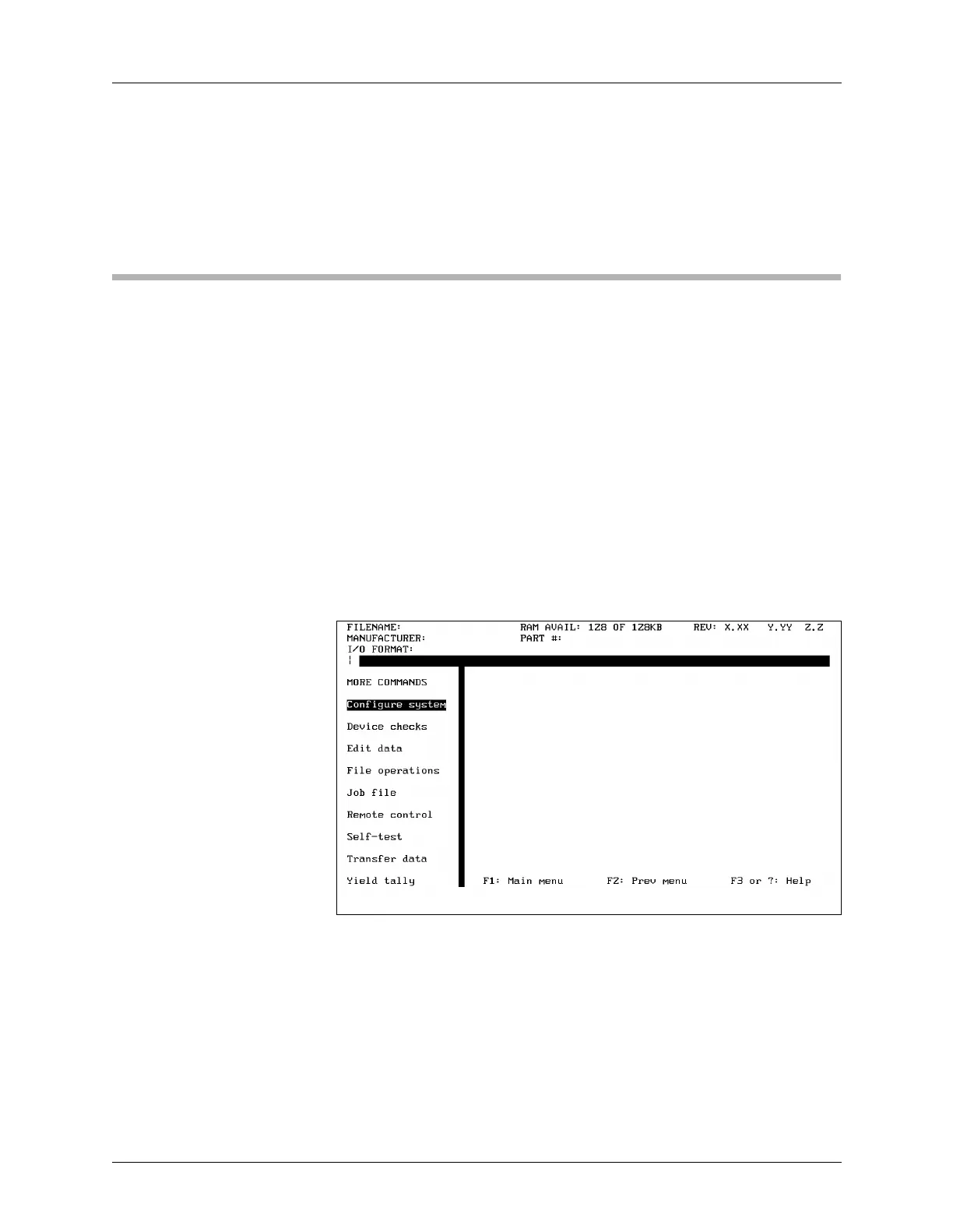
The More Commands menu should appear. It should look like the screen
shown in Figure 3-39.
If a different menu appears, don’t worry. Press F1 and try again.
Scan the menu, which is arranged alphabetically, and find the Self-test
menu item. To access the Self-test, press
↓ to move the cursor to the
Self-test menu item and then press E
NTER to execute the command.
(Remember, you could also have pressed the first letter of the menu item
to select that command. In this case, you would press S.)
The dialog window should fill with the Self-test screen, and the top of the
window should read
SYSTEM DIAGNOSTIC TESTS
Figure 3-39
The More Commands Menu
Screen



 To Next Page