3. Getting Started
3-6 UniSite-xpi User Manual
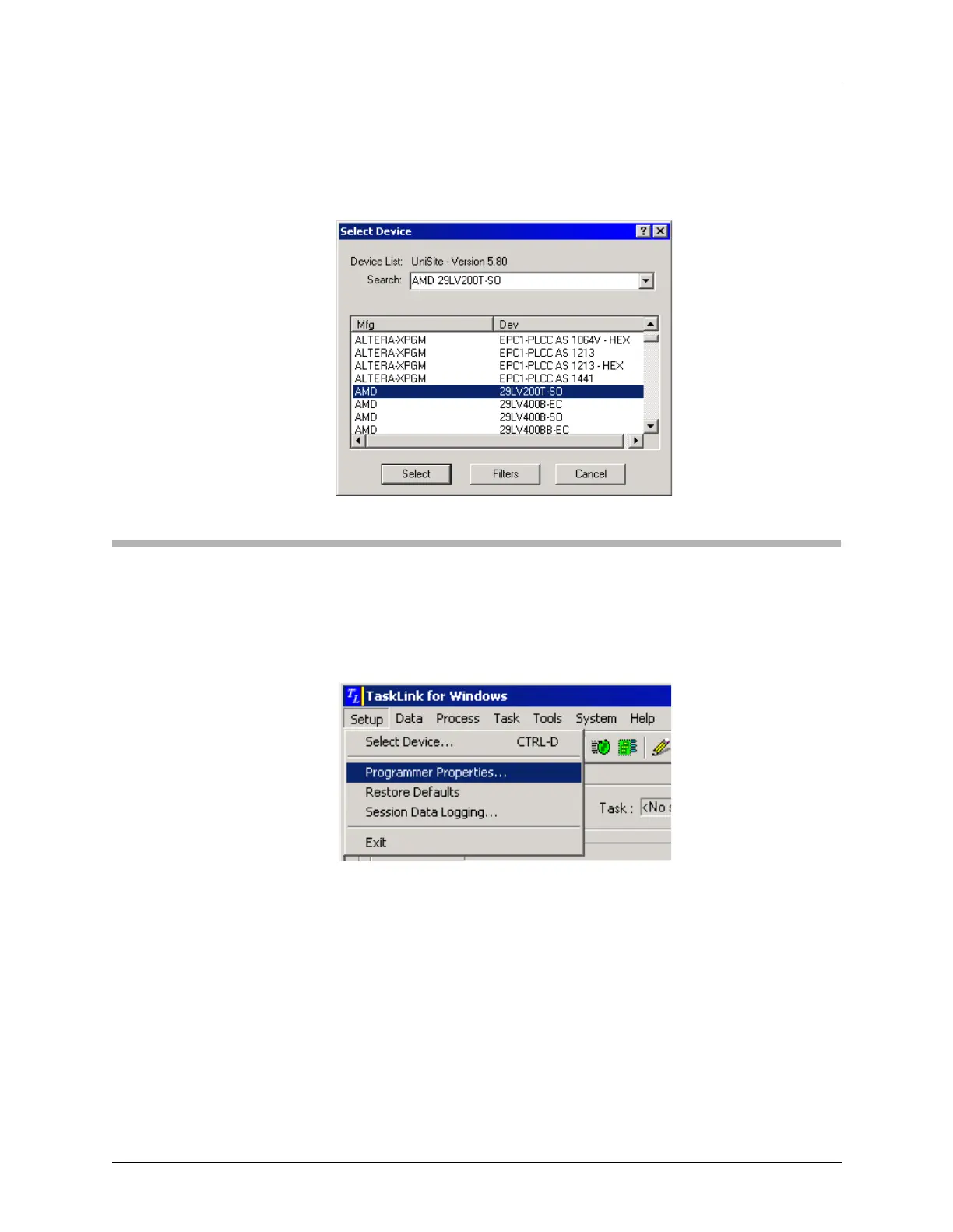
On the Select Device dialog, scroll through the list of device part
numbers until the one you want is highlighted.
Click Select.
Session 2: Setting Programmer Properties
After specifying the device to be programmed, the next step is setting the
programmer properties.
From the Setup menu, select Programmer Properties.
Select the General tab and enter the parameters that you wish to use.
These parameters determine what device operations are performed
before, during and after programming. For more detailed information
about each parameter, see TaskLink context-sensitive Help.
Figure 3-6
Select Device Dialog
Figure 3-7
Setup Menu: Programmer
Properties



 To Next Page