2. Setup and Installation
2-16 UniSite-xpi User Manual
CAUTION: You can damage the programmer by squeezing too hard on
the handles.
Removing a Base When removing a Base from the programmer, be sure to apply even
pressure while moving the handles apart. If you exert uneven pressure on
the handles, you could damage the sliding handle.
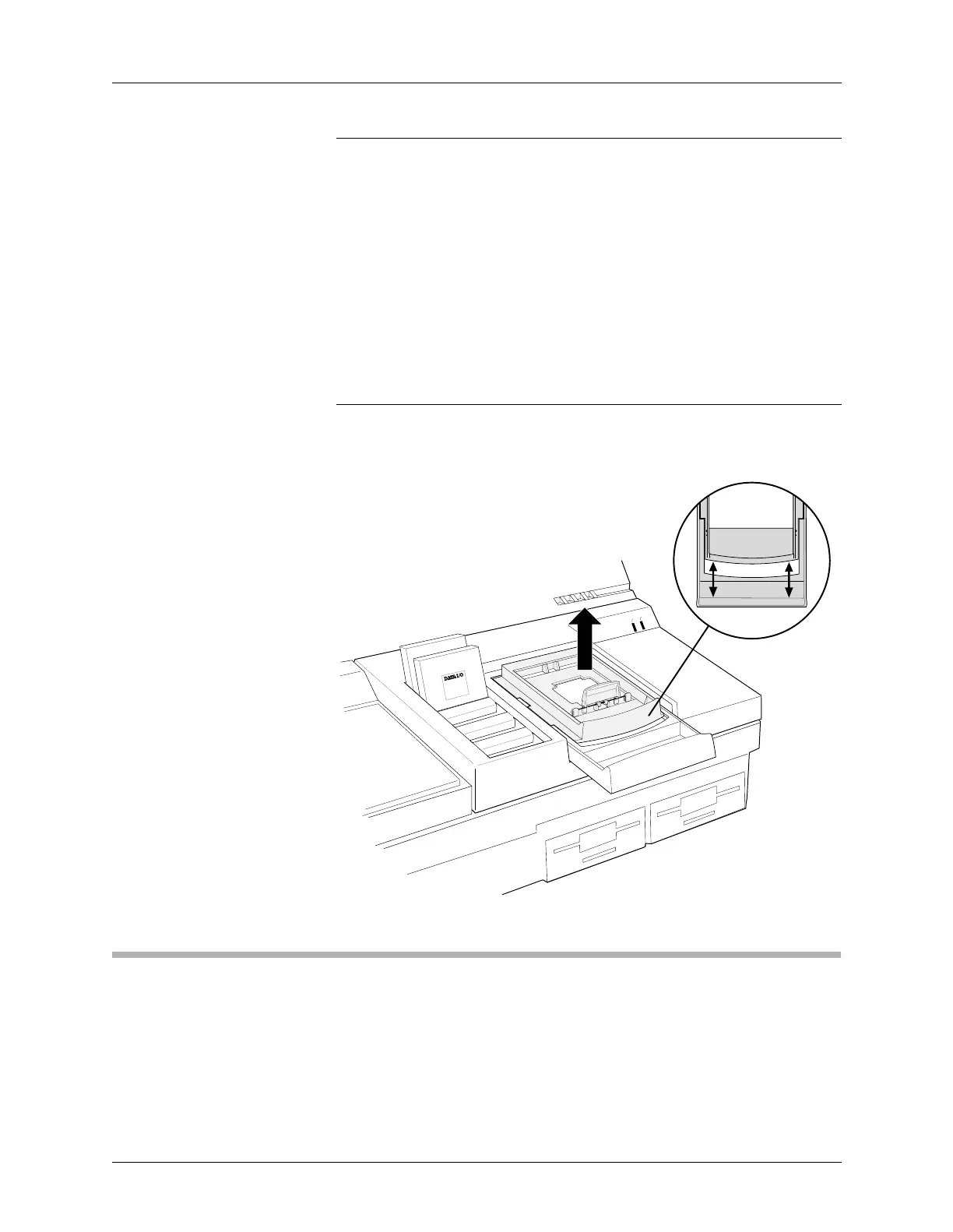
To remove a Base, follow the steps described below.
1. To remove the Base, separate the handles with your thumbs and
fingers. Push back on the Base handle with both thumbs while
pushing forward on the sliding handle with your forefingers.
2. Lift the Base up and out of the module. Store the Base in a safe place.
CAUTION: You must apply even pressure while moving the handles
apart. If you exert uneven pressure on the handles, they may
jam in the tracks. Apply an even force to realign the handles.
6. Power Up the Programmer
To power up the programmer, follow the steps below.
1. Make sure the programmer is positioned so the fan on the bottom
will not be obstructed.
Figure 2-5
Removing a Base from the PinSite
Module
0565-2
ACTIVE
READY
44 Pin PLCC
44 Pin PLCC
WITH HANDLES APART,
LIFT BASE OUT
TOP VIEW
BASE



 To Next Page