A. Using Modules
UniSite-xpi User Manual A-15
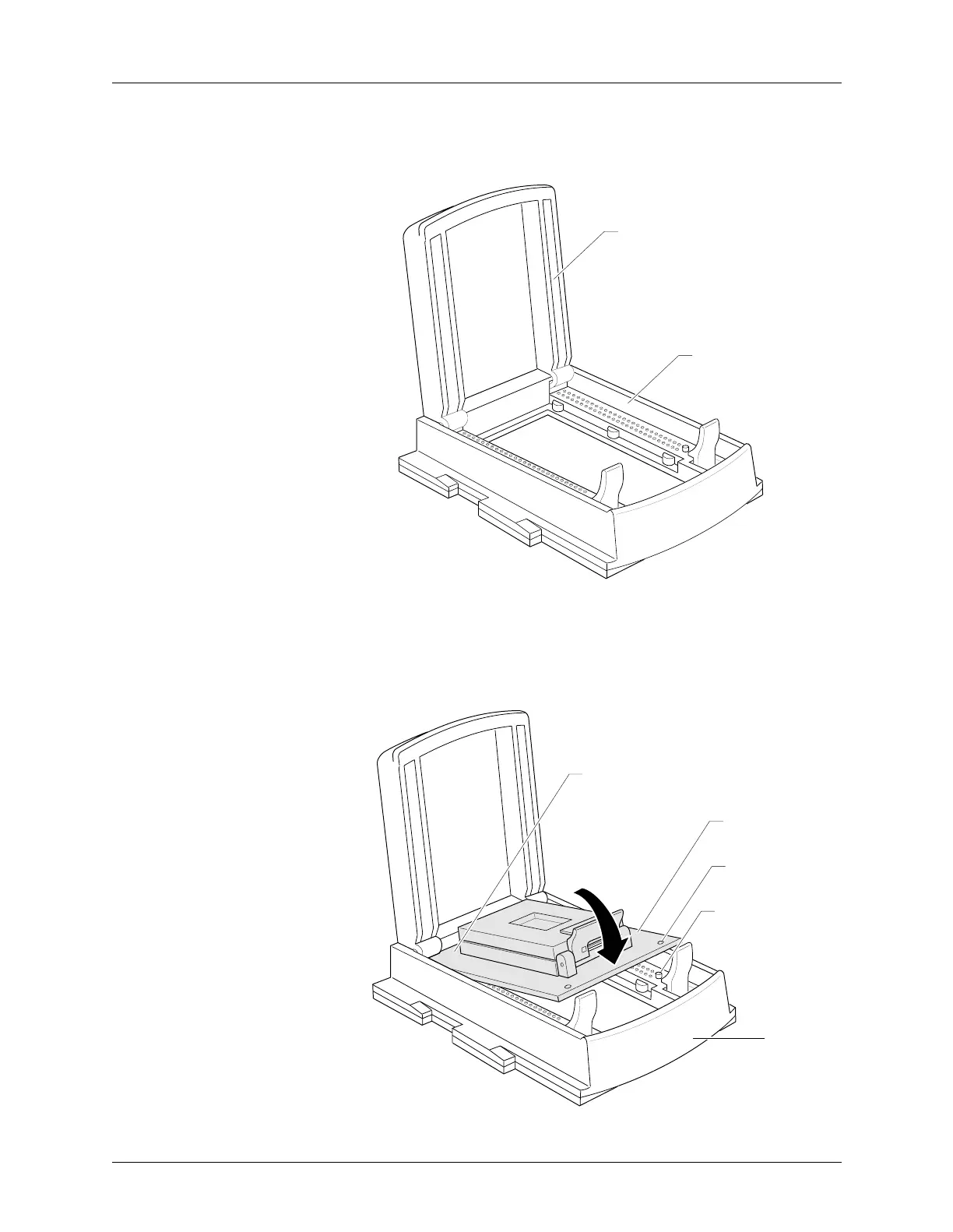
2. Raise the base door until it rests in the upright position against the
back of the PPI Base as shown in Figure A-12.
3. Pick up the adapter with the retaining latch end facing toward you,
and slide the rear of the adapter into the back of the base as shown in
Figure A-13. The alignment holes in the front corners of the adapter
slide onto the raised plastic pins.
Figure A-12
PPI Base
Figure A-13
Inserting an Adapter into the Base
1321-1
BASE DOOR
PPI BASE
1322-1
FRONT
OF BASE
ADAPTER
RAISED PLASTIC
PIN (1 of 2)
ALIGNMENT
HOLE (1 of 2)
REAR EDGE OF
ADAPTER



 To Next Page