3. Getting Started
UniSite-xpi User Manual 3-43
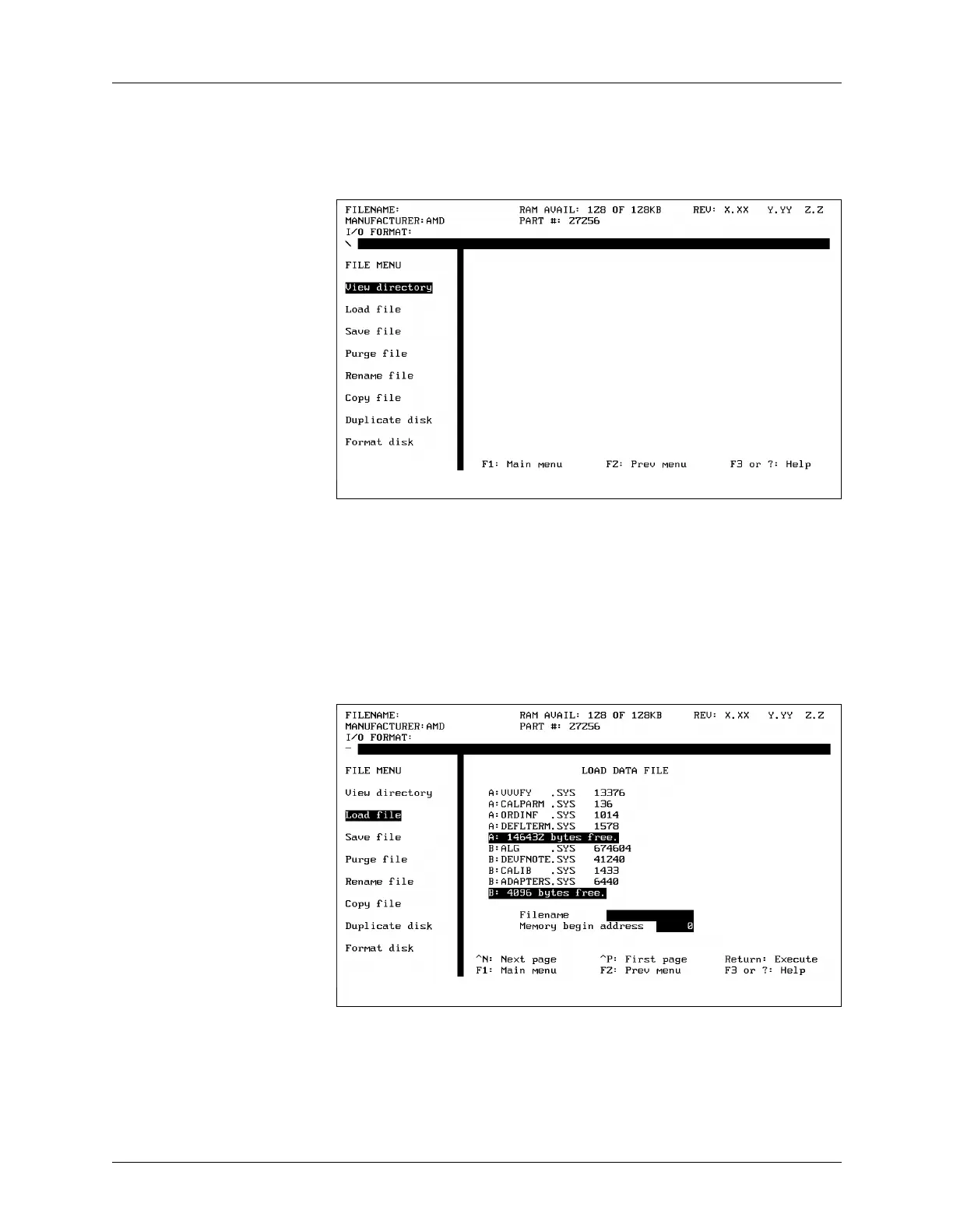
The File Menu To get to the File menu, select File Operations from the More Commands
menu. The File menu appears and should look like the screen shown in
Figure 3-49.
Viewing a Directory The View Directory command displays a directory of the files stored on
the disks in both disk drives. The files on the disk in the lefthand drive
(drive A) are prefixed with A:, and the files on the disk in the righthand
drive (drive B) are prefixed with B:.
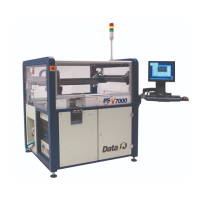
Loading the File Create a binary file on a disk and place the disk in drive A. Select Load
File from the File menu. The dialog window displays a directory of the
files on the disks in UniSite-xpi’s two disk drives. (Notice that the Load
File command displays a directory similar to the View Directory
command.) A screen similar to what you will see is shown in Figure 3-50.
Figure 3-49
The File Menu
Figure 3-50
The Load File Dialog Screen


 To Next Page