3. Getting Started
UniSite-xpi User Manual 3-9
Click OK.
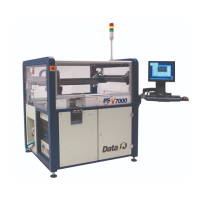
When the data file is successfully loaded into programmer RAM, a
message box displays the RAM checksum.
Click OK.
Note: Because TaskLink for Windows is running in Simulation Mode, the
checksum displayed is 00000000. When connected to a programmer and
loading real data, the checksum will display actual values.
Session 4: Selecting Processes
After loading data into programmer RAM, the next step is determining
which processes the programmer will perform on the device.
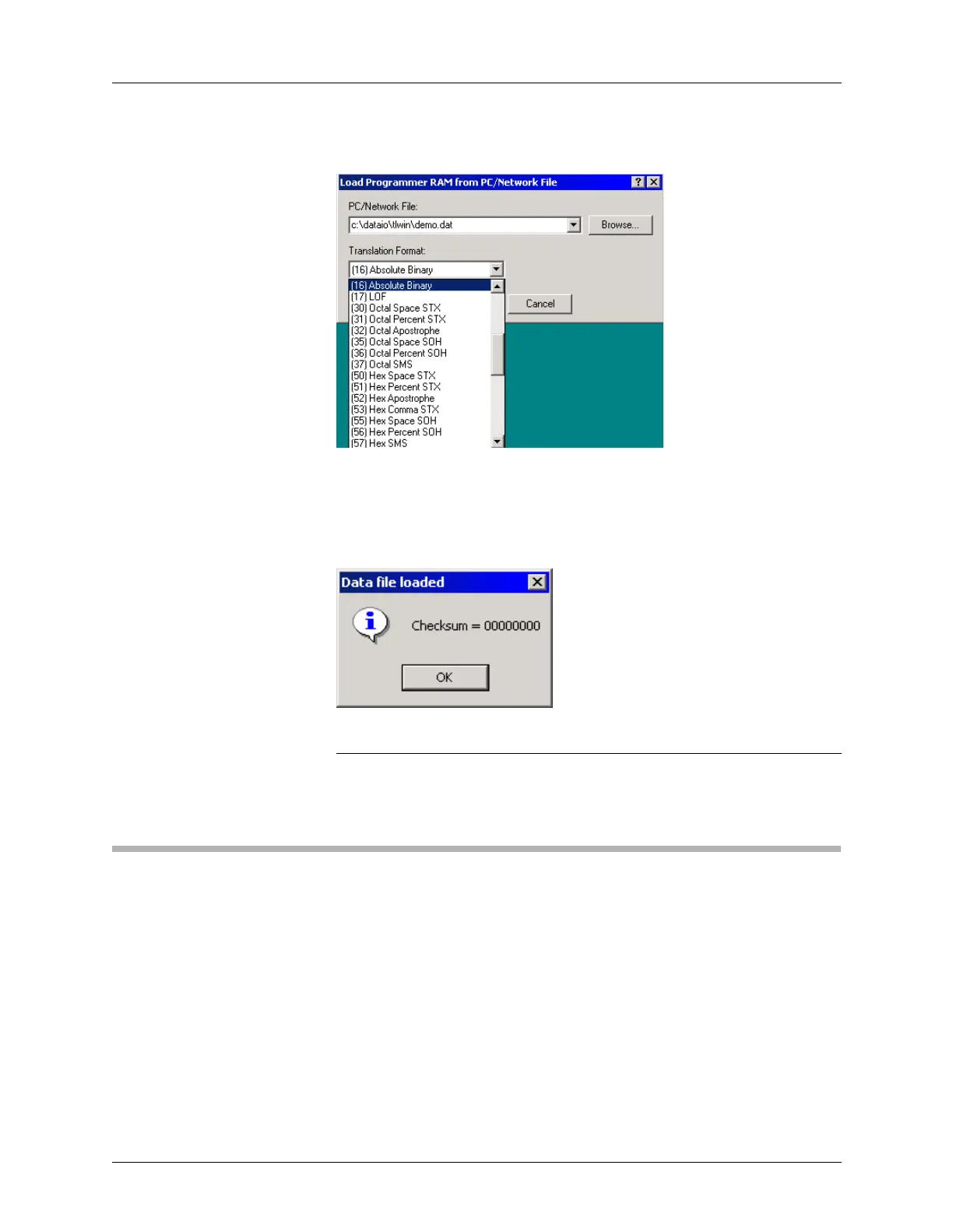
Figure 3-12
Choosing a Translation Format
Figure 3-13
Data File Loaded


 To Next Page