3. Getting Started
3-22 UniSite-xpi User Manual
Tutorials for HiTerm (Terminal) Mode
Sessions 11-21 take you through the basic process of programming a
device using HiTerm (terminal mode) as your user interface. Be sure to
read “General Information About HiTerm” for help in understanding the
main screen, moving the cursor, selecting commands, and accessing
online help, for example.
Note: HiTerm supports only serial mode operations.
Before you go any further in this chapter, make sure you have read and
completed the instructions in Chapter 2, “Setup and Installation.” You
should also have read Chapter 1, “Introduction.”
General Information About HiTerm
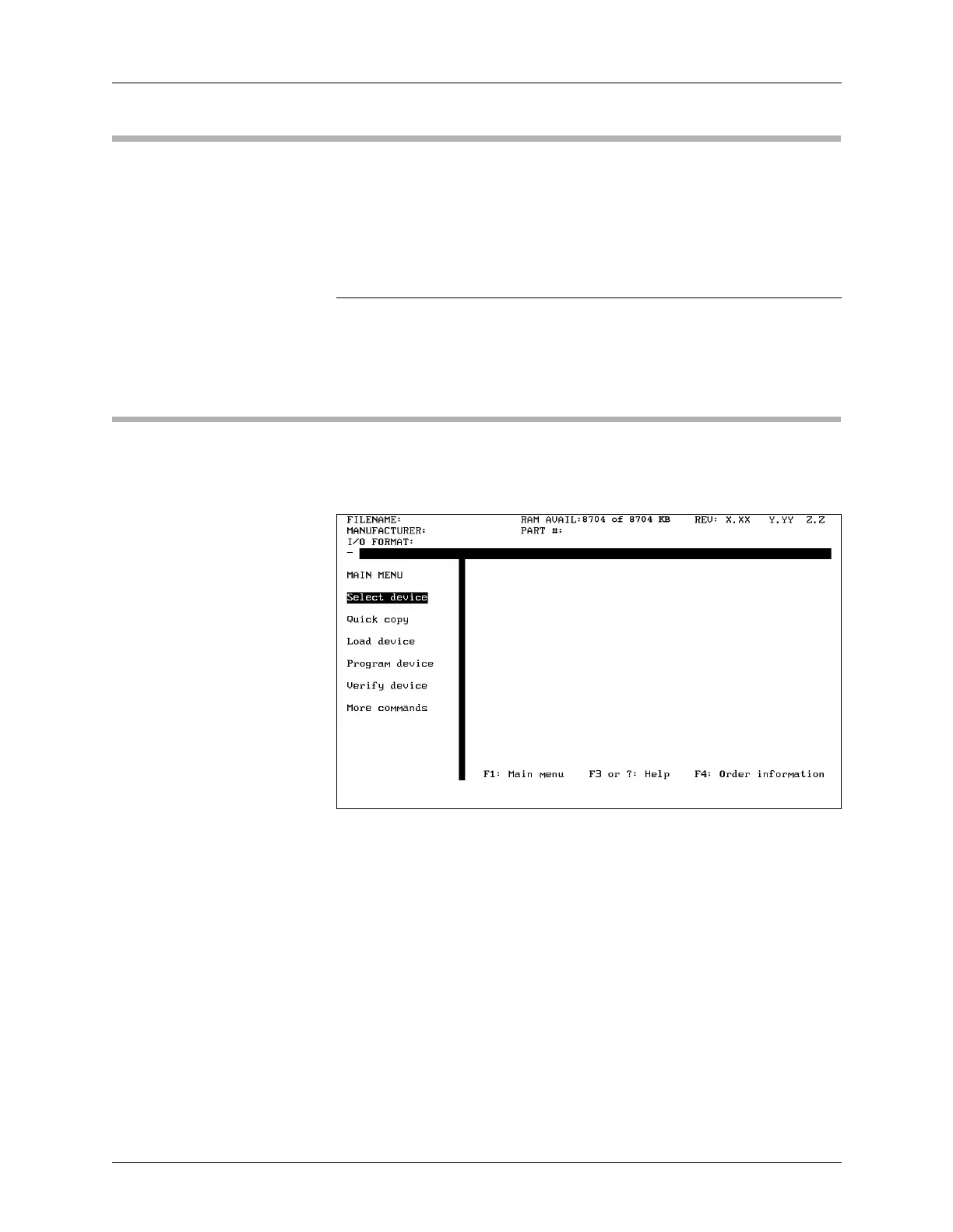
UniSite-xpi should be powered up and you should be looking at the Main
Menu, shown in Figure 3-36.
Figure 3-36
The Main Menu


 To Next Page