2. Setup and Installation
2-38 UniSite-xpi User Manual
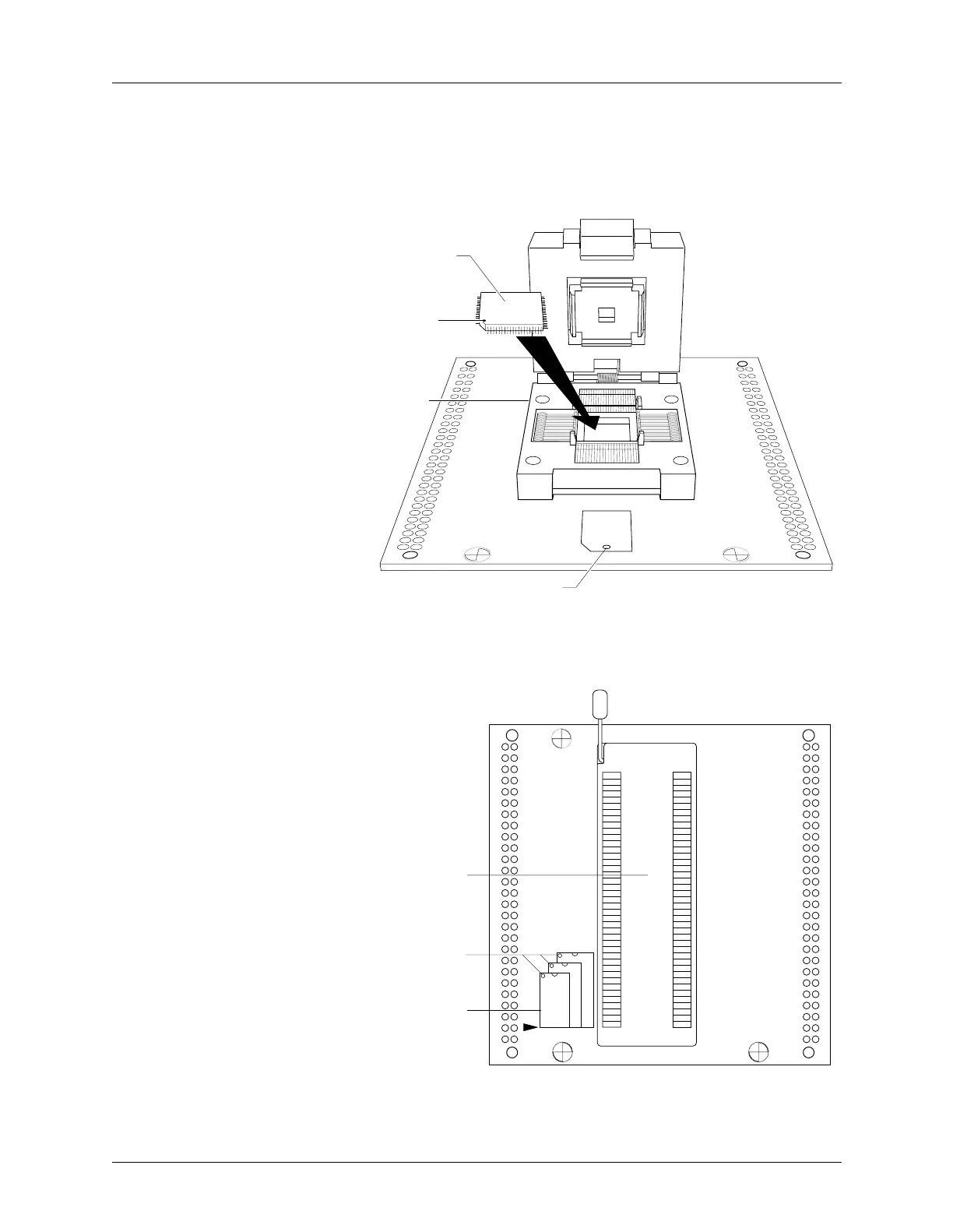
Quad Flat Pack Device
Orientation Pin 1 on the QFP device is usually at the front left of the device. Orient the
QFP device according to the icon or indicator on the adapter. See
Figure 2-17.
Shrink Dip Device Orient the SDIP device in the socket with pin 1 at the top left and bottom
justified as shown in Figure 2-18.
Figure 2-17
QFP Device Orientation
Figure 2-18
Shrink Dip Device Orientation
1328-1
PIN 1
DEVICE
QFP SOCKET
PIN 1
1329-1
SDIP SOCKET
PIN 1
SDIP ORIENTATION
ICON



 To Next Page