2. Enter the appropriate information in the form as described below.
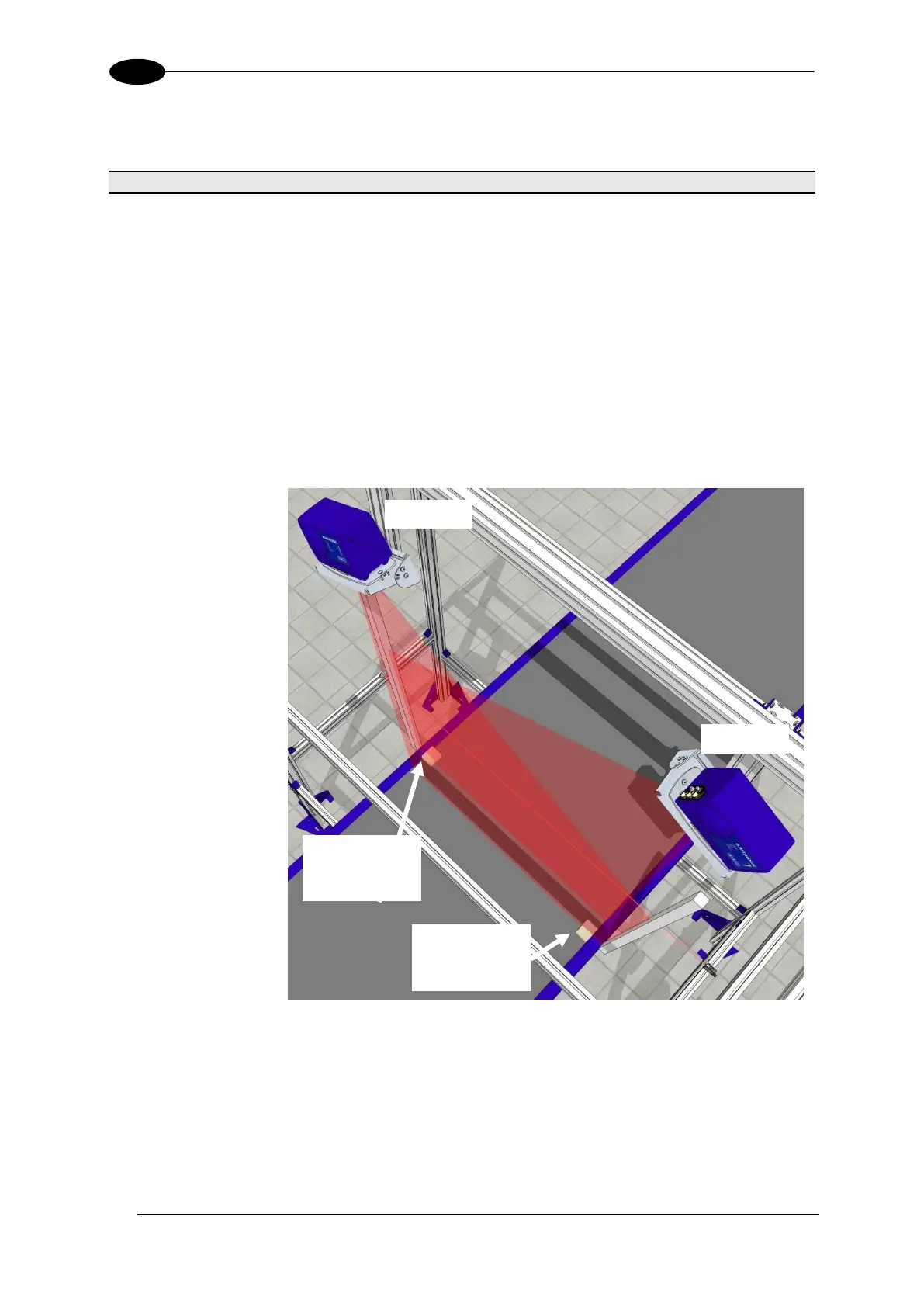
Side margins equal the width of spacers (the wooden blocks shown
in the drawing below) that help the dimensioner find the edges of the
conveyor belt. You must enter a width of the side margins used to
create an edge defining transition on the outer edge of the scanning
area.
If the spacers are placed inside the belt width, the spacer width must
be entered into the Side Margins text field. For example, if 3-inch
spacers are used, the Side Margins field value must be 3. The
spacers must be the same width.
If the spacers can be placed outside the edge of the belt, or if side
rails are present, a "0" must be entered into the Side Margins text
field for the spacer width.
Figure 47: Side Margin Spacer Placement (Inside)


 To Next Page