84
SECTION 7
DriveRack
™
Delay On – Turns the Sys Control delay On(red light on) or Off.
Dela
y type – Changes the units the delay length is displayed in.
Dela
y length – Adjusts the amount of delay added to the assigned input channel’s delay.
The OK
button closes the window. Selecting Cancel resets values to original settings.
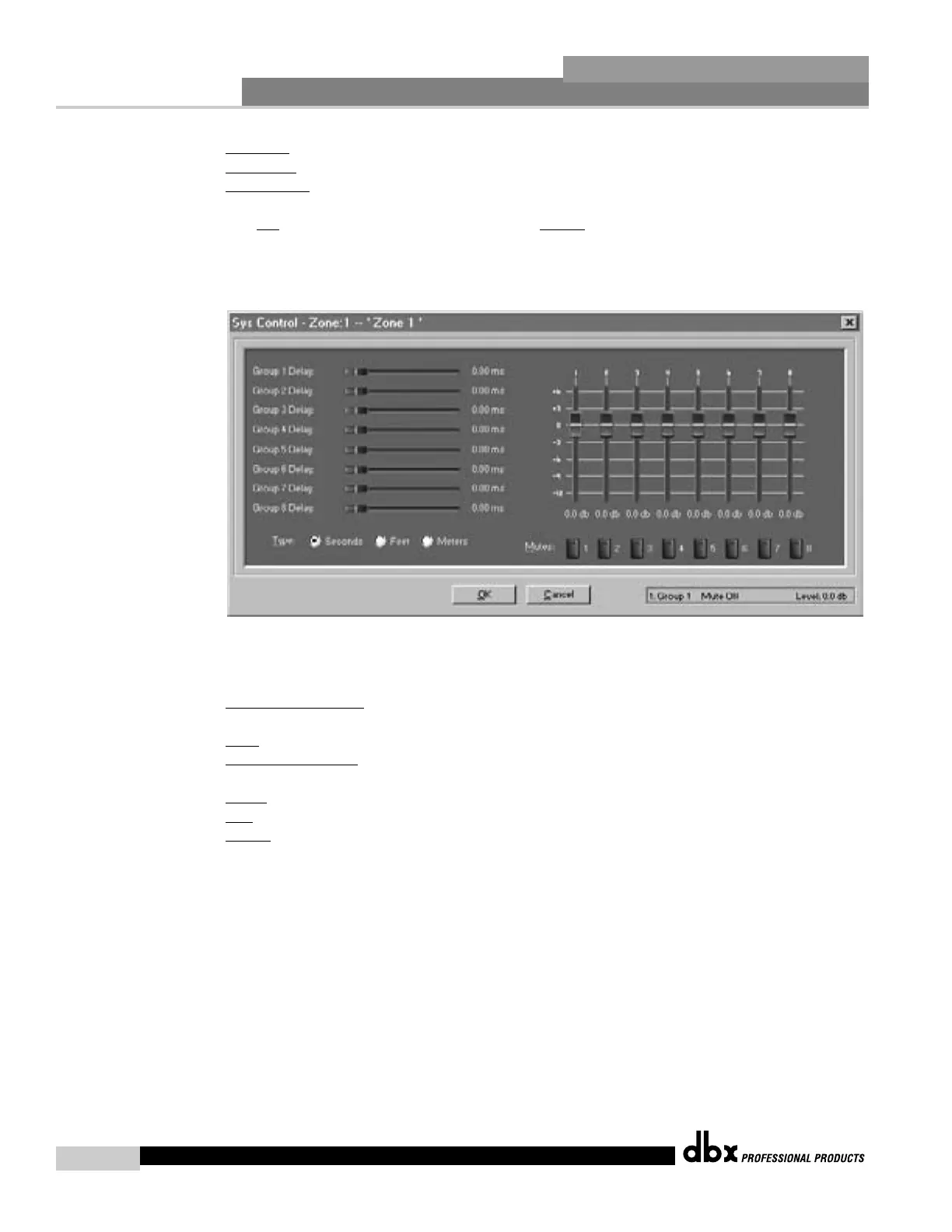
Sys Control Output
Window
For each Zone there is a similar output control window to control different groups within a
Zone, and the controls are as follows:
Gr
oup Delay Control – The 8 horizontal sliders control the amount of delay trim that will be
added to the channels assigned to that group.
T
ype – Selects the units the delay values will be displayed in.
Output Gain Slider
s – The 8 vertical sliders control the gain trim that will be added to the
channels assigned to that group.
Mutes
– The 8 mute buttons are used to mute all the channels in the group.
OK
- Closes the window.
Cancel
- Resets values to original settings.
DriveRack™ User Manual



 To Next Page