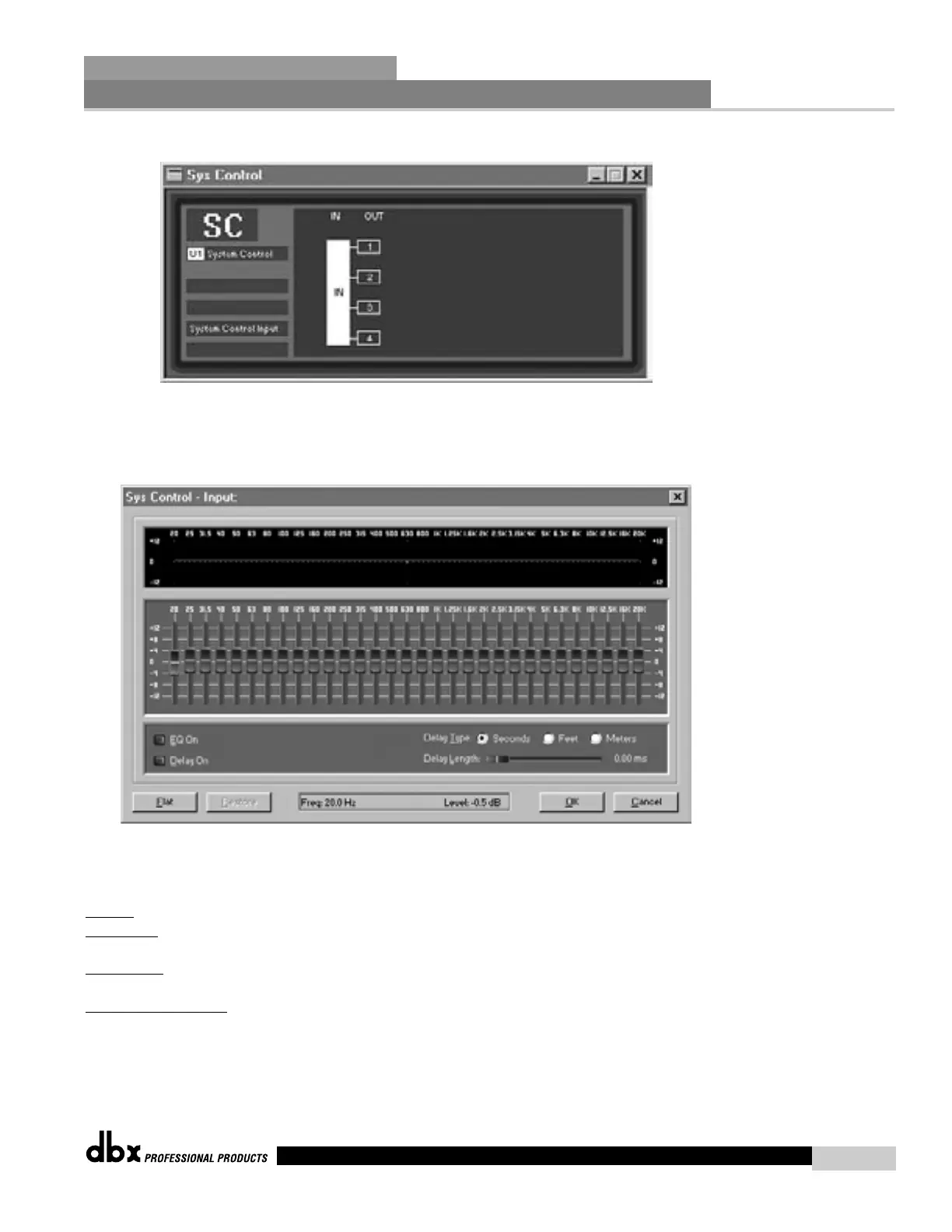
Sys Control Window:
This window displays an input block and 4 output blocks. These blocks correspond to the
INPUT group and 4 output Zone groups.
Sys Control – Input Window:
This widow is used to control the input Graphic EQ and Input Delay of all input channels
assigned to the INPUT group. The Sys Control Graphic EQ controls the GEQ or Show GEQ
directly.
EQ On
- To turn the EQ on click the EQ on button in the lower left part of the window.
EQ Slider
s - The 31 Sliders in the middle of the window control the Boost and Cut of the
individual EQ bands.
EQ Displa
y – The Top portion of the window displays the EQ curve resulting from the Boost
and Cut. Window is flat when EQ is off.
F
lat/Restore Buttons – Pressing Flat sets all the Sliders to 0dB and flattens the resulting EQ
curve. Clicking Restore restores the EQ to the previous setting.
Sys Control Delay:
The Sys Control INPUT delay adds a trim value to the input delay of the assigned channel.
Network Functions
SECTION 7
DriveRack
™
83
DriveRack™ User Manual



 To Next Page